



Did you know that 86% of people think not disconnecting from devices outside work hours harms their well-being? This shows a big problem in how we use technology every day. But, maybe the answer isn’t just to turn off our devices.
Studies looked at 21 trials with 3,625 people and found something surprising about digital wellness. Some digital detox programs helped, but others didn’t work well or even made things worse. This makes us question if just taking breaks from tech is enough to find balance.
We’re moving from just detoxing to making lasting changes. Instead of seeing tech overload as a quick problem, sustainable online habits aim to fix the root causes. This means making our tech use a part of our daily lives, not just a break from it. It’s about finding a balance that considers our mental, social, and ethical sides.
Real change means going beyond quick fixes. We need to create lasting ways to deal with our digital world.
Key Takeaways
- 86% of individuals recognize that constant device connectivity outside work negatively impacts well-being, highlighting widespread digital wellness concerns
- Research on 3,625 participants shows digital detox effectiveness varies significantly, with some programs showing little or even negative results
- Sustainable approaches focus on systematic integration instead of just taking breaks, tackling the real causes of digital issues
- Effective tech-life balance requires making changes to our daily tech use, not just temporary breaks
- Mindful technology practices must consider our mental, social, environmental, and ethical sides for lasting effects
- Proactive sustainability models build healthy habits into our routines, not just treating digital overwhelm as a quick problem
Why Digital Detoxes Fail and What Works Instead
Studies show that digital detoxes have big flaws that make them not work well for long. People who try to stop using technology find it easier than they thought. But, they soon go back to using it a lot.
After a short time, people start using technology again. This shows that detoxes don’t really help in the long run.
People tend to go back to using technology a lot. This is because detoxes don’t really change how people use technology.

Detoxes don’t really change how people use technology for long. They might use less technology while they’re doing the detox. But, soon after, they start using it a lot again.
This makes us wonder why detoxes don’t really work. They seem to help a little while they’re happening, but not for long.
Detoxes don’t really change how people use technology. They think that just stopping using technology will solve the problem. But, it’s not that simple.
When people go back to normal life, they face the same problems again. Detoxes only work in a special environment. When that environment goes away, people go back to old habits.
Modern technology is designed to keep people using it. It uses tricks like endless scrolling and rewards to keep people engaged. This makes it hard for detoxes to work.
Trying to resist these tricks is hard. Technology companies spend a lot of money on research to make their products more addictive. This makes it hard for people to stop using technology.
| Traditional Digital Detox | Sustainable Technology Framework | Long-Term Outcomes |
|---|---|---|
| Complete abstinence for fixed period | Gradual behavioral modification | Sustained habit integration |
| Willpower-dependent approach | Environmental restructuring | Reduced cognitive burden |
| Binary on/off relationship | Intentional, values-aligned use | Functional technology relationship |
| Temporary relief experience | Metacognitive awareness development | Adaptive response capability |
What makes some approaches work better than detoxes? Research shows that changing how we use technology is key. It’s not just about stopping for a while.
Good approaches focus on three things. They change the environment to make good habits easier and bad ones harder. They help people understand their relationship with technology. And they make small changes to build lasting habits.
Changing habits is all about the environment and how we think. Detoxes might work for a bit, but they don’t really change how we think and act. To really change, we need to make lasting changes in how we use technology.
It’s not about avoiding technology completely. Technology is useful for many things. The goal is to use it in a way that’s good for us and the planet.
Instead of trying to avoid technology, we should think about how to use it better. This means using it in a way that fits our values and goals. This approach helps us avoid the cycle of using too much technology and then trying to stop.
The next sections will talk more about how to change our relationship with technology. We’ll look at how to make lasting changes in how we use technology. This includes changing how we think, our environment, and our social and ecological interactions.
Auditing Your Current Digital Habits and Patterns
To change your digital habits, start by looking at how much time you spend on screens and the energy they use. This step is key to understanding where you can make a big difference. Without knowing your current habits, changing them is hard.
Looking at your screen time, energy use, and environmental impact is important. It shows how technology affects your well-being and the planet. This helps you see where you can make changes.
Most people don’t realize how much time they spend on technology. Studies show that people often underestimate their screen time by a lot. This is why knowing your habits is so important.
Comprehensive Cross-Device Tracking Methods
To manage your screen time, you need to track all your devices. Tools on phones and computers are a good start, but they don’t cover everything. You need to track all your devices to get a full picture.
Smartphones are where most people spend their time. Tools like iOS Screen Time and Android Digital Wellbeing help track this. But, they only show what happens on one device.
Computers are tricky because they’re used for work and personal stuff. Tools like RescueTime or ManicTime help track how you use your computer. They show if you’re focused or distracted.
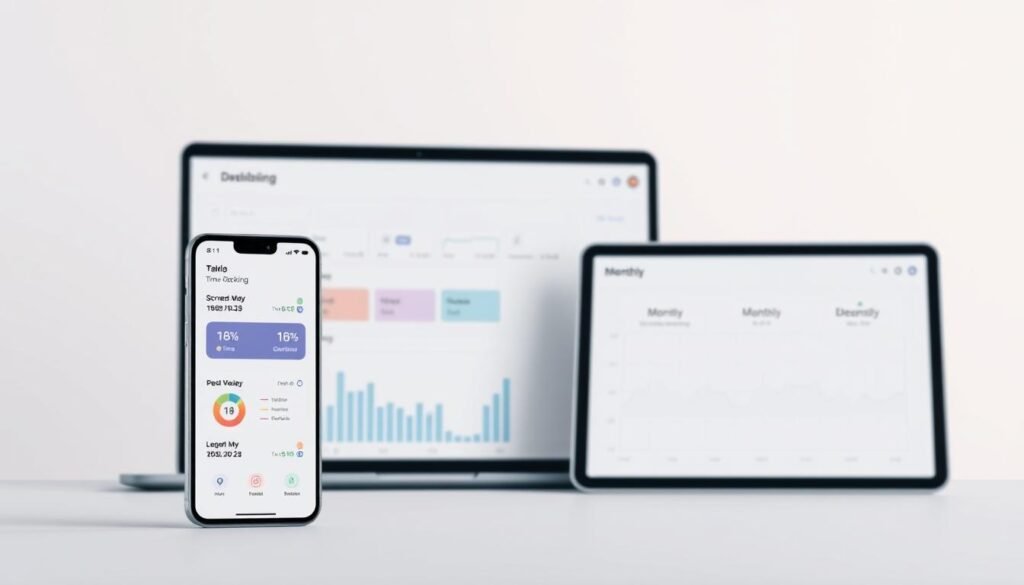
To get a complete picture, you need to combine data from all your devices. A spreadsheet can help you track your screen time over time. This shows how your habits change.
It’s important to track more than just how long you’re on your devices. Look at which apps you use the most and how often you check notifications. This helps you see where you can make changes.
Identifying Cognitive and Emotional Resource Depletion
Not all screen time is the same. Some activities use up a lot of mental energy. Finding out which activities drain you is key to making changes.
Good digital activities make you feel good and help you grow. They align with your goals and improve your life. But, bad habits can make you feel tired and unhappy.
To find out which activities drain you, keep a journal. Write down what you do and how you feel. This helps you see patterns you might not notice.
Knowing how you feel after using technology helps you make better choices. You might find that some activities make you feel energized, while others make you feel drained.
Notifications can be a big problem. They interrupt your focus and make it hard to get back to what you were doing. Tracking how often you get interrupted helps you see where you can improve.
Environmental Impact Calculation and Assessment
The impact of technology goes beyond just how it affects you. It also affects the planet. Understanding this helps you make choices that are better for the environment.
Technology uses a lot of energy, which contributes to climate change. Every time you stream a video or send an email, you’re using energy. While it might seem small, it adds up.
Streaming videos uses a lot of energy. Changing from high-quality to lower-quality streams can make a big difference. It’s like taking cars off the road.
| Digital Activity | Energy Per Hour | Annual CO2 (Daily Use) | Reduction Strategy |
|---|---|---|---|
| 4K Video Streaming | 0.45 kWh | 82 kg CO2 | Lower to HD quality |
| HD Video Streaming | 0.23 kWh | 42 kg CO2 | Download for offline viewing |
| Social Media Browsing | 0.12 kWh | 22 kg CO2 | Reduce session frequency |
| Cloud Storage Sync | 0.08 kWh | 15 kg CO2 | Selective sync settings |
| Email Management | 0.03 kWh | 5 kg CO2 | Delete old messages |
Cloud storage uses a lot of energy, too. It’s like driving a lot of miles. Cleaning up your cloud storage can help reduce this impact.
Devices also have a big environmental impact. Making a new smartphone or laptop uses a lot of energy. Using your devices for longer can help reduce this impact.
Throwing away old devices is bad for the environment. In the US, a lot of devices are not recycled. Knowing how much you throw away can help you make better choices.
Online tools can help you understand your environmental impact. They let you track your energy use and carbon footprint. This helps you see where you can make changes.
By tracking your screen time, energy use, and environmental impact, you can make better choices. This helps you use technology in a way that’s good for you and the planet.
Building a Sustainable Digital Life: Core Principles and Values
Sustainable digital practices come from deep values, not random rules. They reflect what we truly value in life. This approach means changing from within, not just following rules.
Starting a mindful digital journey begins with thinking about what’s important. Without clear values, we’re easy targets for tech companies. Values guide our choices when faced with endless digital options.
The Sustainability Directory’s framework has three key principles: Aspire, Adapt, and Amplify. These help us share knowledge, tailor resources, and work together. They’re key for lasting change in how we use tech.
Studies show we change our ways when we want to feel better, reduce stress, or grow. These reasons are stronger than external pressures. Knowing this helps us make lasting tech choices.
Defining Your Personal Digital Values
Personal digital values are our standards for tech choices. They show what we can’t compromise on in our digital lives. We need to look at our current habits and future dreams to define these values.
Methods from moral psychology help us find our true values. They help us see what’s really important to us, not just what others expect. This helps us separate our real values from what society or media tells us.
Defining values involves considering many areas of life. Think about how tech affects our time, relationships, mental health, creativity, and the planet. Each area needs careful thought instead of just going with the flow.
The unexamined life is not worth living, and the unexamined digital life consumes our most precious resource: attention directed toward what truly matters.
Being mindful online starts with clear values. Write down what you want tech to help you with. This could be learning, connecting, being creative, or helping others.
The table below helps you clarify your values:
| Value Category | Core Question | Digital Application | Success Indicator |
|---|---|---|---|
| Time Sovereignty | Who controls my daily attention allocation? | Intentional scheduling versus reactive scrolling | Days end with satisfaction, not confusion |
| Relationship Authenticity | Are digital interactions making my relationships deeper? | Choose tech that supports real connections | Build stronger friendships, not just followers |
| Cognitive Preservation | Does tech help me focus or distract me? | Use tech wisely to protect your mind | Stay focused without constantly checking devices |
| Environmental Stewardship | Does my tech use harm the planet? | Choose sustainable tech to reduce waste | Use less energy and keep devices longer |
Once you know your values, they guide your choices. When faced with new tech, ask if it aligns with your values. Does it help you achieve your goals or just offer convenience?
Aligning Technology Use with Life Goals
Aligning tech with your goals is key. This means checking if your digital habits help you reach your aspirations. Many people find gaps between what they want and how they use tech.
For example, someone wanting to grow professionally might spend too much time on social media. Building a sustainable digital life means closing these gaps by making smart choices.
Do an alignment check in all areas of your life. See how your tech use supports or hinders your goals. This audit shows if tech is helping or distracting you.
Relationships are another area to check. Tech can help you stay in touch with loved ones. But it can also replace real conversations, making us feel less connected.
The following framework helps you align your tech use:
- Goal Identification: List your top five life goals
- Technology Mapping: Track all your digital tools
- Contribution Analysis: Rate how each tech tool supports your goals
- Gap Recognition: Find where tech use doesn’t match your goals
- Recalibration Planning: Plan to fix these gaps
Health goals often show where tech use needs to change. Late-night scrolling can hurt your sleep, and too much screen time can make you feel stressed. Using tech wisely is key to staying healthy.
Creative goals also need careful tech use. Digital tools can help you create, but they can also distract you. Set boundaries to use tech for creativity, not just consumption.
Being green is another important goal. Using less energy and choosing eco-friendly tech helps the planet. Aligning your tech use with environmental values is essential.
This process is ongoing. Life changes, goals shift, and new tech emerges. Regularly check if your tech use aligns with your values and goals. Do this every few months to stay on track.
Learning to align your tech use with your values makes you more mindful. This skill helps you make better choices, even when tech tries to distract you. This is the heart of a sustainable digital life.
Step 1: Declutter Your Digital Environment
Before diving into advanced digital wellness strategies, it’s essential to declutter your digital space. Too many apps, files, and subscriptions can overwhelm you. This clutter hinders productivity and mental health.
Decluttering sets the stage for mindful digital consumption. It means getting rid of digital clutter you don’t need. This process helps you focus on what’s truly important. It’s about choosing tools that align with your goals, not just because you have them.
Decluttering also has environmental benefits. It reduces energy use in data centers. This shows how taking care of your digital space helps the planet too.
Cleaning Up Your Devices and Apps
Start by sorting your apps into three groups. Essential apps are used daily for important tasks. Occasional apps are used monthly for specific needs. And then there are apps that just take up space but are never used.
Getting rid of apps can be hard because of fear of missing out. But, keeping too many apps wastes space and slows down your device. It’s better to keep only what you really need.
Remember, every app you have uses up resources. It’s better to have fewer apps that really help you. This way, you can focus better and achieve more.
Set aside time each quarter to review your apps. Use your device’s analytics to see which apps you really use. If you haven’t used an app in three months, it’s probably safe to delete it.
Devices can show you how much time you spend on certain apps. This helps you see which apps are worth your time. By removing apps that waste your time, you can use your device more wisely.
Organizing Digital Files and Cloud Storage
Cloud storage might seem endless, but it can lead to digital clutter. This clutter makes it hard to find what you need and wastes energy. Organizing your files is key to avoiding this problem.
Start by organizing your files into clear categories. Use folders for different areas of your life, like work or hobbies. Then, organize files within each folder by project or topic.
Getting rid of old files and duplicates helps the environment. It also makes your digital space more efficient. This is part of using technology in a way that’s good for the planet.
| Organizational Strategy | Implementation Method | Environmental Benefit | Productivity Gain |
|---|---|---|---|
| Hierarchical folder structure | Domain-based primary categories with project subcategories | Reduces search-related server queries by 40% | Decreases file retrieval time by 60% |
| Systematic file naming conventions | Date-descriptor-version format for consistent identification | Minimizes duplicate storage through clear versioning | Eliminates confusion from ambiguous file names |
| Regular archive and deletion cycles | Quarterly review with archive of outdated materials | Reduces active storage needs by 30-50% | Maintains focus on current relevant materials |
| Local versus cloud storage decisions | Frequently accessed files stored locally to reduce transmission | Decreases ongoing data transfer energy costs | Improves access speed for priority documents |
Decluttering your email is also important. Old emails take up space and can be a distraction. Delete emails that are no longer useful to keep your inbox tidy.
Understanding the environmental impact of cloud storage is key. Every byte stored uses energy. Being mindful of this helps you use cloud storage more sustainably.
Unsubscribing and Reducing Digital Noise
Too much information can overwhelm you. Newsletters, ads, and social media can all be distracting. It’s important to manage what you subscribe to and what notifications you receive.
Start by reviewing all your subscriptions. Tools can help you see who you’re subscribed to and how often. On average, people get 120 to 150 emails a day, with most being spam or newsletters.
When deciding what to keep, think about whether it’s worth your time. Ask yourself if it adds value or helps you grow. Sustainable online practices mean being selective about what you let into your digital life.
Unsubscribing can make a big difference. Cutting your email load in half can reduce stress and make managing your inbox easier. Tools like Unroll.me can help you manage subscriptions, but be careful of their data policies.
Managing notifications is also important. Most apps want to keep you engaged, but this can be distracting. Turn off notifications for apps you don’t need to use right away to stay focused.
Less digital noise means better mental health and less energy use. By being mindful of how you use your device, you can improve your life and the planet’s.
Use filters and priority inboxes to sort your emails. This helps you quickly find important messages and ignore the rest. Email clients have tools to help you do this.
Creating a clean digital space is just the beginning. It sets the stage for using technology in a way that’s good for you and the planet. This makes your digital life more intentional and fulfilling.
Step 2: Implement Digital Minimalism Practices
Removing unnecessary apps and files is just the start. Sustainable digital life also means choosing what you keep wisely. Digital minimalism is about using technology with purpose, not just for fun.
This approach looks at the quality of our digital interactions, not just how much we use. It’s about making technology serve our values, not the other way around. This helps us stay focused and happy.
Let’s dive into three key practices for better digital habits. These strategies help us manage our info flow, pick valuable content, and set limits for a healthier digital life.
Creating a Data Diet for Information Consumption
Think of a data diet like a healthy food plan. Just as bad food harms our bodies, bad info harms our minds. Studies show it can mess with our thinking and feelings.
A data diet means choosing good info over bad. Good info helps us learn and grow. Bad info just wastes our time. We need to know what we’re eating online.
Here are some tips to pick good info:
- Depth over breadth: Choose content that goes deep, not just skims the surface
- Primary sources: Go for original research and firsthand accounts
- Timeless principles: Look for info that’s always relevant, not just trendy
- Action orientation: Info that helps you do something is better than just reading
- Intellectual challenge: Seek out content that makes you think
Tracking how much info we consume is key. We often don’t realize how much we’re taking in. Knowing our baseline helps us make real changes.
The cost of a thing is the amount of what I will call life which is required to be exchanged for it, immediately or in the long run.
Strategic info consumption means setting times to check in. This helps us stay focused and avoid distractions. It’s about making the most of our time online.
Curating Content That Adds Real Value
Curating content is an active process. It’s about choosing what adds value to our lives. Unlike algorithms, we focus on what truly matters.
Developing curatorial judgment is like any skill. It takes practice and feedback. We experiment and see what works best for us.
Here are some ways to curate content:
- Source diversification: Find creators who offer new perspectives
- Quality verification: Check if sources are reliable and honest
- Format matching: Choose content that fits our current mood and focus
- Regular pruning: Remove sources that no longer serve us
- Intentional discovery: Set time to explore new content
Curating content helps us make ethical choices online. We focus on creators who care about our well-being. This means choosing subscriptions and independent creators over ads.
Building a personal content library adds lasting value. It lets us dive deeper into what we love. Tools like read-later apps help us organize and revisit great content.
Developing taste in digital content is like any skill. We start by exploring and applying criteria. As we get better, we can quickly spot quality content. This skill grows over time, making curation easier and more effective.
Setting Intentional Technology Boundaries
Setting tech boundaries is about living our values, not just following rules. Good boundaries feel empowering, not restrictive. They help us focus on what’s important in life.
Start by identifying your core values and goals. Boundaries protect our time and energy for what matters most. They stop us from getting lost in tech.
Effective boundaries cover different aspects of tech use:
| Boundary Type | Purpose | Implementation Example |
|---|---|---|
| Temporal | Protect specific time periods from digital intrusion | No devices during meals, first hour after waking, or last hour before sleep |
| Spatial | Maintain physical environments free from technology | Bedrooms, dining areas, or outdoor spaces remain device-free zones |
| Functional | Limit technology to specific purposes | Work devices used exclusively for professional tasks, not entertainment |
| Social | Preserve quality of interpersonal interactions | Phones stored during social gatherings and conversations |
Turning boundaries into reality takes more than just good intentions. Use physical barriers and tools to help you stay on track. This makes it easier to stick to your boundaries.
Digital minimalism sees boundaries as liberating, not restrictive. They help us control our attention and focus. This is different from always being available online.
Boundaries need regular checks to stay relevant. What works today might not tomorrow. It’s about keeping your boundaries in line with your changing values.
When boundaries feel natural, tech consumption becomes sustainable. At first, it might feel hard. But soon, you’ll appreciate the benefits of focused time and deeper connections. These benefits keep you committed to your boundaries.
Step 3: Design Your Mindful Screen Time Strategy
Creating a mindful screen time plan means setting up rules for when and how we use technology. This approach is better than trying to control ourselves every time we use a device. It helps us stay focused and avoid feeling overwhelmed by technology.
Most people struggle to disconnect from their devices outside of work. This can harm our overall well-being. A good screen time plan helps us manage our time better and feel more in control.
There are two main ways we use technology: mindlessly and with purpose. Mindless use can make us feel scattered and less present. On the other hand, using technology with a clear goal in mind helps us stay focused and productive.
To create a healthy relationship with technology, we need to set boundaries. This includes physical spaces where devices are not allowed and specific times when we can’t use them. Tools that help us track our screen time can also be very helpful.
Establishing Tech-Free Zones in Your Home
Designing our living spaces to be tech-free can help us stay focused. Having areas where devices are not allowed can protect our time and activities from digital distractions. This approach is more effective than trying to control ourselves every time.
The bedroom is a key area to keep device-free. Using devices before bed can disrupt our sleep. Having a charging station outside the bedroom helps us avoid the temptation to check our devices too early in the morning.
Dining areas should also be free from devices. Eating with our phones can lead to unhealthy eating habits and less quality time with family. Studies show that device-free meals improve communication and relationships.
To make tech-free zones work, we can:
- Physical barriers: Use designated storage for devices
- Visual reminders: Place signs to remind us of tech-free zones
- Alternative activities: Keep books, games, or conversation starters in tech-free areas
- Household agreements: Make rules with family or roommates
- Gradual expansion: Start with one area and add more as needed
Creating Daily Tech Sabbath Periods
Having regular breaks from technology helps us recharge and stay present. This idea comes from religious traditions but is adapted for today’s digital world. It helps us avoid the constant need to check our devices.
Daily tech sabbaths can be as short as a few minutes or as long as an hour. They help us focus on important tasks and avoid digital distractions. This practice improves our mental health and productivity.
Effective tech sabbaths include:
- Clear communication: Tell others when you’re not available
- Physical device management: Use airplane mode or place devices in designated spots
- Replacement activities: Plan something to do during your tech break
Structuring Deep Work Cycles and Digital Breaks
Managing our attention is key to being productive. Deep work cycles help us focus on important tasks without distractions. This approach is more effective than trying to work in short bursts.
Deep work cycles should last 90-120 minutes, followed by a 15-20 minute break. This rhythm helps us stay focused and avoid burnout. It aligns with our natural attention patterns.
Digital breaks are important for deep work cycles. They help us recover and prevent the urge to constantly check our devices. By scheduling our digital time, we can stay focused on what’s important.
Here’s how to implement deep work cycles:
| Cycle Component | Duration | Key Practices | Technology Status |
|---|---|---|---|
| Deep Work Session | 90-120 minutes | Single-task focus, environmental control, clear objectives | Notifications disabled, communication apps closed |
| Recovery Break | 15-20 minutes | Physical movement, nature exposure, social connection | Brief check permitted but not required |
| Shallow Work Block | 30-45 minutes | Email processing, scheduling, administrative tasks | Full access for communication and coordination |
| Transition Period | 5-10 minutes | Planning next session, closing open loops, environmental reset | Minimal engagement focused on preparation |
Using Screen Time Tools Effectively
Screen time monitoring tools can help us understand our habits. They provide valuable insights that can guide us to make better choices. It’s important to use these tools to learn and improve, not just to control ourselves.
Most devices and apps have built-in features to track screen time. These tools can block certain websites or apps and even help us stay accountable. The key is to use them in a way that supports our goals, not controls us.
To get the most out of screen time tools, we should:
- Weekly review rituals: Regularly check our usage and adjust our strategies
- Category-based analysis: Look at different types of apps separately
- Trend identification: Find patterns in our usage to understand our habits
- Goal alignment assessment: Compare our usage to our priorities
- Iterative refinement: Keep adjusting our strategies based on what we learn
The goal of these tools is to help us make better choices about our technology use. They support us in being more intentional and mindful in our digital lives.
Step 4: Transform Your Social Media Habits
Changing your social media habits means facing the tricks that platforms use to keep you hooked. These tricks include variable rewards, social validation, and algorithms that keep you scrolling. By changing how you use social media, you can make it a tool for real connection, not just a time-waster.
Studies show that cutting down on social media can really improve your life. For example, limiting your use to 30 minutes a day can lead to better sleep, more happiness, and stronger friendships. This shows that setting limits on your social media use is a smart move.
It’s important to know the difference between using social media for real connections and just scrolling mindlessly. Being mindful of when you’re using social media for good and when it’s just wasting your time helps you use it better.
Practicing Intentional Social Media Engagement
Start by knowing why you’re using social media before you even log in. This helps you avoid the endless scrolling that platforms try to get you to do. Before you start, decide what you want to do—like connect with someone, share something, or join a conversation.
Having a clear reason for logging in helps you stay focused. It turns aimless browsing into something with a purpose. Research shows that taking breaks from social media can help you stay focused and less dependent on your phone.
Setting time limits for social media use is a good idea. Try to limit your time to 5 to 15 minutes at a time. This helps you avoid getting lost in endless scrolling and keeps your use in check.
Reflecting on your social media use after you’re done can help you understand how it affects you. Ask yourself if it left you feeling good or bad, if it was worth your time, and if it made you feel connected or alone. This helps you see what’s working and what’s not.
Building Sustainable Posting and Scrolling Rhythms
Posting on social media should be about sharing your real thoughts and feelings, not just trying to get likes. When you post for the sake of getting attention, it can make you feel anxious and less satisfied. It’s better to post when you have something meaningful to say.
Creating a posting schedule that works for you is key. Don’t post just to post; post when you have something worth sharing. Remember, it’s the quality of your posts that matters, not how many you make.
Scrolling through social media can make you feel bad about yourself and lead to unrealistic comparisons. It’s important to be mindful of how it affects you. Setting limits on your scrolling can help you stay grounded and focused on real-life connections.
Being selective about what you scroll through is important. Choose to engage with content that truly interests you, not just mindlessly scroll through everything. This helps you stay focused and avoid feeling overwhelmed.
Practitioners of sustainable social media habits use several strategies to stay on track:
- Designated access windows: Limit your platform checks to specific times of the day.
- Content curation: Manage your feeds to focus on meaningful content.
- Notification elimination: Turn off non-essential alerts to avoid constant distractions.
- Alternative satisfaction: Find offline activities that fulfill your social media needs.
Establishing Monthly Review Cadences
Regularly reviewing your social media use is important. It helps you see if it aligns with your values and goals. Doing this every month lets you track changes and make adjustments as needed.
When you review your social media use, look at both the numbers and how it makes you feel. Analyze how much time you spend, what platforms you use, and how it affects your mood and relationships. This helps you make informed decisions about how to use social media better.
Ask yourself important questions during your review:
- Which platforms make me feel good versus bad?
- Do I spend more time creating or consuming content?
- How does social media compare to real-life interactions?
- Are there accounts or communities that genuinely add value or cause stress?
- Is my posting schedule sustainable or does it make me anxious?
After reviewing your social media use, make specific plans for the next month. Instead of vague promises to use less, set concrete goals—like removing certain apps, unfollowing accounts, or setting new boundaries. These changes should be based on your real experiences, not just what you hope for.
| Engagement Approach | Primary Characteristics | Typical Outcomes | Sustainability Level |
|---|---|---|---|
| Reactive Consumption | Notification-driven access, infinite scrolling, no time boundaries, passive content consumption | Increased anxiety, time distortion, depleted attention, social comparison effects | Unsustainable—leads to burnout |
| Intentional Engagement | Pre-defined purpose, time-boxed sessions, post-use reflection, curated content feeds | Preserved attention, reduced comparison, meaningful connection, aligned with values | Highly sustainable—supports wellbeing |
| Performance-Driven Posting | Metric optimization focus, algorithm-chasing, frequent posting for visibility, validation-seeking | Creative exhaustion, authenticity compromise, anxiety around engagement metrics | Marginally sustainable—requires constant effort |
| Authentic Sharing | Value-driven posting rhythm, genuine expression, selective sharing, quality over quantity | Preserved creative energy, reduced performance anxiety, meaningful exchanges | Sustainable—honors personal boundaries |
| Periodic Review Practice | Monthly assessment cadence, empirical observation, explicit adjustments, accountability systems | Continuous alignment with values, pattern awareness, adaptive refinement | Essential for long-term sustainability |
By combining intentional engagement, sustainable posting and scrolling, and regular reviews, you can transform social media into a tool for real connection. This takes ongoing effort as platforms change, but the benefits are worth it. You’ll save your attention, reduce anxiety, and improve your relationships online and offline.
Step 5: Adopt Green Computing Practices
Every time we click, stream, or download, we add to the world’s carbon footprint. The digital world runs on big data centers, wide internet, and lots of devices that use a lot of electricity. Knowing this hidden cost is the first step to green computing practices that balance tech benefits with caring for the planet.
Studies show that tech like computers and phones cause about 4% of global warming gases. This number keeps going up as more people use digital stuff. Making, using, and throwing away electronic devices pollutes, uses up resources, and creates a lot of waste.
To live more eco-friendly, we need to look at three key areas: how we set up our devices, how we use them, and how we handle data. Each area has ways to reduce digital carbon footprint by making smart choices and habits.
Optimizing Device Power Settings
How we set up our devices affects how much energy they use. Small changes in brightness, processor speed, and connectivity can save a lot of energy if we do them all the time.
Today’s energy-efficient devices have special power-saving features. But, we often don’t use them. To turn these features on, we need to go into our device’s settings and find the power-saving options.
Screen brightness is a big power user on phones and laptops. Lowering it to the lowest comfortable level can make the battery last 20-30% longer. Letting the screen adjust brightness based on the light around us is also a good way to save energy.
Here are some key ways to keep your digital life low-carbon:
- Activate sleep mode settings: Make devices go to sleep after 5-10 minutes of not being used instead of staying on.
- Disable unnecessary connectivity features: Turn off Bluetooth, Wi-Fi, and location services when you’re not using them.
- Reduce refresh rates: Lower the screen’s refresh rate from 120Hz to 60Hz when you don’t need high display quality.
- Enable dark mode: Dark screens use less power on OLED and AMOLED screens because they light up fewer pixels.
- Manage background processes: Limit apps running in the background that keep using the processor.
Desktops need different ways to save energy than mobile devices. Use power-saving processor modes that slow down when you’re not doing much. Also, make monitors go to sleep fast because they use more power than the computer itself.
Keeping devices cool also saves energy. Make sure they have good air flow to prevent overheating. Clean dust from vents often to keep devices cool efficiently.
Reducing Energy Consumption During Use
How we use devices affects how much energy they use. Small habits can make a big difference when done by billions of people.
Managing browser tabs is a good example. Each tab uses memory and processor power, even if you’re not looking at it. Closing tabs you’re not using saves energy and makes your device faster.
How we close apps is also important. Many people just minimize apps instead of closing them. This wastes battery life and uses more energy without any benefit.
Doing energy-intensive tasks at the right time can also help. The energy grid’s carbon intensity changes throughout the day. Doing tasks when the grid is cleaner can save energy.
| Device Type | High-Impact Actions | Potential Energy Savings | Implementation Difficulty |
|---|---|---|---|
| Smartphones | Reduce brightness, disable background refresh, limit notifications | 25-35% battery extension | Easy |
| Laptops | Enable power-saving mode, close unused applications, reduce screen timeout | 30-40% energy reduction | Easy |
| Desktop Computers | Activate sleep mode, use efficient power supply, optimize peripheral usage | 40-50% energy savings | Moderate |
| Tablets | Manage connectivity features, reduce animation effects, limit multitasking | 20-30% consumption decrease | Easy |
Managing peripherals is another way to save energy. Printers, external drives, speakers, and webcams use power even when not in use. Turn them off when not needed or use smart power strips.
Being smart about multitasking also saves energy. Instead of keeping many apps open, focus on one task at a time. This reduces processor load and memory use, helping you stay focused and productive.
Minimizing Streaming and Cloud Impact
Streaming and cloud storage have big environmental impacts. They use a lot of energy in data centers and to send data over the internet. Even though it’s convenient to have access to lots of content, it comes at a cost to the planet.
Video streaming is a big part of internet traffic, making up about 60% of it. The data centers and networks that support streaming use a lot of electricity. Watching just one hour of high-definition video is like driving a car a few miles in terms of carbon emissions.
Changing streaming quality settings is a simple way to make a difference. Lowering the quality from 4K to 1080p or 720p uses less data and energy. Ask yourself if you really need ultra-high definition or if it’s just a default setting.
Here are some ways to stream more sustainably:
- Download frequently watched content: Keep favorite shows, music, and videos on your device instead of streaming them all the time.
- Adjust default streaming quality: Set streaming services to standard definition for mobile use and save high definition for bigger screens.
- Disable auto-play features: Stop videos from playing automatically when you’re not watching them.
- Use audio-only modes: Listen to music and podcasts without video when you don’t need to see anything.
- Schedule downloads during off-peak hours: Move big files when the energy grid is cleaner and uses less carbon.
Cloud storage also needs careful use. Automatic syncing of all your files creates extra copies in energy-using data centers. Think if you really need to back up everything or if it’s just for the cloud service’s benefit.
Choose what files to sync and keep others locally. Clean out your cloud storage regularly to delete unnecessary files that keep using energy.
Unread promotional emails also use energy. Unsubscribe from emails you don’t want and delete big attachments that don’t need to be kept.
Using compression tools can make files smaller before uploading or emailing. Smaller files use less energy to send and store. Many compression tools work in the background and can make files 50-70% smaller without losing quality.
Knowing how we use data helps us make better choices. Green computing practices are not just about saving energy for ourselves. They help us understand how our digital habits affect the planet. Making these choices together can make a big difference for the environment.
Step 6: Choose and Maintain Eco-Friendly Technology
Choosing eco-friendly technology means looking beyond what’s on the surface. It’s about checking the real sustainability of devices from start to finish. The impact of your digital tools goes beyond just using electricity. It includes how materials are extracted, made, shipped, and thrown away.
Research shows that making a device is the biggest part of its carbon footprint. This makes keeping devices for longer very important for the planet.
What you choose to buy, use, and throw away affects the world’s supply chains and resources. Knowing this helps you pick technology that’s good for the planet. It also helps you deal with an industry that wants you to buy new things often.
Selecting Energy-Efficient Devices
Energy efficiency is key when picking gadgets. But, how devices are tested and certified can vary a lot. The ENERGY STAR program in the U.S. sets standards for things like computers and TVs.
Devices with this label use 25-40% less energy than usual. But, it’s also important to look at the technical details. Things like how much power they use when not in use and how efficient their power supplies are.
For example, OLED and modern LCD screens use 20-30% less power than older ones. This is because they use less energy to show images.
The Electronic Product Environmental Assessment Tool (EPEAT) looks at more than just energy use. It checks things like how materials are chosen and how devices are made to last. Gold-rated devices are the best choice because they show a big commitment to being green.
| Certification Standard | Primary Focus | Key Benefits | Device Categories |
|---|---|---|---|
| ENERGY STAR | Operational energy efficiency | 25-40% reduced power consumption during use | Computers, displays, imaging equipment |
| EPEAT Gold | Comprehensive lifecycle sustainability | Reduced toxics, design for recycling, corporate responsibility | Computers, displays, smartphones, servers |
| 80 PLUS Titanium | Power supply efficiency | 94% efficiency at 50% load, minimal energy waste as heat | Desktop computers, workstations, servers |
| TCO Certified | Social and environmental responsibility | Supply chain ethics, circular design, emissions reduction | IT products, displays, mobile devices |
Extending Device Lifespan Through Proper Care
Looking after your devices is key to making them last longer. Battery health is the most important thing. Keeping batteries charged between 20% and 80% helps them last longer.
Thermal management is also very important. Too much heat can damage devices. Make sure they have enough space to breathe and clean them regularly.
Keeping your devices up to date is also important. Regular updates and cleaning up your device can make it run better for longer.
Repairing Instead of Replacing Electronics
The right-to-repair movement is all about fixing things instead of throwing them away. It’s about making it easier to repair devices. This movement is changing how we think about fixing things.
iFixit is a great resource for fixing devices. They have guides and scores for how easy it is to fix different devices. Choosing devices with high repairability scores can save you money in the long run.
Local repair groups are also important. They provide help and support for fixing devices. These groups help people learn how to fix things and build a community around repair.
Making Responsible Upgrade Decisions
It’s important to know when you really need to upgrade your device. Often, devices seem outdated because of marketing, not because they really need to be. Look for real reasons to upgrade, like needing more memory or a faster processor.
When you do need to upgrade, consider just upgrading parts instead of the whole device. This can save you money and help the environment. Adding more memory or a new hard drive can make your device last longer.
When you do need to replace your device, make sure to recycle it properly. Devices can be reused or recycled, reducing waste. Properly recycling your old devices helps the environment and supports sustainable practices.
Managing Electronic Waste Responsibly
Electronic waste is a big problem and a chance to find new resources. It harms the environment through pollution and waste. But, managing it right can help protect our planet.
Old devices have valuable materials like metals and plastics. These materials take a lot of energy to get from the earth. Recycling them helps save energy and keeps the earth clean.
Knowing how our tech choices affect the environment is key. What we do with old devices has a big impact. Recycling and reducing waste can help keep our planet safe.
Locating Legitimate Recycling Facilities
Finding the right place to recycle electronics is important. Not all places recycle safely. Some even send waste to countries without good recycling laws.
Certifications like e-Stewards and R2 show if a place recycles right. They make sure the recycling is safe for the environment and workers.
To find certified recyclers near you, check out these resources:
- The e-Stewards website has a list of certified recyclers by location
- Earth911’s recycling search tool lets you filter by material and certification
- Local waste management departments often work with certified recyclers
- Many electronics makers have recycling programs with certified partners
Before choosing a recycling center, make sure they are certified. Ask about their recycling process and where they send materials. Good recyclers will tell you all about it.
Extending Device Life Through Donation
Donating working devices is better than recycling. It helps the environment and gives tech to those who need it. This way, devices get a second life.
Check if a device works well before donating it. It should turn on, charge, and work without big problems. Even if it looks old, it might be fixable.
Wipe personal data from devices before donating. Use a factory reset or special software to erase data safely. This keeps your info private.
Many groups accept donations to fix and give away devices. The National Cristina Foundation helps people with disabilities. World Computer Exchange sends devices to schools in poor countries. Local places also accept donations to help those in need.
Donating devices is a green choice. It means we’re not buying new ones as often. This saves resources and energy.
Safe Disposal for Non-Functional Devices
When devices can’t be used anymore, dispose of them safely. Throwing them away is bad for the environment. It lets toxic materials leak into the earth.
Know what’s inside devices before throwing them away. Some have lead or heavy metals. Proper disposal keeps these toxins out of the environment.
There are safe ways to get rid of old electronics:
- Manufacturer take-back programs: Many makers have recycling programs for any device
- Retailer collection services: Stores often have bins for small devices
- Municipal hazardous waste events: Local events collect electronics and hazardous waste
- Specialized e-waste facilities: Places that take all types of devices and recycle them
Don’t try to take apart devices yourself. It’s not safe. Devices can have toxic parts that can harm you.
Recycling, donating, and safe disposal are key. They help us take care of our planet. Together, we can make a difference.
Balancing Digital Life with Analog Alternatives
Finding a balance between digital ease and analog richness is a big challenge. The digital world has changed how we work, talk, and have fun. But, research shows that being in the physical world is better for our minds.
Studies say that doing things in the real world uses different parts of our brain than screens do. These parts help us think and feel better. The key is not to avoid tech but to choose when to use it wisely.
To find a good balance, we need to know when tech helps us. We also need to know when it gets in the way. This section will show how to mix analog activities into our lives while keeping tech use mindful.
Replacing Digital Tools with Physical Options
Many of us turn to digital tools without thinking if physical ones might be better. This choice is influenced by companies that make money from digital use. It’s important to think critically about when tools really help us versus when they just add complexity.
Reading is a great example. Studies show we learn and remember more when we read physical books. The feel of pages and the memory of where we read things help us learn better.
Writing is another area where physical options are better. Writing by hand uses different parts of our brain than typing. Students who write notes by hand understand concepts better than those who type.
Time management and tracking tasks are areas where physical tools can help. Paper planners help us stay focused without digital distractions. They are simple tools that help us concentrate better.
The following table compares digital and analog options across various life domains:
| Activity Domain | Digital Option | Analog Alternative | Primary Advantage |
|---|---|---|---|
| Reading | E-readers and tablets | Physical books | Enhanced comprehension and reduced eye strain |
| Note-taking | Laptop or smartphone apps | Handwritten journals | Improved memory retention and conceptual understanding |
| Planning | Digital calendars | Paper planners | Reduced distraction and single-purpose focus |
| Navigation | GPS apps | Physical maps | Spatial awareness and environmental engagement |
| Photography | Smartphone cameras | Film cameras | Intentional composition and present-moment awareness |
Information organization is another area where physical tools might be better. Index cards, bulletin boards, and filing systems let us touch and organize information. This hands-on approach helps us think differently than scrolling through digital files.
Cultivating Creative Hobbies Offline
Doing creative hobbies offline brings unique joys that digital entertainment can’t match. Activities like visual arts, crafts, music, gardening, and cooking give us real results and skills. These hobbies help us use less digital stuff by substituting it with real activities.
Doing creative hobbies offline meets our psychological needs that digital stuff can’t. These hobbies help us get into a flow state, which is a deep, satisfying experience. It’s better for our minds than just staring at screens.
Visual arts like drawing, painting, and sculpture improve our fine motor skills and spatial thinking. They require focus and problem-solving. The physical act of creating gives us feedback that digital tools can’t.
Crafts like woodworking, knitting, pottery, and jewelry-making mix creativity with making something useful or beautiful. They give us a sense of accomplishment and challenge. This keeps us engaged for a long time.
Making music with acoustic instruments is another creative hobby that needs physical coordination and attention. Learning an instrument connects our motor and auditory systems. The feedback from acoustic instruments enriches our senses more than digital music can.
Here are some offline creative hobbies that help us use tech more mindfully:
- Gardening: Connects us with nature, gives us physical activity, and shows us tangible results
- Cooking and baking: Engages our senses and makes something we can share with others
- Drawing and sketching: Improves our observation and hand-eye coordination with little equipment
- Woodworking: Combines problem-solving with physical skill to make lasting objects
- Textile arts: Includes knitting, sewing, and weaving—practices that are calming and practical
These hobbies help us grow and feel satisfied over time. Unlike digital entertainment, they offer lasting growth. This keeps us engaged and reduces our need for passive digital stuff.
Prioritizing Face-to-Face Connections
Being together in person makes communication richer, helps us feel emotions, and builds deeper relationships. While tech connects us far and wide, it can also make us feel lonely and less connected. This is because it can’t replace the real thing.
Face-to-face talks use many channels at once. Facial expressions, body language, tone of voice, and being close all add meaning beyond words. These non-verbal elements are key to feeling and understanding emotions and can’t be fully captured by digital means.
Feeling and understanding others’ emotions is easier in person. Our brains respond more strongly to in-person interactions than to digital ones. This is important for feeling connected and for growing emotionally intelligent.
Here are ways to make sure we value in-person connections:
- Schedule regular in-person gatherings: Make plans to meet friends and family in person, not just online
- Choose face-to-face meetings for important conversations: Save deep talks and solving conflicts for when we can see each other
- Join local community groups: Get involved in neighborhood groups, hobby clubs, or volunteer work to meet people in person
- Create phone-free social occasions: Make sure some times together are without phones to focus on each other
- Prioritize proximity in relationship maintenance: Spend more time and effort on relationships with people nearby
Workplace interactions also need attention. Even though digital tools are convenient, face-to-face meetings help solve problems and work together better. Teams that meet in person trust each other more and come up with new ideas more easily than those who mostly use digital tools.
Doing things together in person creates memories and strengthens bonds. Sharing meals, going to events, or playing together gives us experiences that digital stuff can’t match. These experiences are unique and special.
Children and teens need to be with people in person to develop social skills. Reading faces, solving conflicts, and feeling empathy come from being with others in real life. Too much digital use can hurt their ability to do these important things.
The most precious gift we can offer others is our presence. When mindfulness embraces those we love, they will bloom like flowers.
Choosing how we communicate is key to balancing tech use with real connections. Texts and emails are good for planning and sharing info. But, for deep connections and feeling emotions, we need to be together in person.
Using analog tools in our daily lives helps us feel better and connect with others. Doing things in the real world, like reading, writing, and hobbies, gives us benefits that tech can’t match. Making time for face-to-face interactions ensures that tech enhances our lives, not replaces them.
Creating Automated Systems for Digital Wellness
Automation makes digital wellness easier by using smart systems. Studies show that automated systems work better than relying on willpower alone. Willpower is limited and can’t keep up with our digital habits.
When we make good habits easy and bad ones hard, we do better. This approach uses our environment to help us stay on track. It’s about making the right choices easier, not just relying on willpower.
Setting up automated systems takes effort when we’re focused. But it pays off when we’re not. Technology helps us stay on track, even when we don’t feel like it.
Strategic Deployment of App Blockers and Focus Tools
App blockers and focus tools help us control our tech use. They work by limiting access to distracting apps. It’s important to set them up when we’re focused, not when we’re tempted.
Tools like Freedom and StayFocusd block certain websites. Mobile apps like Forest make staying focused worth it. They turn good habits into rewards.
Using tools to limit our tech use can feel freeing. It stops us from regretting our impulses later. By setting limits when we’re clear-headed, we control our future actions.
But, smart users can find ways around these tools. The key is to make them hard to bypass without being too strict. Here are some tips:
- Scheduled blocking periods that align with our most vulnerable times
- Progressive difficulty systems where overriding blocks requires more effort
- Cooling-off mechanisms that make exceptions harder to get
- Accountability notifications that alert others when we slip up
- Context-sensitive restrictions that change based on where we are or what we’re doing
Focus tools help us stay on track by creating a good environment for work. Apps like Freedom Focus Sound and Brain.fm help us concentrate. Tools like Be Focused and Focus Booster break work into manageable chunks.
Designing Automatic Boundary Systems
Automated boundaries help us without needing to think about it. They can turn off devices at set times. iOS and Android have built-in tools for this.
App time limits help us control how much we use certain apps. They work best when we set realistic limits. The challenge is finding the right balance between allowing some use and preventing too much.
Managing notifications is key to good boundary systems. We get over 60 notifications a day, which can be distracting. Setting up automated notification times helps us stay focused.
| Boundary Type | Implementation Method | Primary Benefit | Configuration Complexity |
|---|---|---|---|
| Scheduled Shutdowns | OS-level automation, smart plugs, router scheduling | Complete elimination of evening device access | Low – one-time setup |
| App Time Limits | Screen Time, Digital Wellbeing, third-party apps | Controlled consumption of specific applications | Medium – requires periodic adjustment |
| Notification Batching | Focus modes, notification scheduling apps | Reduced interruptions and improved concentration | Medium – category-based configuration |
| Context Triggers | Automation apps like Tasker, Shortcuts, IFTTT | Intelligent restrictions based on location or activity | High – requires conditional logic setup |
Context-based restrictions are the most advanced. They change based on where we are or what we’re doing. For example, they can turn on work mode when we arrive at the office.
Creating effective boundaries is about finding the right balance. They should be strict enough to protect us but flexible enough to allow for exceptions. A three-tier exception hierarchy helps with this.
Establishing Digital Accountability Partnerships
Having someone to hold us accountable helps us stay on track. Digital wellness partnerships use shared goals and support to keep us motivated. They turn solo efforts into team efforts.
Family agreements on digital use help everyone stay responsible. They work best when everyone agrees on them. They include rules for when and where to use tech.
Workplace culture also plays a big role. Teams can set norms for communication and focus. Some companies even have tech-free times or email blackouts.
Apps like Beeminder and Habitica help with accountability. They use money or games to keep us on track. StickK lets us choose someone to check in on us.
Accountability works through many ways. Public commitments and regular check-ins help us stay on track. Supportive feedback keeps us going, even when it’s hard.
Effective partnerships need careful planning. Here are some tips:
- Match accountability intensity to goal difficulty — challenging changes warrant more frequent check-ins and stronger consequences
- Establish clear metrics for success — vague aspirations like “use phone less” become measurable commitments such as “screen time under 2 hours daily”
- Create bidirectional accountability — mutual commitment increases engagement compared to unidirectional monitoring
- Schedule regular review sessions — weekly or biweekly conversations maintain momentum and allow strategy adjustment
- Celebrate progress meaningfully — acknowledge milestones with rewards that reinforce digital wellness goals
Community support extends accountability to more people. Online groups focused on digital minimalism offer support and validation. They show that mindful tech use is possible and desirable.
Combining automated systems with social accountability creates a strong support system. Automated boundaries save willpower, while accountability keeps us motivated. Together, they help us maintain good digital habits over time.
Practicing Ethical Digital Consumption
Ethical digital consumption changes how we use technology. It’s not just about personal benefits or saving the planet. It’s also about how technology companies treat us and how our choices affect society.
When we choose digital tools, we vote for certain business practices. We can pick services that value human dignity and social fairness. This means looking at the whole picture, not just what’s convenient or flashy.
The Hidden Economics Behind Free Services
Free services often come with a cost. If you’re not paying, you’re the product being sold. This means your attention is what companies want most.
Surveillance capitalism is a big issue today. It’s when companies collect a lot of data to predict and control our behavior. This can make us feel less in control and less free.
Free services might seem cheap, but they come with hidden costs. These include:
- Privacy invasion: Companies watch your every move online, knowing more about you than you know about yourself.
- Attention extraction: They use tricks to keep you hooked, taking away from more important things in life.
- Psychological manipulation: Algorithms show you content that gets a reaction, not always good for you.
- Externalized social costs: These models can harm society, spreading misinformation and dividing us.
Knowing these hidden costs helps us make better choices. We should think about whether free services really serve us well. They often take our data and contribute to problems in society.
Identifying and Supporting Responsible Technology Companies
Choosing ethical tech means picking companies that care about you. Look for those that are open, protect your privacy, treat workers fairly, and are kind to the planet.
Here’s how to find good companies:
- Business model transparency: Companies that don’t rely on ads are less likely to play tricks on you.
- Privacy protection standards: Those that keep your data safe and let you control it are better for you.
- Labor practices: Companies that treat workers well and pay them fairly are better for everyone.
- Environmental responsibility: Companies that care about the planet are better for our future.
- Democratic governance: Companies that listen to users and are accountable are better for society.
Researching companies is key. Look beyond what they say and check out third-party reviews and worker stories. Privacy policies and data handling practices show how companies treat your information.
Choosing to pay for services that respect you is a vote for a better future. It’s about supporting companies that value people over profits.
Making Conscious Connectivity Choices
Being mindful of how we connect online is important. It’s not just about picking the right service provider. It’s also about using tools that protect your privacy and supporting open-source projects.
Choosing the right internet service provider and technology companies sends a message. It tells companies to focus on doing good, not just making money. This helps create a better digital world for everyone.
| Connectivity Dimension | Conventional Approach | Conscious Alternative | Impact |
|---|---|---|---|
| Search Engines | Advertising-based platforms tracking all queries | Privacy-focused services without behavioral profiling | Reduces surveillance, supports ethical business models |
| Messaging Services | Unencrypted platforms mining conversation data | End-to-end encrypted communication tools | Protects privacy, prevents data commodification |
| Cloud Storage | Services scanning files for advertising targeting | Zero-knowledge encryption providers | Maintains data ownership, prevents unauthorized access |
| Web Browsers | Browsers integrated with advertising ecosystems | Privacy-focused browsers blocking trackers | Limits cross-site tracking, reduces data collection |
Supporting open-source software is a way to fight against companies that only care about making money. Open-source projects are run by communities, not just for profit. By choosing open-source, you help create technology that serves people, not just shareholders.
Getting involved in discussions about technology helps shape the future. It’s about making sure technology serves us, not the other way around. By speaking up, we can create laws and rules that protect our rights online.
Ethical tech choices add up to make a difference. They send a message to companies that we value our privacy and well-being. By choosing wisely, we can help create a better digital world for everyone.
Handling Setbacks and Maintaining Long-Term Success
Keeping digital wellbeing going for a long time needs special plans to handle the setbacks that happen. Studies show that people often go back to old habits within two weeks. This shows that changing habits is a cycle of progress, plateau, setback, and starting over.
Knowing this helps people deal with tech habits better. Instead of seeing setbacks as failures, they should be seen as chances to learn and grow. People who know their habits and use strategies to control them do better than those who rely on willpower alone.
It’s important to spot early signs of trouble and fix things quickly. Building systems that catch problems early is key to keeping tech habits healthy for a long time.
Recognizing Digital Relapse Warning Signs
Spotting warning signs is the first step to avoiding relapse. It lets you catch problems early and change them before they get worse. These signs can be about how you act, feel, and think, showing when your tech use is getting out of control.
Behavioral warning signs show up in how you use technology. Checking your phone more often is a big sign. It’s also a problem when you start using tech instead of doing things you value more.
Ignoring rules for tech use is another sign. This includes using devices when you shouldn’t, or spending too much time online. At first, it might seem okay, but soon it becomes a big problem.
Emotional indicators show how you feel about tech. Feeling bad when you can’t use your phone is a sign. So is getting upset when you can’t check your phone right away.
Feeling unhappy even though you’re online a lot is another sign. This shows you might be using tech too much and not getting the happiness you want from it.
Cognitive warning signs are about how you think. Making excuses for using too much tech is a sign. It means you know you’re not sticking to your goals.
The following warning signs are important to watch for:
- Progressively shorter intervals between checking devices throughout the day
- Automatic reaching for phones during idle moments without conscious intention
- Staying online longer than planned repeatedly across multiple days
- Neglecting physical needs such as sleep, meals, or movement due to digital engagement
- Avoiding conversations about technology usage when others express concern
- Feeling defensive when questioned about screen time or online activities
- Diminished enjoyment of previously valued offline activities and relationships
Seeing these signs as chances to change is important. It helps you deal with problems early and avoid getting stuck in bad habits. Treating these signs as important information helps you make the right changes.
Implementing Your Course Correction Plan
A good plan for dealing with setbacks is key. It helps you take action when you’re struggling. This is because making decisions gets harder when you’re facing challenges.
Implementation intentions are a way to make your plan work. They are specific plans for what to do when you face certain situations. For example, if you check your phone too soon in the morning, you’ll do something else instead.
Good plans are clear and specific. Saying “I’ll try harder” isn’t enough. Instead, plan out what you’ll do in specific situations. This makes it easier to follow through.
Having different levels of response helps too. This means you can react in the right way to different problems. For example, a small problem might need a simple fix, but a bigger issue might need more action.
- Level 1 – Minor deviation: Immediate boundary reinforcement through scheduled check-in and reflection exercise
- Level 2 – Pattern emerging: Activation of accountability partnership, temporary restriction increase, and pattern analysis
- Level 3 – Significant relapse: Implementation of intensive reset period, professional support consideration, and complete strategy revision
This way, you can respond in the right way to different problems. A small slip might just need a reminder, but a bigger problem might need more action.
Accountability partnerships help too. Having someone you trust to check in with you can make a big difference. They can help you stay on track and offer support when you need it.
Having a plan for when you slip up is important. It helps you stay focused on your goals and keep your habits healthy. This plan should include steps to get back on track and stay committed to your goals.
| Warning Level | Indicators | Response Protocol | Timeline |
|---|---|---|---|
| Minor Slip | Single boundary violation, quickly recognized | Immediate pause, reflection, boundary reinforcement | Same day correction |
| Emerging Pattern | Multiple violations over several days, rationalization appearing | Accountability check-in, temporary restrictions, pattern journaling | 48-hour intervention |
| Significant Relapse | Sustained deviation lasting weeks, impact on wellbeing evident | Intensive reset period, professional consultation, strategy overhaul | Comprehensive 1-2 week reset |
Having a plan for setbacks is like having insurance. It’s not something you hope to use, but it’s good to have just in case.
Adjusting Strategies as Life Changes
Keeping your tech habits healthy means being flexible. Life changes, and so should your habits. This means adapting your strategies to fit your new situation.
Career changes often mean you need to adjust your tech use. A new job might mean more screen time or different hours. The key is to keep your habits healthy while fitting them to your new job.
This might mean changing when you take breaks or how you use tech for work versus personal use. The goal is to keep your habits in line with your values, even if your situation changes.
Relationship changes also affect your tech habits. Being in a relationship or having kids means you need to think about how you use tech together. Living alone or with others changes what strategies work best for you.
Talking about tech habits with your partner or family helps. It’s about finding ways to use tech that bring you closer, not drive you apart. This means setting boundaries and finding ways to work together.
Health changes might also mean changing your tech habits. If you’re dealing with health issues, you might need to use tech in ways that help you manage your health. This could mean using apps or devices that help you stay healthy.
Being kind to yourself and adjusting your habits as needed is important. It means finding ways to keep your habits healthy even when life gets tough. This might mean relaxing some rules or finding new ways to stay on track.
The following principles help you adjust your habits wisely:
- Preserve core values while modifying specific practices to fit new circumstances
- Proactively reassess strategies during major life transitions instead of waiting for breakdown
- Experiment with modifications systematically, evaluating results before permanent changes
- Maintain flexibility while avoiding constant revision that prevents pattern establishment
- Document what works in different life phases for future reference during similar periods
Seeing adjustments as smart moves, not failures, helps you stay strong. It’s about finding ways to keep your habits healthy that work for you, no matter what life throws your way.
Regularly checking in with your habits helps you stay on track. It’s a chance to see what’s working and what’s not, and make changes as needed. This keeps your habits healthy and flexible, no matter what life brings.
Spreading Sustainable Digital Habits to Your Community
Trying to be eco-friendly with technology is hard when everyone around you is always connected. Studies show that making technology rules and sharing goals helps people stick to their digital wellness plans. How well we do this depends on our personal habits and the culture around us.
Changing your own habits is tough when work or family expects you to be always on. But, if you show others how to be green online, you can start a big change. Soon, being green becomes the norm in families, workplaces, and communities.
To make a difference, we need to work together and respect each other’s needs. By changing how we use technology together, we can make a bigger impact on the world.
Establishing Household Technology Agreements
Creating rules for technology use in the family helps everyone. It keeps relationships strong, ensures good sleep, and makes mealtimes special. Unlike rules made by parents, family agreements feel like a team effort.
Talking about technology rules needs to consider everyone’s needs. Kids need limits on screen time to grow well. Teenagers need guidance on social media. And adults should follow the rules too, not just make them.
Good family agreements focus on what helps everyone. This might include no phones at dinner, charging stations outside bedrooms, or tech-free mornings. It’s important to explain why these rules are good for the family.
Dealing with different ages and technology use can be hard. Parents and kids may not always understand each other. But, talking openly and learning from each other can help.
Family agreements can also help the planet. They might include using less energy for streaming, sharing devices, or fixing things instead of throwing them away. This connects family tech habits to caring for the Earth.
It’s important to have ways to follow the rules without punishment. Instead, talk about what happened and how to avoid it next time. This builds trust and helps everyone follow the rules better.
Parents need to set a good example with their own tech use. If parents are always on their phones, it’s hard for kids to follow rules. Being consistent is more powerful than just telling kids what to do.
Transforming Organizational Technology Norms
The way we use technology at work affects our digital habits. Workplaces can either help or hinder our efforts to be green online. Changing work culture is key to keeping personal habits strong.
Many workplaces expect constant availability, which can be hard on our digital habits. Meeting back-to-back without breaks and valuing multitasking can make it hard to focus. These habits affect our wellbeing and work performance.
Changing work culture starts with what you can control. You can set clear hours, use auto-responders, and say no to unnecessary meetings. Showing that green tech habits can help us work better is important.
Managers and leaders have a big role in setting work norms. They can send emails only when necessary, protect time for deep work, and value quality over speed. Leading by example is more powerful than just saying it.
| Influence Strategy | Individual Contributors | Team Leaders | Organizational Decision-Makers |
|---|---|---|---|
| Personal Modeling | Demonstrate sustainable boundaries, share productivity benefits, maintain consistent practices | Protect team members’ focus time, refrain from after-hours messages, acknowledge recovery periods | Publicly commit to digital wellness, align actions with stated values, measure wellbeing metrics |
| Conversation Initiation | Discuss collective challenges with peers, propose experimental alternatives, share research findings | Facilitate team discussions, gather feedback on pain points, co-create sustainable norms | Commission cultural assessments, establish wellness committees, allocate resources for change initiatives |
| Structural Changes | Use scheduling tools strategically, create templates for sustainable communication, document effective practices | Implement meeting-free blocks, establish response time guidelines, redesign collaboration rhythms | Revise policies rewarding constant availability, integrate sustainability into performance metrics, invest in training programs |
| Impact Measurement | Track personal productivity improvements, document energy impacts, share individual outcomes | Monitor team engagement scores, assess project quality metrics, evaluate burnout indicators | Conduct organizational wellness surveys, analyze retention data, calculate environmental footprint reductions |
Trying out new ways to use technology can help workplaces see the benefits. For example, having email-free Fridays or using tools that let people work together without being online at the same time. Seeing how these changes help can encourage more change.
Working together to solve common problems can lead to big changes. Talking openly about the challenges of using technology can help everyone understand and support each other. This way, setting boundaries becomes a team effort, not just something one person does.
Workplaces can also make a difference by being kinder to the planet. This includes using less energy for streaming, sharing devices, and fixing things instead of throwing them away. These actions show that caring for the Earth is important in the workplace too.
Building Accountability Through Shared Experience
Sharing your journey with green tech habits can help you stay on track and inspire others. Being open about your efforts and challenges can motivate people to do the same. This way, everyone can learn from each other and grow together.
Talking about your experiences can clarify your own thoughts and get feedback from others. Whether it’s talking to friends, posting on social media, or giving presentations, sharing your story can deepen your commitment. Teaching others also helps you understand and stay motivated.
Working with someone else on green tech habits can make it easier to stay on track. You can check in regularly to share successes and challenges. This support is very helpful when you’re feeling stuck.
Joining forces with others in your community can make a bigger difference. You could organize events without phones, start a group for sustainable tech, or teach about green habits in your faith community. Working together can lead to big changes.
When sharing your experiences, it’s important to be honest and realistic. Showing perfect habits can be discouraging. Talking openly about the ups and downs of green tech habits can be more relatable and motivating. Being vulnerable can help others feel more comfortable exploring their own habits.
Sharing your green tech habits can inspire others and help create a bigger movement. Writing about your experiences, commenting on articles, or joining discussions can add your voice to the conversation. Together, we can make green tech habits more common and beneficial for everyone.
Changing our tech habits affects not just us but also those around us. Family members notice, colleagues see different work habits, and friends get invited to tech-free activities. Every effort to be green online can inspire others to do the same, leading to positive changes in our communities and the world.
Committing to Your Sustainable Digital Future
Creating a sustainable digital future is more than just making changes. It’s about making a commitment to keep your actions in line with your values. Studies show that regular checks help more than strict rules that don’t change with the times. The secret to lasting change is to set up systems that help you keep checking and committing over time.
As your life and needs change, so should your approach to sustainable tech. Without a plan, even good systems can fall apart. This part looks at three key things to make lasting changes in your life.
Establishing Quarterly Review Rituals
Quarterly reviews help you check if your digital habits match your values and goals. They look at how you’re doing in areas like health, productivity, relationships, and the environment. Make sure to schedule these reviews and take them seriously.
A good review includes four parts. First, look at numbers like how much time you spend on screens and your carbon footprint. Then, think about how you feel and if you’re happy with your choices. Next, check if your actions match your goals and values.
The last step is to adjust your plans based on what you find. Without a plan, these reviews can get pushed aside. Keeping records of your reviews helps you see patterns over time, showing you things you might miss in a single check.
Ask yourself these questions during your reviews:
- Energy Consumption: Has my device energy use gone down this quarter?
- Screen Time Quality: Am I using apps that help me reach my goals?
- Wellbeing Indicators: Do I feel more connected in my daily life?
- Environmental Impact: Have I cut down on things like streaming and cloud storage?
- Boundary Effectiveness: Are my tech-free times working as planned?
Keep track of these metrics to spot trends over time. Changes that take longer to see are often more important than quick ones.
Setting Future Milestones and Goals
Setting clear goals gives you direction and keeps you motivated. Good goals for green computing are specific, measurable, achievable, relevant, and timely. Aim for goals that inspire you but are also realistic.
Focus on process goals when you can’t control the outcome. Instead of trying to cut down on screen time by 50%, aim for practices like working deeply for 90 minutes without distractions. This way, you focus on actions you can control, not results you can’t.
Plan your sustainable tech goals for different time frames:
| Timeframe | Focus Area | Example Milestone | Success Metric |
|---|---|---|---|
| 3 Months | Energy Optimization | Reduce device energy consumption by 20% | Monthly utility tracking |
| 6 Months | Device Longevity | Implement a thorough device care routine | Extended replacement timeline |
| 12 Months | Digital Minimalism | Keep your app collection under 30 | Quarterly app audits |
| 18 Months | Community Impact | Help improve digital wellness in your workplace or family | Documented policy changes |
Explain why each goal is important to you. This helps you remember why you’re making these changes, even when it gets tough.
Update your goals during your quarterly reviews. Life changes, and so should your goals. Being flexible with your targets but firm on your values helps you adapt without losing sight of what’s important.
Making a Pledge to Your Future Self
Writing down your commitments makes you more likely to follow through. Studies show that making promises to yourself and imagining your future self helps you stick to your goals. This method uses your own motivation to keep you on track.
Write a letter to your future self, explaining your goals and why they matter. Talk about the challenges you’ll face and how you’ll overcome them. This letter should be a clear statement of your commitment to sustainable tech.
Your pledge should cover these key points:
- Core Commitment: State your main promise about using sustainable technology
- Personal Significance: Explain why this commitment is important to you
- Expected Challenges: Identify the obstacles you’ll face
- Response Strategies: Outline how you’ll handle these challenges
- Support Systems: Name people or resources you’ll use for support
Keep this pledge somewhere you’ll see it often, like during tech-related decisions. Many people find it helpful to read their pledge monthly or during quarterly reviews.
Being explicit about your commitments helps bridge the gap between what you intend to do and what you actually do.
Imagine your future self living sustainably. Visualization exercises can help you see your life five years from now. The clearer you can picture your future, the more motivated you’ll stay when things get hard.
Update your pledge as you learn more and your situation changes. This living document should grow with your understanding of sustainable tech while staying true to your values. The act of regularly updating it keeps you engaged with your goals.
Success with sustainable tech comes from turning initial enthusiasm into lasting habits. Quarterly reviews, clear goals, and written pledges help you stay on track. Together, they make temporary changes into lasting lifestyle shifts that benefit you and the planet.
Conclusion
Creating a sustainable digital life is a big change. It moves us from just fixing problems to making a real change. This change covers many areas like our health, how productive we are, the planet, and how we use technology.
Changing how we use screens is key, not just about willpower. We start by looking at our digital lives, then decide what’s important. Next, we put our plans into action and share them with others. This way, we build strong systems that can handle new tech.
Our choices have a big impact on the world. By choosing eco-friendly tech, we push companies and laws to change. Even with tech designed to keep us hooked, we can set limits and use tech in ways that matter to us.
This guide helps us make smart choices about tech. It shows us how to use technology in a way that helps us, not just keeps us busy. It’s about using tech wisely, caring for the planet, and knowing how it affects our lives.
Living sustainably online is an ongoing effort, not a one-time thing. We can make choices, set limits, and use tech in ways that fit our goals. It’s a journey of growth and learning that we can all take.
FAQ
What is the fundamental difference between a digital detox and building a sustainable digital life?
Why do digital detoxes typically fail to create lasting behavioral change?
How do I accurately measure my digital consumption across all devices and platforms?
What exactly are digital energy drains and how do I identify them?
How significant is the environmental impact of my digital consumption, and how can I calculate it?
How do I define my personal digital values when I’ve never consciously thought about them before?
What exactly are digital energy drains and how do I identify them?
How significant is the environmental impact of my digital consumption, and how can I calculate it?
How do I define my personal digital values when I’ve never consciously thought about them before?
What criteria should I use to decide which apps to delete during digital decluttering?
How do I implement a data diet without becoming uninformed about important current events?
What makes a technology boundary feel empowering instead of restrictive?
How do I establish tech-free zones without resistance from family members who have different preferences?
What is a tech sabbath and how is it different from just taking a break from screens?
How do I structure deep work cycles when my job requires constant digital communication?
What does intentional social media engagement actually look like in practice?
How can I reduce the environmental impact of my streaming consumption without completely giving up entertainment?
When does it make environmental sense to upgrade my device versus continuing to use an older one?
What should I do with my old electronics that are working but I’m replacing?
How do I find certified e-waste recyclers that won’t just ship my devices overseas to be dismantled unsafely?
What are some practical examples of replacing digital tools with physical alternatives?
How do I tell if a technology company is actually ethical or just greenwashing?
What should I do if my workplace culture makes it impossible to maintain digital boundaries?
Is it really possible to maintain sustainable digital habits in a world that seems designed to prevent them?


The PsyForU Editorial Collective is the research and editorial team of PsyForU Research International. The collective prepares educational, psychological, mental-health-awareness, inclusion, neurodiversity, and research-methodology content for students, parents, educators, researchers, and general readers. PsyForU content is intended for awareness, education, and capacity-building and should not be treated as clinical diagnosis, therapy, medical advice, legal advice, or emergency mental-health support.