


Why do many professionals feel overwhelmed, even with lots of tools? The problem is scattered systems that add to the stress, not reduce it.
Today’s workers often use many apps, notebooks, and digital tools at once. This mix-up leads to mental mess, not clarity. Each tool takes up mental space, making it hard to focus.
David Allen, the mind behind Getting Things Done, said: “Your mind is for having ideas, not holding them.” This shows why old ways don’t work. Our brains are great at coming up with ideas but not at keeping them.
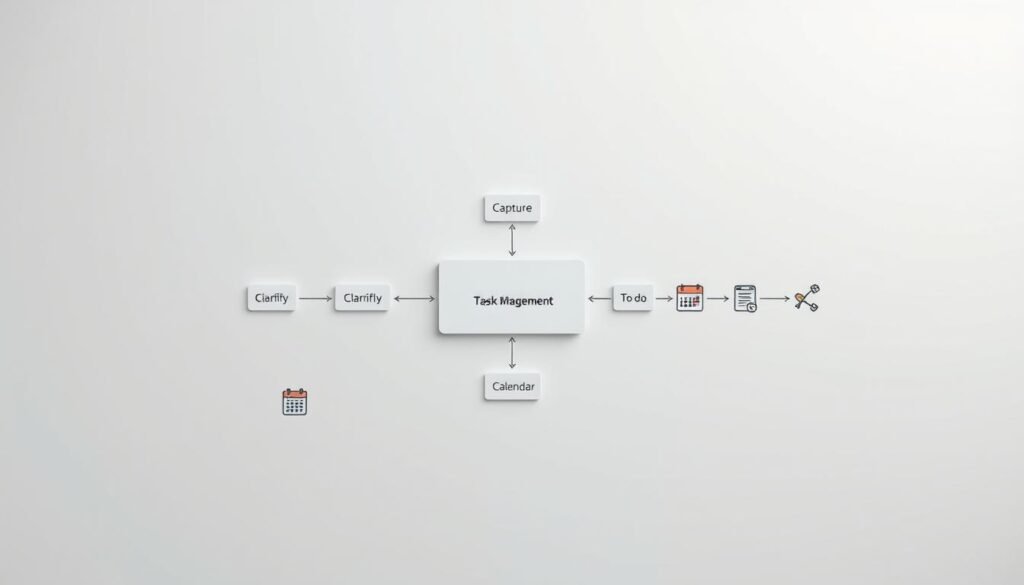
A trusted productivity system needs three parts. First, it captures all commitments right away. Then, it makes unclear ideas clear and doable. Lastly, it schedules tasks to fit into our lives.
This workflow works best when all parts work together smoothly. If not, it doesn’t help much. But when it does, it changes how we manage tasks and gives us real control.
This system is more than just organizing. It’s a way to handle work commitments in today’s fast-paced world. When your calendar and tasks work as one, you can trust yourself to keep promises.
Key Takeaways
- Scattered tools make it hard to focus by asking for too much attention at once
- David Allen’s idea shows our brains are better at making ideas than keeping them
- Good task management has three steps: capture, clarify, and schedule
- Using only parts of a system doesn’t work well, but the whole thing does
- Creating a reliable system means all parts must work together well
- The productivity pipeline is like a brain map, not just a way to organize
- Trust in your system comes from having everything work together smoothly
Why Your Current Task Management Keeps Failing
Traditional task management systems often fail because they don’t follow how our brains work. They don’t track our commitments well. This isn’t because people aren’t trying hard or because they picked the wrong tools. It’s because these systems have deep flaws that make them unreliable when we need them most.
Asana’s 2024 report shows that nearly 60% of employees’ time is lost on tasks like chasing updates. This shows that the problem isn’t just about being productive. It’s about how organizations waste a lot of time on coordination instead of doing real work.
The 2022 report also found that over half of workers feel they must answer notifications right away. This constant distraction makes it hard to focus on complex tasks. It’s a paradox: the tools meant to help us work better actually make it harder.
The Cognitive Cost of Fragmented Commitments
Today, professionals have to keep track of many things at once. This includes emails, messages, and notes. It makes them feel anxious all the time because they can’t keep everything straight in their minds.
When we don’t deal with commitments right away, they become “open loops.” These loops take up our brain’s resources, even when we’re not thinking about them. It makes it harder to do deep thinking and solve problems creatively.
When commitments are spread out, it’s hard to keep track of them. This makes us waste mental energy on remembering things. It turns every task into a risk of failure.
Studies show that most task failures aren’t because people don’t work hard. They happen because priorities keep changing without clear direction. When commitments are scattered, it’s hard to know what to do first. Switching between different places to track tasks drains our brain before we even start.
The Memory Myth in Task Management
Many people think our memory is enough to keep track of commitments. But research shows this isn’t true, and it gets worse under stress. Our memory is good at recalling past things but not at remembering to do things in the future.
Our memory works differently for remembering past information versus remembering to do something later. This makes it hard to keep track of many tasks at once. The more tasks we have, the harder it gets.
The mind is for having ideas, not holding them.
Our memory also depends on where and when we remember things. A plan made in a meeting might not come to mind when it’s time to do it. This makes it hard to remember to do things at the right time.
Trying to remember everything mentally is draining. It makes us constantly ask ourselves if we’re forgetting something. This takes away from our ability to focus on important tasks.
When we try to remember too many things, we start to forget important things and remember unimportant ones. Urgent tasks push aside important ones. Without a system, our memory relies on what’s recent or emotional, not what’s really important.
The Architecture of Genuine System Trust
A trusted system is more than just a tool or app. It’s a complete system that captures, clarifies, and presents commitments at the right time. It’s about reliability, not complexity.
Trust comes from being reliable over time. When we trust our system, we can focus on our work without worrying about forgetting things. This makes us feel safe to do our best work.
The gtd methodology and similar systems say that a trusted system must cover everything from start to finish. If it doesn’t, it fails. A system that misses some commitments is worse than none at all, because we never know if we’re up to date.
What makes a trusted organizational system different? It has four key features:
- Universal capture: Every commitment goes into the system, no matter where it comes from or how urgent it is
- Systematic clarification: Raw inputs become clear actions with specific next steps
- Reliable storage: Information stays accessible when needed, without having to remember it
- Contextual presentation: Tasks appear at the right time, based on time, location, and resources
System trust is the foundation of reliable personal productivity. When we trust our system, we can stop worrying about remembering things. This frees up our brain for deeper thinking and creativity.
Even the best methods won’t work if we can’t stick to them every day. The gap between theory and practice is why many systems fail. A task management system earns trust by being reliable over time.
Building trust takes more than just setting up a system. It requires ongoing effort to capture, clarify, and integrate tasks into our calendars. Each step is essential for a system that truly supports productivity.
The Three-Stage Pipeline That Actually Works
Starting a productivity pipeline means understanding the need for different mental modes. Most people try to do everything at once. This creates friction that makes it hard to stick with a system.
The digital organization framework breaks tasks into three stages. Capture is fast and doesn’t judge. Clarification is when you think deeply about what needs to be done. Calendaring is when you decide when to do it.
This setup is like David Allen’s gtd system. It helps move mental tasks to external systems. This way, your brain can focus on creative tasks, not remembering everything.
This three-stage process gives you a sense of control. It turns task management into a reliable system that supports your work.

Understanding the Capture Phase
The capture phase is where you start. It’s about getting everything down without judging. If you start judging too soon, it slows you down.
Good capture tools are easy to use. They should be quick to access and simple to use. This makes it easier to capture ideas when you think of them.
When you trust your capture system, it frees up your mind. You don’t worry about forgetting things. This lets you focus better.
Effective capture tools are clear about what they do. They help you get everything down without worrying about quality. This way, you can focus on what’s important later.
How Clarification Transforms Raw Input
Clarification is the thinking part of the gtd system. It turns vague ideas into clear actions. This is different from just recording things.
Clarification asks specific questions to make things clear. It decides if something is actionable. If not, it goes somewhere else.
For things you can do, clarification makes them specific. This helps you avoid getting stuck on big tasks. You can focus on one thing at a time.
Clarification uses five key questions to make things clear:
- What exactly does completion look like? This defines the outcome that will allow you to mark the item finished.
- What physical next action will move this forward? This identifies the concrete, visible activity you can perform.
- What resources does execution require? This surfaces dependencies on tools, information, or other people.
- Does this require multiple steps? This distinguishes single actions from multi-step projects requiring decomposition.
- When is the earliest opportunity to execute this? This begins the temporal reasoning that continues in the calendaring stage.
Clarification and capture can’t happen at the same time. They need different mental modes. Trying to do both at once makes it hard to use the system.
Good clarification makes tasks feel doable. It turns vague ideas into clear plans. This is why it’s so important in task management.
Your Calendar as the Execution Engine
The calendar is more than just a schedule. It’s where you turn plans into action. It makes your to-do list real by setting specific times for tasks.
Tasks on your calendar are commitments. They show you’re serious about doing them. This makes it easier to follow through.
Good calendar management means only scheduling specific tasks. This avoids clutter and helps you stay focused. It shows what you can do and when.
Using your calendar for time blocking helps you stay on track. It lets you see how much time you have and what to do with it. This helps you make better choices about how to spend your time.
The calendar also helps you see if your plans are working. If you’re not using your time blocks, it means something’s not right. This helps you improve your planning over time.
The three stages—capture, clarify, calendar—work together to help you manage your tasks. Each stage does something different. Capture gets everything down, clarify makes it clear, and calendar makes it happen. Together, they help you stay focused and productive.
Building a Capture→Clarify→Calendar Pipeline You Trust
Most productivity systems fail because they lack a strong foundation. The key to success is trust. A system you trust is one you’ll use for years, not just weeks.
Creating a pipeline you trust makes task management easier. It’s about managing your attention, not just tasks. After trying many systems, people find that being reliable is more important than being complex.
A good system has three main parts. It must be reliable at every stage. Each part should work well with the others. And it should fit how you think and work.
The Foundation of Trust in Productivity Systems
Trust in productivity systems is more than just knowing they work. It’s believing they’ll remind you of important tasks on time. It’s knowing they won’t lose your information and won’t add to your stress.
This trust grows with positive experiences. When the system reminds you of deadlines or finds your ideas, trust grows. But, if it fails even once, trust drops fast.
At first, focus on being reliable, not complex. Simple systems build trust faster because they have fewer chances to fail. Complex systems might look impressive but can be too hard to use.
What makes a productivity pipeline reliable? It has clear capture methods, easy-to-understand rules, and feedback when tasks move forward. It also has regular reviews and can handle small failures without breaking down.
The CORE process shows that the right system is more important than the tool. It’s about creating a system you’ll actually use. This means focusing on how you work, not just the features.
A good system helps you stay organized without distractions. It captures ideas quickly, adapts to your needs, shows you what’s happening, and integrates with your calendar. But, it only works if you use it consistently.
How Each Stage Depends on the Others
The stages of capture, clarify, and calendar are connected. If one fails, the whole system can break down. This is why improving each stage together is more effective than focusing on one.
Poor capture is the first problem. If it’s hard to capture ideas, you’ll miss important things. This makes it hard to clarify and schedule tasks later.
When you feel like you’re forgetting something, it’s because capture failed. This feeling wastes your mental energy and defeats the purpose of a system.
Poor clarification is another big problem. If you can’t understand what you’ve captured, you can’t plan your day. This leads to scheduling mistakes and missed deadlines.
Calendar problems are the third issue. If your schedule is unrealistic, you’ll ignore it. This makes you doubt the whole system, including capture and clarification.
The success of a system depends on how well its parts work together. A good system is like a chain where each link supports the next. If one link breaks, the whole chain fails.
Building a system you trust means understanding how you work best. It’s about finding the right tools and methods for you. This makes your system a true partner in managing your time and tasks.
Stage 1: Setting Up Your Capture Inbox
Most productivity systems fail at the start, not during execution. This is when fleeting thoughts and urgent commitments either get captured or lost. The capture inbox is the core of your workflow, where everything first goes before being processed.
Without a reliable capture system, even the best strategies fail. This is because forgotten commitments and lost insights pile up. The design of your capture infrastructure is key to success.
Research shows our brains are great at coming up with ideas but not at storing them. This is why we need an external system to capture our thoughts. It creates a “hard space” where mental commitments become tangible actions.
To set up your capture foundation, focus on three things. Choose tools that are always available, make entry points easy to use, and create habits for consistent capture. These elements work together to create a seamless capture ecosystem.
Choosing Your Primary Capture Tools
Choosing the right capture tools is a big decision. The best tool isn’t always the one with the most features. It’s the one you can use whenever you need to capture something.
Look for tools that are easy to access and sync across devices. They should also integrate well with other systems. A tool that’s only on desktops fails during mobile moments. Tools that require too much setup can make capture habits fade away.
Today, there are many digital task management options. Some tools, like Notion, Asana, and Todoist, offer everything in one place. This makes it easy to move between different stages of your workflow without losing anything.
The best productivity system is the one you’ll actually use consistently, not the one with the most impressive feature set.
Other tools focus only on capturing information quickly. They then connect with other tools for organization and planning. This approach lets you pick the best tool for each stage of your workflow.
For those who do brain dumps, the tool should be fast and easy to use. Tools like Karya Keeper and inbox apps let you dump thoughts quickly without organizing them right away.
| Tool Architecture | Primary Advantage | Implementation Consideration |
|---|---|---|
| All-in-One Platforms | Seamless stage transitions within single ecosystem | Requires commitment to complete platform adoption |
| Specialized Capture Apps | Optimized speed and accessibility for input | Necessitates reliable integration mechanisms |
| Note-Taking Tools Repurposed | Flexibility for varied content types | May lack task-specific functionality |
| Email-as-Inbox Systems | Universal accessibility across devices | Requires disciplined inbox management practices |
The idea of a single point of entry is key to effective capture. All inputs should go into one place. This makes it easier to remember where everything is and keeps your capture inbox reliable.
The Two-Minute Capture Rule
The two-minute rule from Getting Things Done is important for capture. It means capturing items should take less than two minutes. This helps keep capture fast and efficient.
If capturing something takes too long, it can slow you down. This can make you start to choose what to capture, which can hurt your system’s trustworthiness.
The two-minute rule helps keep capture and clarification separate. During capture, just get the basic information down. The details come later in the clarification stage.
This approach makes capture feel safe and easy. When it’s quick, you’re more likely to capture everything without hesitation. This builds a reliable system for your thoughts and tasks.
Mobile Capture Options
Smartphones are often the main tool for capture, thanks to their constant presence. Good mobile capture strategies use the phone’s features and connect to your capture inbox. iOS users can use Shortcuts for automated capture, while Android users can use Tasker or Google Assistant routines.
The goal is to make capture as easy as possible. Lock-screen widgets are the best, allowing capture without unlocking your phone. Voice capture is also great for hands-free use, though it’s important to remember that exact words aren’t always necessary.
- Voice Assistant Integration: Route spoken commands directly into designated capture applications
- Quick-Add Widgets: Persistent home screen or lock-screen input fields requiring no application launch
- Share Sheet Extensions: Capture content from any application through native sharing mechanisms
- Camera-Based Capture: Photograph documents, whiteboards, or physical notes for later processing
- Email-to-Inbox: Send quick emails to designated addresses that automatically route into capture systems
Desktop Quick-Entry Methods
Desktops need different capture methods, focusing on keyboard use and multiple applications. Global hotkeys are the top choice, giving instant access to capture fields. Tools like Alfred and Raycast respond to keyboard shortcuts, overlaying capture interfaces over current work.
Menu-bar apps offer single-click capture access. They have simple interfaces for quick input, sending captured content directly to your inbox. Browser extensions capture web content without interrupting your browsing, saving articles and research for later.
Command-line interfaces are another option for desktop capture, ideal for tech-savvy users. They use simple commands to capture text or trigger automation, though they require setup. The goal is to make capture as seamless as possible, preserving flow and ensuring all important information is captured.
Making Brain Dumps a Regular Practice
Regular brain dumps are key to avoiding mental overload and strengthening your capture system. Unlike catching things as they happen, these sessions give you dedicated time to clear your mind. This practice helps both your work and mental health.
It’s important to know the difference between continuous capture and scheduled brain dumps. Continuous capture deals with things as they come up. Scheduled brain dumps catch anything you might have missed.
Studies show that not dealing with mental tasks can weigh you down. Regular brain dumps help move these tasks from your mind to a trusted system. This makes them easier to handle and reduces mental stress.
Conducting Weekly Brain Dump Sessions
Having weekly brain dump sessions is a good start. People who do this say it helps them feel less stressed and more focused. It’s recommended to set aside 20-30 minutes each week for this.
Choose a quiet place without distractions for your sessions. Turn off notifications and have all your tools ready.
Start by going through different areas of your life. First, think about work: what needs to be done and what meetings you have. Then, move on to personal stuff like home tasks and health goals.
The mind is for having ideas, not holding them.
When you’re documenting, just write down what comes to mind. Don’t worry about organizing or prioritizing yet. That comes later.
Brain dumps can also help your mental state. They create a clear boundary between what you need to do and what you’ve already done. This makes you feel better before you even start organizing.
Trigger-Based Capture Moments
There are also times when you naturally think of things you need to do. Knowing these moments can help you capture information more easily. This makes your productivity systems work better.
Meetings are a great time to capture new ideas. You can also use them to make plans and set goals. Make it a habit to write down what you decide after each meeting.
Checking your email is another good time to capture information. It’s easy to forget about commitments made in emails. Write them down right away to avoid forgetting.
The table below shows different times when you might want to capture information and how to do it:
| Trigger Context | Capture Method | Processing Frequency | Primary Benefit |
|---|---|---|---|
| Post-meeting review | Dedicated 5-minute documentation block | Immediately after each meeting | Captures action items while context remains fresh |
| Email processing sessions | Extract commitments to task list during review | 2-3 times daily during inbox zero workflow | Prevents communication-based obligations from hiding in threads |
| Commute transitions | Voice memo capture for ideas emerging during transit | Process during evening shutdown routine | Leverages naturally reflective time without requiring manual input |
| Weekly planning ritual | Comprehensive brain dump before calendar review | Once weekly, typically Friday afternoon or Sunday evening | Ensures upcoming week begins with complete mental inventory |
Places can also trigger you to remember things you need to do. For example, the grocery store might remind you of household tasks. Your office might remind you of work tasks.
To make the most of brain dumps, pay attention to when and where you think of things. You’ll soon notice patterns. This helps you set up your capture system better.
Capturing Ideas Without Disrupting Flow
Catching ideas while you’re focused can be tricky. You don’t want to break your concentration. But, stopping to write down ideas can ruin the flow.
Using a brief notation system helps. Just jot down a quick note during focused work. This way, you can remember the details later without losing your train of thought.
Recording voice memos is another good way to capture ideas without breaking your flow. It’s quick and easy, and modern tools make it simple.
When an idea pops up, write down just enough to remember it later. You can elaborate on it during your designated time for organizing.
Some people start their day by jotting down everything on their mind. This helps them focus for the rest of the day. It’s a simple but effective way to clear your mind.
The Bullet Journal’s Migration practice is also helpful. It’s about moving unfinished tasks forward and focusing on what’s truly important. Regular brain dumps help with this by keeping your system clean.
For those managing many tasks, capturing everything is key. Leaders find that brain dumps help them stay on top of things. It’s not about the number of tasks, but how you handle them.
Building brain dump habits takes time and consistency. Start with one weekly session and gradually add more. This way, you can handle more without feeling overwhelmed.
Regular brain dumps do more than just organize your thoughts. They give you a sense of control over your tasks. This makes you feel better than just thinking about them.
Stage 2: The Clarification Process Explained
Clarification comes after you capture ideas. It’s the thinking that turns those ideas into clear plans. Without it, your ideas stay vague and cause more stress than clarity.
Clarifying tasks is the hardest part of organizing your work. It involves figuring out what needs to be done, how important it is, and what resources you need. Many systems fail because they skip this step, moving straight to action without proper planning.
The Five Clarifying Questions
A good task clarification system uses five key questions. These questions help sort out each captured idea. They guide you on what to do next and where to put it in your system.
The first question is about what the task is. What exactly is this item—what does it represent? It’s about deciding if it’s a task, an idea, or something else. Many tasks are hard to pin down, needing careful thought before you can act.
The second question is about actionability. Is this item actionable—does it require any response or action? This question separates tasks that need action from those that are just for information. The GTD method stresses this, saying mixing them up causes confusion.
The third question is about completion. What specific outcome would constitute completion—how will I know this is finished? Without clear goals, tasks can drag on forever. Knowing what you need to do to finish a task helps you stay on track.
The fourth question is about the next step. What is the very next physical action required—what concrete step can I take? This question helps turn vague ideas into clear actions. Focusing on physical action helps avoid getting lost in abstract plans.
The fifth question looks at what you need to do the task. What resources, information, or dependencies does this action require—what must be in place before I can proceed? Knowing what you need before starting helps avoid mistakes and keeps your tasks in order.
- Identity: Determine what the captured item fundamentally represents
- Actionability: Decide whether any response or action is required
- Completion: Define the specific outcome that signals task completion
- Next action: Identify the immediate physical step that can be taken
- Prerequisites: Clarify resources, information, or dependencies needed before proceeding
Turning Vague Items into Next Actions
Turning vague ideas into clear actions is key. Phrases like “follow up on project” or “organize workspace” are vague. They need to be broken down into specific steps.
For example, “follow up on project” needs to be clarified. What project? What needs to be followed up on? Who should you contact? What’s the goal of the follow-up?
Breaking it down, “Email Sarah the updated timeline for the website redesign project and request confirmation of the March 15 milestone” becomes a clear action. It has a specific task, a clear goal, and a clear next step.
Our brains tend to think in general terms. “Organize workspace” might mean sorting papers, scheduling a cleaning, or creating a storage system. Each option is a different action with different needs.
Using the five clarifying questions helps avoid confusion. Each question helps you understand what needs to be done next. This ensures that every task in your system is clear and can be executed when the time is right.
Task Decomposition for Complex Projects
Big projects are hard to tackle as one task. They need to be broken down into smaller, manageable parts. This is called task decomposition.
A project like “launch new service” has many parts. It includes market research, pricing, website updates, and more. Without breaking it down, it’s too big to handle. But with decomposition, you can make progress step by step.
Breaking Down Multi-Step Projects
Task decomposition uses several methods to break down big projects. Backward planning starts with the end goal and works backward. It shows what needs to happen before you can reach that goal.
For a service launch, backward planning might show that you need to have marketing materials ready. But you can’t make those until you’ve finished your market research. This shows the order in which things need to happen.
Domain categorization groups related tasks together. For example, a service launch can be broken down into marketing, operations, technical, and financial tasks. This lets you work on different parts at the same time while keeping everything organized.
Sequential identification figures out which tasks need to happen in order and which can be done at the same time. Some tasks depend on others, while others can be done independently. Knowing this helps you schedule tasks more efficiently and avoid delays.
Identifying True Next Actions
When you’ve broken down a project, finding the next action is key. It’s about finding the step that can be done right away without more planning. This step is called a true next action.
“Finalize pricing structure” might seem like a clear goal, but it’s not a next action. What specific step can you take to move toward that goal? Maybe it’s reviewing competitor prices or scheduling a meeting with the finance team. These are actions you can take right away.
The test for a true next action is simple: Can you do it now without more planning? If yes, it’s a next action. If not, you need to break it down further.
This process continues until you have a clear next action for each task. That action goes into your system with the right tags. As you complete actions, you can find the next steps to keep moving forward.
| Vague Capture | Clarifying Question Applied | Refined Next Action |
|---|---|---|
| Handle client issue | What is the specific next physical action? | Call Jordan at ABC Corp to discuss invoice discrepancy and gather account details |
| Plan team retreat | What must happen first before other steps? | Email team survey to collect availability for three possible retreat dates in May |
| Improve marketing strategy | What concrete step can I take immediately? | Review last quarter’s campaign analytics and note top three performing channels |
| Follow up on proposal | What specific outcome defines completion? | Send follow-up email to Maria requesting decision on proposal by Friday, including revised pricing option |
Creating Context Lists That Actually Help
Between clarification and execution lies a critical layer that makes your productivity system work. Tasks must be clear and organized for daily work. Traditional systems group tasks by project or subject, but this doesn’t help when deciding what to do next.
Context lists solve this problem by organizing tasks by what you need to do them. Instead of one big list, tasks are grouped by location, energy, or tools. This makes it easier to choose what to do next, as you only see tasks you can do now.
Context lists work because they match how we make decisions. When you’re in a certain place or feeling a certain way, you naturally think about what needs to be done. Context lists give you the answer to this question, turning your task list into a guide for action.
Building Location-Based Lists
Location-based lists are a key part of context organization. They group tasks by where you can do them: office, home, or client sites. This way, when you’re in a certain place, you only see tasks you can do there.
This approach helps you do tasks in batches. For example, if you’re going somewhere, you can do all tasks for that place at once. This saves time and helps you find tasks that can be done together.
To make good location lists, you need to find the right balance. Too broad and it’s not helpful, too specific and it’s too much work. Most people find success with a few main categories like work, home, errands, client sites, and anywhere.
- Primary work location: Tasks needing office resources or colleagues
- Home: Personal tasks or work that can be done at home
- Errand locations: Tasks for specific places like stores or service providers
- Client/partner sites: Tasks needing to be done at specific external locations
- Mobile/anywhere: Tasks that can be done from anywhere with internet
Remote work has changed how we organize tasks by location. Now, we need to think about work environments, not just where we are. This could be focused work, collaborative work, or mobile work.
Unlike topic-based systems, PARA groups information by what you will do with it.
This approach focuses on what you can do with tasks, not just where they are. It’s about action, not just organization.
Energy-Level Context Categories
Tasks have different energy needs, and so do we. Trying hard tasks when you’re tired wastes time and energy. Doing simple tasks when you’re sharp wastes your best thinking time.
Energy-based lists group tasks by how much energy they need. This way, you match your tasks to your energy levels. This keeps your productivity steady, even when you’re not at your best.
Most people use a three-tier system for energy levels. But you might need more or fewer levels based on how you feel.
| Energy Category | Task Characteristics | Optimal Timing | Example Activities |
|---|---|---|---|
| High-Focus Work | Complex problem-solving, strategic thinking, creative development, deep analysis | Peak cognitive periods (typically morning for most individuals) | Writing reports, designing systems, solving complex problems, strategic planning |
| Moderate Tasks | Routine work requiring attention but not intense concentration | Normal working states between energy peaks and valleys | Email responses, meeting preparation, data entry, routine communication |
| Low-Energy Activities | Administrative tasks, simple processing, organizational maintenance | Post-lunch dips, end of day, depleted cognitive states | Filing, organizing notes, simple inbox processing, routine follow-ups |
Using energy levels for task organization makes low-energy times productive. Instead of trying hard tasks when tired, you do easier tasks. This makes your work hours more efficient.
Being honest about your energy levels is key. Don’t try to do hard tasks when you’re not up to it. Over time, you’ll know which tasks fit your energy levels best.
Tool-Specific Task Grouping
Tasks also need specific tools or applications to be done. Grouping tasks by tool reduces switching costs. This makes your work flow better.
Batching tasks by tool saves time and effort. For example, doing all tasks that need a certain software at once. This avoids the hassle of switching tools all day.
Common tool categories include phone calls, email, specific software, online work, and offline tasks. This helps you focus on tasks that need the same tools.
- Phone calls: Tasks needing voice conversations, enabling call batching during appropriate times
- Email processing: Correspondence tasks handled during dedicated communication blocks
- Specific software: Tasks requiring particular applications (design software, development environments, specialized tools)
- Online/computer: General digital work requiring internet connectivity and computer access
- Offline/analog: Tasks requiring physical materials or functioning without digital tools
Organizing tasks by tool is very useful for tasks that need special resources. For example, tasks that need specific design software can be done together when that software is open. This saves time and keeps your work flow smooth.
Modern work often uses specific tools for different tasks. This means you can focus better on each task. Instead of switching between many tools, you work in one mode.
To make good tool-based lists, think about how you work. Identify patterns in your tool use. You might need broad categories like computer or phone, or more specific ones like design software.
Using location, energy, and tool-based lists makes your task organization more effective. These lists help you choose what to do next, based on where you are, how you feel, and what tools you have. This way, you can always find the right task to do next.
Processing Your Inbox: When to Delete, Delegate, or Defer
Inbox processing is key to turning captured thoughts into action. It decides if items become tasks, references, or trash. Making quick, sure decisions is vital for a smooth task processing workflow.
Deciding what to do with each item is more about rules than gut feelings. Many systems fail because they can’t process items fast enough. A clear plan for information processing helps avoid this problem.
The Decision Tree for Every Captured Item
Every item in your inbox goes through a set of questions. This decision tree helps move items from capture to action or storage.
The first question is: Does this item need my action? This question separates items that need your attention from those that don’t. Non-actionable items then go into three categories.
Trash is for items with no value left. You can delete them without worry, knowing important info will come back if needed.
Reference filing is for info that might be useful later but isn’t urgent. Good reference systems let you find things quickly without needing to check them often.
Someday/Maybe lists hold ideas for future projects. They keep ideas alive without adding them to your to-do list right away.
For items that need action, the decision tree asks: Can it be done in two minutes? If yes, do it right away. This rule keeps small tasks from piling up.
Items that take more than two minutes get another question: Should I do this or delegate it? If someone else can do it better, delegate it. If not, add it to your to-do list.
This decision tree makes processing fast and clear. If you’re unsure, it means you need to refine your criteria before moving forward.
Delegation Guidelines and Follow-Up Systems
Delegation is key to a good time management process. It works best with clear rules and follow-up plans. Don’t try to offload every task.
Good delegation candidates are tasks that others can do well, tasks that help team members grow, and tasks that take up too much of your time.
When delegating, focus on what you want done, not how to do it. Define success, set clear goals, and make sure the person has what they need. This way, you empower them and keep yourself accountable.
Follow-up systems help without being too controlling. Use digital organization tools for reminders and a waiting-for list for weekly reviews. Find the right balance between checking in and giving freedom.
Keep track of what you’ve delegated with details like who’s doing it, what needs to be done, and when to follow up. This info helps in your reliable scheduling method and keeps you on track.
Managing Your Someday/Maybe List
The someday/maybe list is a safety valve for your project management system. It holds ideas without the pressure to act on them now. This keeps your work area clean and lets you consider new ideas regularly.
Items go to someday/maybe when they’re not ready yet. Maybe resources are missing, or other priorities are more urgent. This list is for ideas that might become projects later, not for reference materials.
Review your someday/maybe list regularly. Check if things have changed and if the ideas are now feasible. This helps decide if an idea should become a project, stay on the list, or be forgotten.
Organize your someday/maybe list with categories. This makes it easier to review similar ideas together. It helps you plan better and focus on what’s important.
Having a someday/maybe list is good for your mind. It frees you from trying to remember every idea. This lets you focus on what you’re doing now while keeping options open for later.
Processing to zero means making decisions about everything. This keeps your inbox empty. Each item goes to the right place, whether it’s a task list, a reference file, or a someday list. This way, your system stays organized and effective.
Stage 3: Calendar Integration Strategies
Calendar integration turns your task list into a real plan. This step is where dreams meet reality. Your calendar is more than a meeting place; it’s a time manager.
Going from tasks to calendar entries changes how you see them. Studies show that specific plans lead to better results than vague goals. By setting a task for Tuesday from 9:00 to 11:00 AM, you make a clear plan. This reduces the stress of deciding when to do things.
To integrate your calendar well, you need to know three things. First, how to block time effectively. Second, how different tasks need different time slots. Third, the importance of buffer time. Each of these helps avoid common mistakes in managing tasks.
Time Blocking Your Next Actions
Time blocking makes your calendar active, not just for meetings. It means setting specific times for tasks, just like you would for appointments. This way, unscheduled work gets the focus it needs.
Good time blocking starts with knowing how long tasks will take. People often underestimate this, leading to frustration. Experts say that planning mistakes usually come from wrong time estimates, not from doing the work itself.
When blocking time, match tasks to the right slots. Think about when you’re most focused and when you can handle distractions. Also, make sure you have what you need for the task during that time.
Keeping your time blocks safe is key to success. Treat deep work sessions like important meetings. This shows you’re serious about using your time well. It keeps your calendar from just being dreams.
| Time Block Type | Optimal Duration | Best Scheduling Period | Protection Level |
|---|---|---|---|
| Deep Work Sessions | 90-120 minutes | Morning peak hours | Absolute (no interruptions) |
| Collaborative Work | 45-60 minutes | Mid-morning or early afternoon | Moderate (scheduled breaks only) |
| Administrative Tasks | 30-45 minutes | Post-lunch energy dip | Flexible (interruptions acceptable) |
| Creative Ideation | 60-90 minutes | Secondary peak (often late morning) | High (minimize external input) |
Scheduling Deep Work vs. Shallow Tasks
Organizing your calendar means knowing the difference between tasks. Deep work needs long, uninterrupted blocks. Shallow tasks can fit into shorter slots.
Mixing task types in one block is a big mistake. It reduces deep work and doesn’t give shallow tasks enough attention. This messes up your focus.
Grouping similar tasks helps. Batching shallow tasks keeps deep work uninterrupted. This approach saves time and reduces distractions.
Planning your day ahead is key. This way, deep work gets prime time, and shallow tasks fit into other slots. This structure helps you stay focused and avoid constant decisions.
Building in Buffer Time
Buffer time is essential for a smooth schedule. It’s extra time for unexpected things. It keeps your day running smoothly.
The Reality of Task Duration
People often think tasks will take less time than they do. This optimism can lead to unrealistic plans. Calendars then become dreams, not plans.
Using past data to estimate task time helps. This way, you can adjust your plans based on what you’ve done before. It makes your calendar more realistic.
Adding extra time to plans helps too. This way, you can handle unexpected things without your schedule falling apart. It’s better to have a little extra time than to be too tight.
Transition Time Between Commitments
Transition time is often overlooked. It’s the time it takes to switch between tasks or places. This time is real, even if you can’t see it.
Not leaving space between tasks can make you late. Meetings often run over, and switching tasks takes time. Leaving a little buffer time helps keep your schedule on track.
Having 10-15 minutes between tasks is helpful. It lets you adjust to new tasks and avoid being overwhelmed. It also helps with unexpected things without ruining your whole day.
Planning your day ahead changes how you use time. It makes you proactive, not just reacting to tasks.
Designing Your Weekly Review Ritual
Mastering personal productivity is more than just scheduling tasks. It requires a regular ritual that keeps your system in sync with your changing needs. The weekly review is key to keeping your system working well. Without it, even the best time management systems can fall out of alignment.
This review process is like a checkpoint. It helps you process tasks, update actions, and align your calendar with your goals. It turns scattered habits into a smooth workflow. Studies show that regular review rituals help keep systems working better for longer.
The weekly review is both a maintenance check and a planning session. It clears out old tasks and checks your progress towards big goals. This makes it essential for managing time effectively.
The Non-Negotiable Review Checklist
A good weekly review follows a set plan, checking all parts of your system. It keeps things consistent but flexible. Most people find it helpful to do it at the same time every week, like Friday afternoon or Sunday evening.
The weekly review framework includes several key parts. Each part helps maintain and plan your system.
| Review Component | Purpose | Estimated Time | Key Actions |
|---|---|---|---|
| Inbox Processing | Clear all capture points to zero | 10-15 minutes | Process physical notes, digital captures, emails, voice memos |
| Project Assessment | Verify all projects have next actions | 10-15 minutes | Review active projects, identify stalled initiatives, update statuses |
| Calendar Review | Survey upcoming commitments | 5-10 minutes | Check 2-4 weeks forward, identify preparation needs, spot conflicts |
| Context List Updates | Refresh action categories | 5-10 minutes | Remove completed items, reorganize by priority, add new actions |
| Reflection and Planning | Assess wins and set intentions | 5-10 minutes | Record accomplishments, identify improvements, plan focus areas |
Spending 30 to 60 minutes on this review is enough. It’s enough to be thorough but not overwhelming. Doing a 30-minute review every week is better than a 90-minute review now and then.
Make this review a non-negotiable appointment. It keeps your system in check and prevents it from getting worse. It keeps the feedback loop going between capture, clarification, and action.
Processing All Capture Inboxes to Zero
Getting your inbox to zero is more than just being organized. It helps you trust your system. If your inbox is always full, you start to doubt your time management.
Processing to zero means making a decision for each item. You can do it now, schedule it, delegate it, or maybe do it later. This stops you from getting overwhelmed by too many tasks.
Having a daily routine helps keep your inbox from getting too full. But the weekly review is where you really focus on everything. It makes sure you’re not missing anything important.
Keeping your inbox clear helps you focus better. It reduces the stress of having too much to do. The weekly review helps you stay focused on what you’re doing now.
Reviewing Calendar Commitments Forward
Looking ahead at your calendar helps you prepare for upcoming tasks. Most experts say to look 2-4 weeks ahead. This gives you enough time to prepare without getting overwhelmed.
This forward-looking approach helps you plan better. It shows you if you have too much to do. This helps you make better choices about what to do next.
Tools can remind you of upcoming tasks, but only a human can understand the context. The weekly review connects your tasks to your goals. This ensures you’re doing things that really matter.
Updating Project Lists and Next Actions
Projects change as you work on them. The weekly review checks that you have clear next steps. This keeps projects moving forward.
When reviewing projects, ask yourself a few questions. Has the next action been done? What’s the new next action? Has the project changed in any way? Do you need to schedule anything?
This process makes your project list dynamic. It helps you focus on what needs to be done now. It also helps you see what’s possible in the future.
Regularly reviewing your projects helps you see patterns. If a project is always stuck, it might mean you need to rethink your priorities. The weekly review gives you a chance to address these issues.
Mastery isn’t built in bursts—it’s built in reviews. The teams that pause, reflect, and adjust always outperform those that just push harder.
This advice applies to personal productivity too. The weekly review helps you stay on track. By spending 30 to 60 minutes each week, you keep your time management system flexible and effective.
Building Recurring Routines Into Your System
Systems fail not from poor design but from inconsistent execution. Recurring routines are key to making productivity frameworks work. The capture→clarify→calendar workflow is a model, but it needs consistent patterns to work well. Recurring routines turn occasional efforts into automatic behaviors, leading to lasting results.
Understanding time management is different from actually doing it. Routines help by reducing the need to make many decisions. This makes starting work easier and keeps the mind focused on important tasks.
To build these routines, you need to plan your day, week, and tasks. Daily routines set the stage for work, weekly reviews check progress, and automation makes tasks easier. These steps turn theory into action.
Morning Startup and Evening Shutdown Routines
Morning and evening routines set boundaries for work. They prepare you for the day and help you unwind at night. These routines improve both productivity and recovery.
Morning routines should take 10-15 minutes. They involve checking your schedule and setting priorities. You also make sure you have everything you need for the day.
This short routine boosts focus by clearing your mind. It helps you stay on track, even when things get busy. It’s about asking, “What will make today successful?”
Set a daily 10-minute ‘system check.’ Open your task board, clear clutter, and pick your Top 3 tasks for the day.
Evening routines help you wrap up the day. They ensure you don’t leave tasks undone and prepare for tomorrow. It’s about making conscious choices about what to do next.
Research shows that ending your day with a routine helps you relax. It lets you focus on tomorrow without worrying about today’s tasks. This improves your recovery and work performance.
Effective evening routines include:
- Inbox processing: Capture any loose thoughts, commitments, or ideas generated during the day
- Task status review: Mark completed items and acknowledge progress made
- Migration decisions: Consciously choose which unfinished tasks remain priorities
- Tomorrow preview: Brief review of upcoming commitments without detailed planning
- Workspace reset: Physical and digital environment preparation for next session
These routines make starting and ending your day easier. They help you stay focused and productive. Over time, they improve your work performance.
Daily Review vs. Weekly Review
Daily and weekly reviews serve different purposes. Daily reviews keep you on track, while weekly reviews help you see the bigger picture. Knowing what each review does helps you use them effectively.
Daily reviews should be quick, lasting 5-10 minutes. They help you stay focused on today’s tasks. These reviews keep momentum going without losing sight of your goals.
Weekly reviews take longer, lasting 30-60 minutes. They give you a chance to look at the bigger picture. They help you see if you’re on the right track.
Key differences between daily and weekly reviews include:
| Dimension | Daily Review | Weekly Review |
|---|---|---|
| Duration | 5-10 minutes | 30-60 minutes |
| Focus | Operational execution | Strategic perspective |
| Scope | Today and tomorrow | All commitments and projects |
| Questions Addressed | “What will I do today?” | “Am I working on the right things?” |
| System Maintenance | Minimal adjustments | Comprehensive processing |
Daily and weekly reviews work together to keep you on track. They help you stay focused on your goals. Both are important for maintaining a productive system.
Weekly reviews rebuild trust in your system. Knowing that everything will be reviewed helps you stay organized. This frees up your mind for more important tasks.
Automating Repetitive Tasks and Reminders
Automation makes your system more efficient by handling routine tasks. It saves mental energy by making tasks automatic. What takes effort at first becomes second nature over time.
Automation is great for tasks that happen regularly. It can handle maintenance, admin tasks, and personal reminders. Digital tools make it easy to set up these automated tasks.
Effective automation follows a few key principles:
- Automate frequency, not urgency: Regular tasks benefit more than crisis responses
- Build in lead time: Reminders should appear with sufficient advance notice for preparation
- Include context in automated tasks: Reminders should contain necessary information for immediate action
- Review automation quarterly: Ensure automated reminders remain relevant as circumstances change
- Distinguish reminders from commitments: Automated triggers serve memory, not obligation creation
Starting with morning routines and time-blocking is key to building a productive system. This approach helps you focus on what matters most. Automation works best when it simplifies your workflow.
Recurring routines build consistency and reliability in your system. They help you stay productive over time. By following these routines, you can achieve lasting results.
The goal of recurring routines is to build trust in your system. When tasks happen regularly, you can focus on more important work. These routines improve your productivity and help you manage your time better.
Reminder Stacks and Tickler Systems
Reminder stacks and tickler systems manage the future. They ensure tasks are ready when needed. This makes scheduling more dynamic and adaptable.
Without these systems, we must always remember upcoming tasks or check them regularly. This wastes our mental energy. Automated reminders save us from this waste.
Reminder systems make scheduling more efficient. Tasks are only shown when it’s time to act. This way, we focus on what’s important when it’s important.
Setting Up Future Triggers
Future triggers remind us of tasks at set times. There are two types: deadline-based and review-based. Each has its own role in time management.
Deadline-based tasks need reminders before they’re due. For example, filing taxes or submitting reports. We set reminders with enough time to complete the task.
Review-based tasks need checking at regular intervals. Like checking on a proposal or a project. These reminders help us stay on top of things without wasting time.
The art of productivity lies not in doing more things, but in doing the right things at the right time.
To set up future triggers, decide when tasks need attention. For deadlines, count back from the due date. For reviews, think about the natural rhythm of the task.
Choose a reliable notification method. Options include calendar alerts, task management notifications, and reminder apps. Pick what works best for you.
Digital Tickler Files and Scheduled Reminders
Digital tickler systems are like their analog counterparts but better. They use start dates to hide tasks until they’re due. This keeps your workflow organized and efficient.
Modern apps and calendar systems make it easy to set reminders. They help you stay on track without wasting time. Note-taking apps also let you schedule reviews.
| Implementation Method | Primary Advantage | Best Use Case | Integration Requirement |
|---|---|---|---|
| Task App Start Dates | Seamless action workflow | Tasks with specific activation dates | Daily task review practice |
| Calendar Reminders | High visibility notifications | Time-sensitive deadlines | Calendar as primary dashboard |
| Note Scheduled Reviews | Context preservation | Reference material with temporal relevance | Regular note-taking system engagement |
| Email Follow-Up Systems | Communication integration | Correspondence requiring future action | Email as workflow hub |
Setting up tickler systems requires careful planning. Reminders should give enough time to act without stress. For example, a report due on the 30th might get a reminder on the 15th.
To avoid clutter, only add items that truly need follow-up. Make sure each item has a clear reason for the reminder. Items that might need attention someday should go elsewhere.
Managing Date-Specific Follow-Ups
Date-specific follow-ups are for tasks that depend on others. They help track progress and ensure tasks are completed. Finding the right balance between checking too soon and too late is key.
Track three things for each task: what needs to be done, who’s doing it, and when it’s due. This info helps set up reminders at the right time.
Consider the timing of tasks when setting reminders. A task with a two-week timeline might need a check-in after one week. A longer project might need a monthly review.
- Initial follow-up: Schedule at the midpoint of the expected completion timeframe to identify obstacles early
- Deadline proximity follow-up: Set a reminder 2-3 days before the due date to confirm completion or address delays
- Overdue escalation: Establish a post-deadline reminder for commitments that miss expected completion dates
- Recurring check-ins: For ongoing projects, create monthly or quarterly review triggers to maintain oversight
The waiting-for list is for tasks waiting on others. Each item needs a reminder to check on its status. This keeps tasks moving without getting stuck.
When a follow-up shows a task is incomplete, decide what to do next. A small delay might mean a new deadline. A big problem might mean taking back the task.
Reminder systems work well with other time management tools. When a reminder pops up, figure out what to do next. This could be an email, a meeting, or escalating the task. Then, add it to your schedule as usual.
Choosing Digital Organization Tools
Technology helps us organize better but also shows our weaknesses. Choosing the right tools is key but often gets too much attention. The best systems are simple: they manage our focus, not just tasks.
After trying many tools, experts say the best one is the one you use every day. It doesn’t matter how fancy or well-known it is.
The capture→clarify→calendar workflow works with any tool. It’s a simple yet powerful framework. But, many people spend too much time looking for the perfect tool instead of using what they have.
Having too many tools can actually slow you down. The key is to find one tool that fits your workflow. Start with one tool and one workflow. Use it for thirty days to see if it works for you.
All-in-One vs. Best-of-Breed Approaches
Choosing between all-in-one tools and specialized tools is a big decision. Each has its own strengths and fits different needs. The best choice depends on what you’re comfortable with and what you need to do.
All-in-one tools offer a simple way to manage everything in one place. They make it easier to learn and use. You don’t have to switch between different tools.
Best-of-breed tools focus on one thing and do it well. They might not be as easy to use but offer more features. You can pick the best tool for each part of your workflow.
Best-of-breed tools let you customize your workflow. You can choose the best tool for capturing ideas, organizing tasks, and scheduling. This way, you can work more efficiently.
But, using best-of-breed tools can be more complicated. You might need to connect different tools together. This can be tricky and might not always work smoothly.
Task Management Apps: Todoist, Things, and TickTick
Task management apps help you organize your work. Todoist, Things, and TickTick are three popular choices. Each has its own strengths and fits different needs.
Todoist is great for organizing complex tasks. It lets you create tasks easily and organize them well. It’s easy to use across different devices.
Things is designed for simplicity and works well on Apple devices. It’s easy to use and helps you stay focused. It supports natural language input and has a clean interface.
TickTick is known for its features and time-tracking. It helps you stay on schedule and focused. It supports natural language input and has a calendar view.
| Application | Primary Strength | Platform Support | Best For |
|---|---|---|---|
| Todoist | Advanced filtering and cross-platform consistency | Windows, macOS, iOS, Android, Web | Complex projects requiring sophisticated organization |
| Things | Elegant design with minimal learning curve | macOS, iOS only | Apple users prioritizing interface simplicity |
| TickTick | Integrated calendar view and Pomodoro timer | Windows, macOS, iOS, Android, Web | Time-blocking focused workflows |
| Asana | Team collaboration and project visualization | Windows, macOS, iOS, Android, Web | Collaborative work requiring shared task visibility |
Calendar Apps That Support Time Blocking
Calendar apps help you schedule your tasks. They support time-blocking, which helps you stay focused. Apps like Google Calendar and Apple Calendar are popular for this.
These apps let you create events easily. You can use natural language input and quick shortcuts. This makes scheduling tasks faster and easier.
Color-coding helps you see your schedule at a glance. You can use different colors for different tasks. This helps you plan your day better.
Calendar apps let you see multiple calendars at once. This is useful for managing work and personal tasks. It helps you avoid conflicts and find the best time for meetings.
Note-Taking Tools for Capture: Notion, Evernote, and Apple Notes
Note-taking apps are where you start organizing your ideas. Notion, Evernote, and Apple Notes are popular choices. Each has its own strengths and fits different needs.
Notion offers powerful database features and flexibility. It’s great for organizing complex information. But, it might be too complex for some users.
Evernote focuses on search and web clipping. It’s perfect for research and organizing articles. It’s easy to use and offers a lot of features.
Apple Notes is great for Apple users. It’s easy to use and integrates well with other Apple apps. It’s simple and efficient.
The best note-taking app depends on your workflow and preferences. Notion is great for complex projects, Evernote for research, and Apple Notes for simplicity.
Common Pipeline Breakdowns and Fixes
Understanding common failures in productivity systems helps us act before it’s too late. Every system has stress points that hurt workflow and erode trust. About 80% of productivity problems come from poor prioritization, unclear task ownership, and weak follow-ups.
It’s not about avoiding all failures but catching them early and fixing them. Quick identification of problems lets us fix things before they ruin trust in our systems.
Experts say clarity is key. Knowing what’s important helps a lot. This idea also applies to fixing systems—knowing what’s broken helps us fix it right.
When Your Inbox Becomes Overwhelming
Inbox overload is a big problem. Items pile up faster than we can deal with them. This creates anxiety and hurts trust in our systems.
There are three main reasons for this. First, we capture items without planning how to process them. Second, we think we can handle more than we can. Third, we capture too many items, wasting time on unimportant ones.
To fix this, we need to accept that we can’t process everything at once. We should use a structured process to deal with our inbox.
Start by quickly sorting out urgent items. Look through your inbox and pick out items that need immediate action. Move these to a special list.
Then, get rid of the rest of the items. It might seem wasteful, but it helps us focus. If we need something later, we can always get it again.
Next, make sure you’re not capturing too much. Only capture items that are worth your time. Watch your inbox to see if you’re capturing too much.
Clarification Bottlenecks and Solutions
Clarification bottlenecks happen when we can’t move items from capture to action. It looks like we’re being productive, but we’re really stuck.
This problem comes from a few places. Sometimes we don’t make enough time for clarification. Sometimes we don’t know how to clarify things well. And sometimes we avoid making tough decisions.
To solve this, we need to make clarification a priority. Set aside time just for clarification. Use templates to help clarify items quickly.
Remember, you don’t need perfect clarity. Good enough clarity is better than nothing. It’s better to take action now than to wait for perfection.
Calendar Overload and Unrealistic Scheduling
Calendar overload happens when we pack our schedules too tight. Any unexpected thing can throw off our whole day. This makes our calendar more of a problem than a solution.
There are a few reasons for this. We often underestimate how long things will take. We don’t leave enough room for unexpected things. And we try to schedule too many small tasks.
To fix this, we need to be more realistic. Track how long things really take. Multiply your estimates by 1.5 to 2.0 to be safe. Leave some buffer time in your schedule.
Only schedule big tasks that need your full attention. Use lists for smaller tasks. This keeps your schedule flexible and manageable.
Rebuilding System Trust After Failures
Trust is key to a good productivity system. When things break down, we lose faith in our systems. To get trust back, we need to fix both the practical and psychological issues.
Start with a clean slate. Acknowledge past failures but don’t let them hold you back. Review what went wrong and why. This helps you fix the real problems.
Fix things one step at a time. Focus on the most important problem first. This makes it easier to see how each fix works.
Show that you’re reliable by doing small things well. Do weekly reviews for four weeks. Clear your inbox every day for two weeks. Keep your calendar commitments for a week. These small wins build trust.
Going through this process can teach you a lot. You might find that your old system was too hard to keep up. You’ll need to make changes that last.
| Breakdown Type | Primary Cause | Warning Signs | First Intervention |
|---|---|---|---|
| Inbox Overwhelm | Capture without processing commitment | Growing backlog, capture avoidance, anxiety when viewing inbox | Declare inbox bankruptcy, extract critical items only |
| Clarification Bottleneck | Insufficient clarification time and skill | Items remain vague, processing sessions skipped, growing undifferentiated list | Schedule dedicated clarification sessions with templates |
| Calendar Overload | Unrealistic duration estimates and no buffer time | Frequent schedule failures, constant rescheduling, calendar avoidance | Track actual durations, multiply estimates by 1.5-2.0 |
| Complete Trust Loss | Multiple concurrent breakdowns without correction | System abandonment, return to reactive mode, guilt about unused tools | Simplified reset focusing on single workflow stage |
Knowing when to act is key. Catching problems early helps us fix them before they ruin our systems. When things feel chaotic, we often forget about the important but not urgent tasks that really help us grow.
Building a reliable system means accepting that it won’t be perfect. We want a system that can handle stress and recover when it fails. It’s about being reliable, not perfect.
Making Your Workflow Stick Long-Term
Most productivity systems fail not during setup but during the transition from new to routine. The initial excitement of a new approach provides temporary motivation. This masks the deeper challenge of sustained productivity. When enthusiasm fades, only deliberate strategies and structural supports keep the workflow going.
The path from adoption to integration requires understanding habit formation and workflow adherence. Research shows that consistency is more important than perfection in the early stages. A productivity pipeline implementation that works 70% of the time every day outperforms a perfect system used sporadically.
Long-term workflow sustainability depends on three elements: structured onboarding, periodic evaluation, and adaptive frameworks. These elements transform trusted system development from a goal to reality.
The First 30 Days of Implementation
The first month establishes foundational productivity habits through skill development. This approach recognizes that competency develops in stages. Each week builds upon previous capabilities systematically.
Week one focuses on capture mechanics and preliminary clarification. Practitioners establish their primary capture tools and test them. They practice capture in various contexts and conclude with a brain dump session.
Week two introduces prioritization frameworks and planning rituals. The daily Top 3 practice begins, and time-blocking experiments start mid-week. Morning startup routines become formalized by day 14.
Week three expands the system through automation and collaborative elements. Automated reminders reduce manual tracking burden. The first formal weekly review occurs, establishing the rhythm of inbox processing.
Week four emphasizes reflection and optimization. The productivity pipeline implementation matures beyond novice execution. The weekly review now includes evaluation components.
The 30-day roadmap provides concrete milestones that prevent overwhelm. By day 30, practitioners possess functional competency across all three stages. This foundation supports continued practice as the system transitions to automaticity.
| Week | Primary Focus | Key Activities | Success Indicators |
|---|---|---|---|
| Week 1 | Capture Mechanics | Establish capture tools, practice friction-free entry, conduct initial brain dump, distinguish actionable items | 50+ items captured, zero instances of “I forgot to write that down” |
| Week 2 | Prioritization & Planning | Daily Top 3 selection, time-blocking experiments, morning startup routine, urgent vs. important distinction | Top 3 identified before 9am daily, at least 3 time blocks scheduled |
| Week 3 | Automation & Review | Set recurring reminders, first weekly review, delegation tracking, context list experiments | Weekly review completed, all inboxes processed to zero |
| Week 4 | Reflection & Optimization | Comprehensive review with evaluation, productivity pattern identification, system refinements, bottleneck analysis | Written observations on what works/doesn’t, at least 2 system adjustments made |
By Day 30, you’ll have a clear weekly plan, a consistent prioritization routine, and real visibility into what drives your results.
The 30-day period represents initial habit formation. It’s enough for basic competency but just the start of mastery. Productivity habits strengthen through continued practice in diverse situations. The structured onboarding creates momentum for sustainable routine.
Quarterly System Audits
Comprehensive evaluation prevents gradual drift that erodes system effectiveness. While weekly reviews maintain workflow, quarterly audits assess structural health. This long-term system maintenance practice identifies issues invisible during regular operation.
The quarterly audit examines five critical dimensions. Tool effectiveness evaluation questions whether current applications continue serving their intended purposes. Workflow balance assessment reveals whether the three-stage pipeline maintains appropriate equilibrium.
Complexity management represents the fourth audit dimension. Trusted system development requires periodic simplification that removes structures no longer serving clear purposes. The final dimension examines adherence patterns honestly.
The audit process produces actionable insights. Each dimension generates specific questions:
- Which tools create friction or require workarounds that signal inadequacy?
- Do captured items move through clarification and onto the calendar smoothly, or do bottlenecks appear consistently?
- Which projects or contexts repeatedly appear in reviews without progress?
- Have category structures, tags, or organizational frameworks multiplied beyond utility?
- Which workflow elements receive regular practice versus those systematically avoided?
The quarterly timing balances frequency with meaningful change observation. Monthly audits occur too frequently for patterns to emerge clearly. Three-month intervals provide sufficient time for workflow adjustments to demonstrate their impact.
Adapting Your Pipeline to Life Changes
Life transitions test productivity systems severely. Career shifts, team restructuring, family changes, health situations, or relocated living arrangements all disrupt established workflows. The system adaptation challenge involves evolving implementation details while preserving core principles.
Career transitions illustrate this adaptation dynamic clearly. An individual contributor promoted to management discovers that meeting frequency quintuples while focused work time contracts dramatically. The fundamental workflow persists—capturing commitments, clarifying next actions, scheduling execution—but implementation specifics must adjust.
The personal organization process adapts without fundamental restructuring when practitioners distinguish between immutable principles and flexible implementations. The principle “capture everything to reduce mental load” remains constant; whether capture occurs via smartphone app, voice recorder, or meeting notes represents implementation flexibility.
System adaptation succeeds when individuals approach transitions with three guiding questions. First, which core workflow elements continue functioning effectively despite changed circumstances? These require preservation. Second, which specific implementations now create friction where none existed previously? These signal necessary adjustment points. Third, what new workflow requirements have emerged that the current system doesn’t address? These indicate capability gaps requiring expansion.
Family transitions demonstrate adaptation principles similar to career changes. The arrival of a child dramatically reduces available discretionary time while increasing unpredictable interruptions. The capture→clarify→calendar framework remains valid, but implementations require modification.
The evolutionary approach to productivity system evolution preserves accumulated habit capital while accommodating necessary changes. An individual who has practiced consistent capture for two years possesses valuable behavioral momentum that shouldn’t be discarded simply because capture tool preferences shift. The habit of externalizing commitments persists even as the specific mechanism adjusts from notebook to digital app or vice versa.
Adaptation also requires temporary allowances for reduced system performance during transition periods. When circumstances shift significantly, expecting immediate optimal function creates unrealistic pressure that often leads to abandonment. A more sustainable approach acknowledges that productivity system evolution involves a brief adjustment period where effectiveness temporarily decreases before stabilizing at new levels. Maintaining 60% system adherence through a major transition preserves the foundation for future recovery far better than abandoning the system entirely.
The long-term perspective recognizes that sustained productivity emerges not from perfect unchanging systems but from adaptable frameworks that evolve alongside life circumstances. The three-stage pipeline provides sufficient structure to guide practice while allowing for diverse contexts. This balance between consistency and adaptation enables the capture→clarify→calendar workflow to serve practitioners across decades, transforming from temporary productivity experiment into permanent operating system for managing commitments and attention.
Conclusion
Creating a capture→clarify→calendar pipeline changes how you handle commitments. Your mind is great at solving problems but not at storing things. This system frees up your mind by putting commitments into reliable structures.
This three-step process works together: capture keeps things safe, clarify makes plans clear, and calendar integration schedules them. Each step helps the others, making a system you can trust. This system lowers stress and helps you focus.
A good system is better than a perfect one. Start small and build up. Begin by making one inbox for all your thoughts and plans. Putting everything in one place clears your mind right away.
Trust in your system grows with time and good experiences. Your workflow gets stronger as it shows you what needs to be done at the right time. It keeps important things from getting lost. Using a simple system every day is better than a complex one you only use sometimes.
Building a good system takes time and patience. Start with the basics like capturing and clarifying. Add scheduling to your calendar as you get better. Then, you can add more features like lists and tools when you’re more comfortable.
Good task management is not just a dream but a tool for doing meaningful work. It turns random tasks into organized plans, freeing up space for what really matters in your work and life.
FAQ
What is a capture→clarify→calendar pipeline and why does it matter?
Why do partial implementations of task management systems fail?
How does scattered task management create cognitive burden?
What constitutes a genuinely trusted productivity system?
Why can’t human memory reliably handle commitment tracking?
What makes capture truly friction-free?
How does clarification differ from capture?
What are the five fundamental clarifying questions?
Why organize tasks by context instead of project?
What is the two-minute rule and when does it apply?
How does calendar integration differ from maintaining task lists?
What should a weekly review actually include?
How do you determine appropriate time block duration?
Should you use one all-in-one tool or multiple specialized applications?
How do you identify true next actions versus intermediate outcomes?
What belongs on a someday/maybe list versus active task lists?
How do you prevent clarification bottlenecks?
What does the first 30 days of implementation focus on?
How do you rebuild system trust after workflow failures?
When should you delegate a task versus executing it personally?
How do you capture ideas during focused work without disrupting flow?
What role do buffer blocks play in calendar management?
How do you capture ideas during focused work without disrupting flow?


The PsyForU Editorial Collective is the research and editorial team of PsyForU Research International. The collective prepares educational, psychological, mental-health-awareness, inclusion, neurodiversity, and research-methodology content for students, parents, educators, researchers, and general readers. PsyForU content is intended for awareness, education, and capacity-building and should not be treated as clinical diagnosis, therapy, medical advice, legal advice, or emergency mental-health support.