


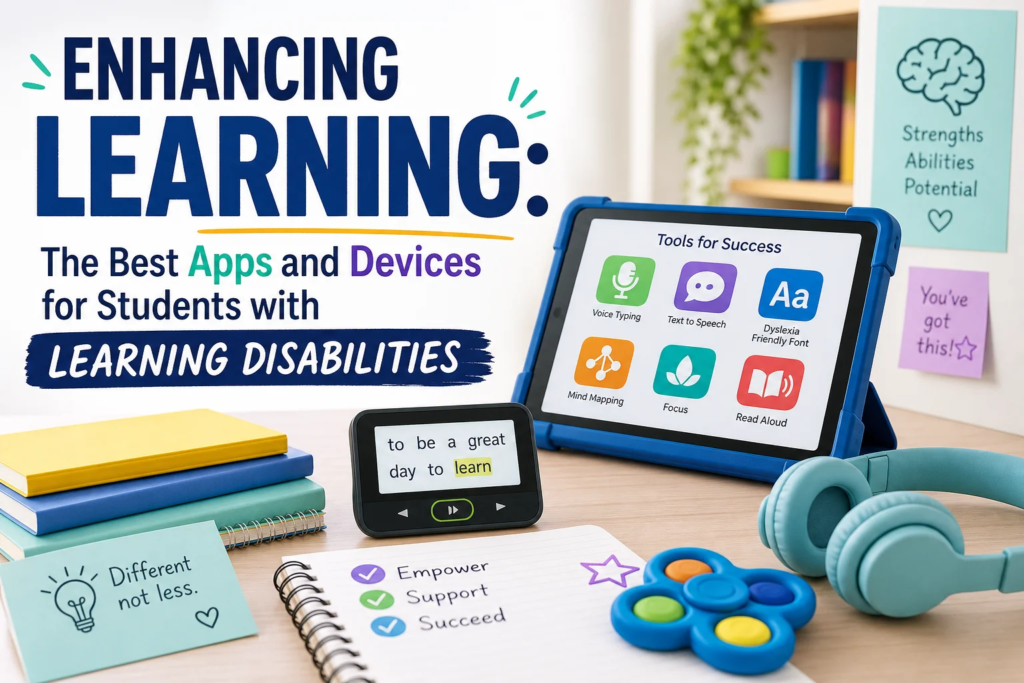
Ultimate Guide to Enhancing Learning: The Best Apps and Devices for Students with Learning Disabilities
A student who struggles to decode a paragraph may understand the story perfectly when it is read aloud. A child who cannot keep track of assignments may produce brilliant work when reminders are visual and automatic. A teen whose handwriting makes essays feel impossible may suddenly have a voice once speech-to-text enters the picture.
That is the promise of assistive technology.
The conversation around learning disabilities has changed dramatically. We no longer have to ask students to “try harder” using tools that were never designed for the way their brains process information. Instead, we can design learning environments that meet students where they are and help them show what they know.
This guide to Enhancing Learning: The Best Apps and Devices for Students with Learning Disabilities explores practical, research-informed, classroom-tested technology that can support reading, writing, math, organization, focus, communication, and confidence.
Whether you are a parent, teacher, school leader, therapist, or student, the right combination of apps and devices can turn frustration into progress. Not overnight. Not magically. But consistently, when chosen thoughtfully and used with support.
Why Assistive Technology Matters for Students with Learning Disabilities
Learning disabilities are not a sign of low intelligence. They are differences in how the brain receives, processes, stores, or expresses information.
A student with dyslexia may have strong reasoning skills but struggle with decoding words. A learner with dysgraphia may have complex ideas but difficulty with handwriting and spelling. A student with ADHD may understand the lesson but lose track of steps, materials, or deadlines.
That is where enhancing learning with the best apps and devices for students with learning disabilities becomes so powerful. Technology can reduce barriers so students can access content, communicate ideas, and participate more independently.
Assistive technology can help students:
- Read text aloud
- Dictate instead of type or handwrite
- Organize assignments
- Break tasks into manageable steps
- Reduce distractions
- Solve math problems visually
- Improve memory and recall
- Communicate needs and ideas
- Build independence and self-advocacy
The goal is not to make learning “easy.” The goal is to make learning accessible.
Understanding Learning Disabilities Before Choosing Technology
Before choosing apps or devices, it helps to understand what kind of support a student needs. The best technology is not always the most expensive or advanced. It is the tool that fits the student’s learning profile, classroom expectations, and daily routines.
Common Learning Disabilities and Related Challenges
| Learning Difference | Common Challenges | Helpful Technology Supports |
|---|---|---|
| Dyslexia | Reading fluency, decoding, spelling, comprehension fatigue | Text-to-speech, audiobooks, dyslexia-friendly fonts, reading overlays |
| Dysgraphia | Handwriting, spelling, written expression, fine motor fatigue | Speech-to-text, word prediction, typing tools, digital notebooks |
| Dyscalculia | Number sense, math facts, sequencing, visual-spatial math | Visual math apps, calculators, graph paper tools, step-by-step math platforms |
| ADHD | Attention, planning, time management, impulse control | Timers, planners, focus apps, task managers, reminder systems |
| Autism Spectrum Disorder | Communication, sensory regulation, transitions, social understanding | AAC apps, visual schedules, noise-canceling headphones, social story tools |
| Auditory Processing Challenges | Following oral directions, note-taking, listening in noisy spaces | Captioning, recording pens, FM systems, transcription apps |
| Executive Function Challenges | Organization, working memory, task initiation, prioritizing | Digital planners, checklists, smartwatches, visual timers |
This is why Enhancing Learning: The Best Apps and Devices for Students with Learning Disabilities should never be treated as a one-size-fits-all shopping list. The right solution begins with a clear picture of the learner.
The Assistive Technology Mindset: Match the Tool to the Task
One common mistake is buying an app or device first and hoping it solves the problem. A better approach is to ask three questions:
-
What task is difficult?
Reading long passages? Starting homework? Writing essays? Solving multi-step math problems?
-
What barrier is causing the difficulty?
Decoding? Memory? Motor skills? Attention? Anxiety? Sensory overload?
- What tool reduces the barrier while preserving the learning goal?
If the goal is reading comprehension, text-to-speech may be appropriate. If the goal is handwriting practice, speech-to-text may not be the right tool for that moment.
The strongest plans for enhancing learning for students with learning disabilities using apps and devices combine technology with instruction, routine, and encouragement.
Technology does not replace teachers, therapists, or parents. It strengthens their support.
Best Reading Apps for Students with Learning Disabilities
Reading can be one of the most emotionally loaded areas for students with learning disabilities. Many students who struggle with reading have spent years feeling slow, embarrassed, or “behind.” The right reading technology can restore access to stories, textbooks, research, and independent learning.
1. Learning Ally
Learning Ally provides human-narrated audiobooks, including textbooks and literature. It is especially useful for students with dyslexia, visual impairments, or other reading-based disabilities.
Best for: Dyslexia, reading fatigue, textbook access
Key features:
- Human-read audiobooks
- Highlighting while listening
- School and home access
- Large library of educational titles
Learning Ally is a strong example of Enhancing Learning: The Best Apps and Devices for Students with Learning Disabilities because it allows students to engage with age-appropriate content even when decoding is difficult.
2. Bookshare
Bookshare is a digital library for people with qualifying reading barriers. It offers ebooks in accessible formats, including audio, large print, braille-ready files, and highlighted text.
Best for: Dyslexia, visual impairments, physical disabilities
Key features:
- Massive accessible book collection
- Text-to-speech compatibility
- Customizable fonts and spacing
- Free for qualifying U.S. students
3. Voice Dream Reader
Voice Dream Reader is a flexible text-to-speech app that reads documents, webpages, PDFs, ebooks, and more.
Best for: Students who need text read aloud across formats
Key features:
- High-quality voices
- Adjustable speed
- Highlighted text tracking
- Supports many file types
- Custom font and color settings
For students who become exhausted from decoding, Voice Dream Reader can support comprehension and independence.
4. Microsoft Immersive Reader
Microsoft Immersive Reader is built into many Microsoft tools, including Word, OneNote, Teams, and Edge. It supports reading comprehension and fluency through text-to-speech, line focus, syllable breaks, picture dictionary, and spacing adjustments.
Best for: Classrooms using Microsoft tools
Key features:
- Reads text aloud
- Highlights words as they are read
- Adjusts spacing and background color
- Breaks words into syllables
- Translates text
Because it is widely available and often free in school environments, Immersive Reader is one of the most practical tools in enhancing learning with assistive technology for students with learning disabilities.
5. NaturalReader
NaturalReader converts text into spoken audio. Students can use it for webpages, PDFs, notes, and documents.
Best for: Older students, independent reading support
Key features:
- Text-to-speech
- Browser extension
- Multiple voices
- Audio file conversion in some plans
Best Writing Apps for Students with Learning Disabilities
Writing is complex. It requires planning, spelling, handwriting or typing, grammar, working memory, sequencing, and self-monitoring. For students with dysgraphia, dyslexia, ADHD, or language-based disabilities, writing can feel like trying to carry ten heavy boxes at once.
The right tools can lighten the load.
1. Google Docs Voice Typing
Google Docs includes free voice typing in Chrome. Students can speak their ideas and watch them appear on the page.
Best for: Dysgraphia, writing fluency, students with strong verbal expression
Key features:
- Free with Google Docs
- Simple voice dictation
- Works well for drafting
- Supports editing by voice commands
Speech-to-text is central to Enhancing Learning: The Best Apps and Devices for Students with Learning Disabilities because it separates idea generation from handwriting mechanics.
2. Co:Writer
Co:Writer offers word prediction, speech recognition, topic dictionaries, and spelling support. It is designed specifically for students who struggle with writing.
Best for: Dyslexia, dysgraphia, spelling challenges
Key features:
- Word prediction
- Flexible spelling recognition
- Topic-specific vocabulary
- Speech-to-text
- Works across platforms
3. Grammarly
Grammarly helps students revise grammar, punctuation, tone, and clarity. It should not replace writing instruction, but it can support editing and self-correction.
Best for: Middle school, high school, and college students
Key features:
- Grammar suggestions
- Clarity improvements
- Browser extension
- Tone feedback
- Plagiarism checker in premium plans
4. Read&Write
Read&Write by Texthelp is a powerful literacy toolbar offering text-to-speech, word prediction, speech-to-text, dictionaries, highlighting, and study tools.
Best for: Comprehensive reading and writing support
Key features:
- Text-to-speech
- Word prediction
- Picture dictionary
- Speech input
- PDF annotation
- Vocabulary tools
Read&Write is often used in schools because it supports multiple parts of the learning process, making it a major tool for enhancing learning for students with dyslexia, dysgraphia, and other learning disabilities.
5. Notability and GoodNotes
These digital notebook apps allow students to combine handwriting, typing, audio recording, diagrams, and imported worksheets.
Best for: Students who benefit from multimodal note-taking
Key features:
- Digital handwriting
- Audio recording
- PDF markup
- Organization by subject
- Apple Pencil support
For some students, writing support is not about replacing handwriting completely. It is about making notes searchable, organized, and easier to revisit.
Best Math Apps for Students with Learning Disabilities
Math challenges can be especially frustrating because they often build over time. A student who missed number sense foundations may struggle later with fractions, algebra, measurement, and word problems.
Students with dyscalculia or working memory challenges often need visual, step-by-step, and interactive math support.
1. ModMath
ModMath is designed for students who struggle with writing math problems by hand. It provides a digital graph-paper-style workspace.
Best for: Dysgraphia, dyscalculia, fine motor difficulties
Key features:
- Digital math layout
- Helps align numbers
- Reduces handwriting demands
- Supports basic and advanced math notation
2. Photomath
Photomath allows students to scan math problems and view step-by-step explanations.
Best for: Homework support and checking work
Key features:
- Camera-based problem scanning
- Step-by-step solutions
- Multiple solving methods for some problems
- Graphing support
Important note: Photomath should be used as a learning support, not a shortcut. Teachers and parents can ask students to explain each step to ensure understanding.
3. Khan Academy
Khan Academy offers free lessons, videos, practice questions, and progress tracking across many math topics.
Best for: Concept review, independent practice, remediation
Key features:
- Free access
- Short instructional videos
- Practice exercises
- Mastery tracking
- Covers elementary through advanced math
4. DragonBox Math Apps
DragonBox apps teach math concepts through game-based learning.
Best for: Younger students, visual learners, math anxiety
Key features:
- Game-based math exploration
- Algebra readiness
- Visual problem solving
- Engaging design
5. Desmos
Desmos is a powerful graphing calculator and classroom activity platform.
Best for: Algebra, geometry, graphing, visual math
Key features:
- Free graphing calculator
- Interactive visuals
- Classroom activities
- Excellent for conceptual understanding
Math technology is a core part of Enhancing Learning: The Best Apps and Devices for Students with Learning Disabilities because it can make abstract concepts visible and reduce unnecessary motor or memory demands.
Best Organization and Executive Function Apps
Many students with learning disabilities also struggle with executive functioning. They may forget assignments, underestimate time, lose materials, or freeze when a task feels too big.
These students are not lazy. They often need external systems that make invisible steps visible.
1. Todoist
Todoist is a clean task-management app that helps students organize assignments and responsibilities.
Best for: Middle school, high school, college
Key features:
- Task lists
- Due dates
- Recurring reminders
- Project categories
- Cross-device syncing
2. Google Calendar
Google Calendar is simple, free, and powerful when used consistently.
Best for: Scheduling, assignment planning, reminders
Key features:
- Color-coded calendars
- Alerts and notifications
- Shared calendars with parents or teachers
- Recurring events
3. myHomework Student Planner
myHomework is designed specifically for students tracking classes, homework, tests, and projects.
Best for: Students transitioning from paper planners
Key features:
- Class schedules
- Homework tracking
- Reminders
- Assignment categories
4. Forest
Forest helps students stay focused by turning distraction resistance into a visual game. Students grow virtual trees by staying off their phones.
Best for: ADHD, distraction management
Key features:
- Focus timer
- Gamified productivity
- Visual progress
- Encourages device boundaries
5. Time Timer
Time Timer is both an app and a physical device. It shows time passing visually, which helps students understand how much time remains.
Best for: ADHD, autism, task transitions, time blindness
Key features:
- Visual countdown
- Red disk display
- Physical and digital versions
- Useful for homework, tests, breaks, and routines
When discussing enhancing learning through the best apps and devices for students with learning disabilities, executive function tools deserve special attention. Many students can do the academic work once they know where to start and how to pace themselves.
Best Note-Taking and Study Tools
Note-taking can be difficult for students with dyslexia, ADHD, auditory processing challenges, or slow processing speed. Listening, understanding, writing, and organizing all at once can overwhelm working memory.
1. Otter.ai
Otter.ai records and transcribes speech in real time. It can help students review lectures, meetings, or study sessions.
Best for: College students, high school students, auditory processing challenges
Key features:
- Audio recording
- Automatic transcription
- Searchable notes
- Speaker identification in some plans
Students should always follow school rules and privacy laws before recording classes.
2. Microsoft OneNote
OneNote is a flexible digital binder. Students can organize notes by subject, add images, record audio, draw diagrams, and use Immersive Reader.
Best for: Multimodal note-taking
Key features:
- Organized notebooks
- Typing, drawing, audio, and images
- Searchable notes
- Built-in accessibility tools
3. Evernote
Evernote helps students collect notes, webpages, images, and checklists in one searchable place.
Best for: Research projects and organization
Key features:
- Web clipping
- Tags
- Search
- Cross-device syncing
4. Quizlet
Quizlet allows students to create digital flashcards and study sets.
Best for: Vocabulary, test prep, memorization
Key features:
- Flashcards
- Practice tests
- Matching games
- Audio support for terms
5. Anki
Anki uses spaced repetition, which helps students review information right before they are likely to forget it.
Best for: Older students, language learning, science terms, medical or technical vocabulary
Key features:
- Spaced repetition algorithm
- Custom flashcards
- Images and audio
- Strong long-term retention support
Best Devices for Students with Learning Disabilities
Apps matter, but devices determine how easily students can access those apps. A tool that works beautifully on one device may be frustrating on another.
Here is a practical comparison.
| Device | Best For | Strengths | Possible Limitations |
|---|---|---|---|
| Chromebook | Schoolwork, Google tools, affordability | Easy to manage, common in schools, strong browser-based tools | Limited advanced creative software |
| iPad | Reading, writing, AAC, visual learning, touch interaction | Portable, excellent accessibility, Apple Pencil support | Keyboard often needed for longer writing |
| Windows Laptop | Older students, specialized software, productivity | Full desktop software, compatibility, flexible | Can be more complex to manage |
| MacBook | College students, creative work, accessibility | Strong built-in accessibility, reliable performance | Higher cost |
| Tablet with Stylus | Note-taking, math, annotation | Handwriting plus digital organization | May require app setup and training |
| Smartwatch | Reminders, timers, discreet prompts | Great for executive function and independence | Can become distracting |
| Noise-Canceling Headphones | Sensory regulation, focus | Reduces auditory distractions | Must be used appropriately in class |
| Reading Pen | Decoding support, independent reading | Scans and reads words aloud | Slower than full-page text-to-speech |
A thoughtful device plan is essential to Enhancing Learning: The Best Apps and Devices for Students with Learning Disabilities because students need technology that fits real school routines, not just ideal conditions.
Built-In Accessibility Features Students Should Use First
Before buying expensive tools, explore built-in accessibility features. Many families already own powerful supports without realizing it.
Apple Accessibility Features
Apple devices include:
- Speak Selection
- Spoken Content
- VoiceOver
- Dictation
- Live Captions
- Guided Access
- Safari Reader
- Display accommodations
- Background sounds
- AssistiveTouch
Google/Chromebook Accessibility Features
Chromebooks offer:
- Select-to-speak
- ChromeVox screen reader
- Dictation
- Live captions
- Screen magnifier
- High contrast mode
- Reading mode
- Keyboard shortcuts
- Mono audio
Microsoft Accessibility Features
Windows and Microsoft 365 include:
- Immersive Reader
- Dictation
- Narrator
- Live captions
- Focus sessions
- Magnifier
- Color filters
- Eye control for compatible devices
Using built-in features is one of the most cost-effective strategies for enhancing learning with apps and devices for students with learning disabilities.
Assistive Technology by Learning Need
The following chart gives a quick way to match needs with tools.
| Student Need | Recommended Apps | Recommended Devices |
|---|---|---|
| Reading text aloud | Learning Ally, Bookshare, Voice Dream Reader, Immersive Reader | Chromebook, iPad, laptop, reading pen |
| Writing by speaking | Google Docs Voice Typing, Dragon, Read&Write, Co:Writer | Laptop, Chromebook, headset microphone |
| Organizing homework | Todoist, myHomework, Google Calendar | Smartphone, smartwatch, Chromebook |
| Reducing distractions | Forest, Focus To-Do, Freedom | Noise-canceling headphones, smartwatch |
| Visual math support | ModMath, Desmos, Khan Academy, DragonBox | Tablet with stylus, laptop |
| Note-taking support | OneNote, Notability, Otter.ai, Evernote | iPad, laptop, digital pen |
| Communication support | Proloquo2Go, TouchChat, Avaz | iPad, dedicated AAC device |
| Sensory regulation | Calm, Headspace, visual timer apps | Noise-canceling headphones, weighted lap pad |
This kind of matching process is at the heart of Enhancing Learning: The Best Apps and Devices for Students with Learning Disabilities.
Communication Apps for Students with Speech and Language Challenges
Some students with learning disabilities also have speech-language challenges, autism, apraxia, or communication differences. Communication apps can give students a reliable way to express needs, answer questions, and participate socially.
1. Proloquo2Go
Proloquo2Go is a widely used augmentative and alternative communication app.
Best for: Students who need symbol-based communication
Key features:
- Customizable vocabulary
- Symbol-supported communication
- Natural-sounding voices
- Designed for AAC users
2. TouchChat
TouchChat is another robust AAC app with customizable pages and vocabulary options.
Best for: Students needing flexible AAC support
Key features:
- Symbol and text communication
- Custom vocabulary
- Multiple page sets
- Speech output
3. Avaz
Avaz supports children with autism and communication challenges through picture-based and text-based communication.
Best for: Emerging communicators
Key features:
- Picture communication
- Text mode
- Customizable vocabulary
- Parent and educator-friendly interface
Communication tools should be selected with input from speech-language pathologists whenever possible.
Case Study 1: A Dyslexic Reader Finds Confidence Through Audio Support
Student profile: Maya, a 5th-grade student, had strong verbal comprehension and loved science documentaries. However, she avoided reading assignments and often cried during homework. Her evaluation showed dyslexia and slow reading fluency.
Tools used:
- Learning Ally for novels and textbooks
- Microsoft Immersive Reader for digital handouts
- Audiobook plus printed text for paired reading
- Vocabulary review with Quizlet
Outcome:
Within three months, Maya began completing reading assignments with less resistance. Her comprehension scores improved because she could access grade-level content without spending all her energy decoding. She also started choosing audiobooks independently.
Analysis:
This case shows why Enhancing Learning: The Best Apps and Devices for Students with Learning Disabilities is not about lowering expectations. Maya still engaged with the same content as her classmates. The technology removed a decoding barrier so her comprehension and curiosity could shine.
Case Study 2: Speech-to-Text Helps a Student with Dysgraphia Express Complex Ideas
Student profile: Jordan, an 8th grader, had excellent class discussions but turned in short, incomplete written assignments. His handwriting was slow and painful, and spelling errors made his essays hard to read.
Tools used:
- Google Docs Voice Typing for first drafts
- Co:Writer for word prediction and spelling support
- Grammarly for revision
- A headset microphone for clearer dictation
Outcome:
Jordan’s essay length doubled. More importantly, his writing began to reflect the sophistication of his spoken ideas. His teacher noticed better organization after he learned to dictate an outline before drafting.
Analysis:
For students with dysgraphia, writing difficulties can hide knowledge. This example highlights how enhancing learning with the best apps and devices for students with learning disabilities can create a fairer path for written expression.
Case Study 3: Executive Function Tools Help a High School Student Manage ADHD
Student profile: Elena, a 10th-grade student with ADHD, frequently forgot assignments, missed deadlines, and underestimated how long tasks would take. Her grades suffered despite strong understanding.
Tools used:
- Google Calendar with color-coded classes
- Todoist for assignment breakdowns
- Time Timer for homework sessions
- Smartwatch reminders for transitions
Outcome:
Elena reduced missing assignments by more than half over one semester. She still needed weekly check-ins, but she became more independent in tracking deadlines and starting work.
Analysis:
The relevance to Enhancing Learning: The Best Apps and Devices for Students with Learning Disabilities is clear: some students do not primarily need content support. They need systems for time, planning, and follow-through.
Case Study 4: A Student with Dyscalculia Uses Visual Math Tools to Build Understanding
Student profile: Amir, a 6th grader, struggled with number alignment, multi-step computation, and remembering math procedures. He often understood concepts during class but made errors on paper.
Tools used:
- ModMath for digital problem layout
- Khan Academy for review videos
- Desmos for graphing visuals
- Teacher-created checklists for problem-solving steps
Outcome:
Amir made fewer place-value and alignment errors. His confidence improved because his written math work became easier to read and correct. He also began using videos to preview lessons before class.
Analysis:
This case demonstrates that enhancing learning for students with learning disabilities through apps and devices works best when technology is paired with explicit strategies. ModMath helped with layout, but the checklist helped with reasoning.
Case Study 5: Noise-Canceling Headphones and Visual Schedules Support an Autistic Learner
Student profile: Sophie, a 3rd-grade student with autism and language-processing challenges, became overwhelmed during transitions and noisy group work. She often shut down before completing assignments.
Tools used:
- Noise-canceling headphones during independent work
- Visual schedule app
- Time Timer for transitions
- Simple emotion check-in app
Outcome:
Sophie began transitioning with fewer meltdowns and completed more independent tasks. Her teacher used the visual schedule to preview changes in routine.
Analysis:
This example expands the meaning of Enhancing Learning: The Best Apps and Devices for Students with Learning Disabilities. Sometimes the most important academic support is emotional and sensory regulation.
How to Choose the Right App or Device
The marketplace is crowded. New apps appear constantly, and many promise dramatic results. A careful selection process protects families and schools from wasting money and frustrating students.
Use This Decision Checklist
| Question | Why It Matters |
|---|---|
| What specific barrier does this tool address? | Prevents buying technology without a clear purpose |
| Is the student willing to use it? | Tools only work when students accept them |
| Does it fit classroom routines? | A great tool at home may not work during school |
| Is training required? | Students and adults need time to learn features |
| Can it be used across subjects? | Multi-use tools often provide better value |
| Does it protect student privacy? | Data security matters, especially for minors |
| Is it compatible with existing devices? | Avoids technical frustration |
| Can progress be measured? | Helps determine whether the tool is effective |
Choosing wisely is one of the most overlooked parts of Enhancing Learning: The Best Apps and Devices for Students with Learning Disabilities.
Free and Low-Cost Tools Worth Trying
Not every student needs a paid subscription. Some of the most effective supports are free or already included in school platforms.
Free or Low-Cost Options
| Tool | Cost Level | Main Use |
|---|---|---|
| Google Docs Voice Typing | Free | Speech-to-text |
| Microsoft Immersive Reader | Often free | Reading support |
| Khan Academy | Free | Math and academic review |
| Desmos | Free | Graphing and visual math |
| Google Calendar | Free | Scheduling |
| Quizlet | Free/Paid | Study tools |
| Chrome Select-to-Speak | Free | Text-to-speech |
| Apple Dictation | Built-in | Speech-to-text |
| Bookshare | Free for qualifying U.S. students | Accessible books |
For families beginning the journey of enhancing learning with technology for students with learning disabilities, starting with free tools can reduce pressure and encourage experimentation.
Training Matters: The App Is Only Half the Solution
A common reason assistive technology fails is not that the tool is bad. It is that the student never receives enough practice to use it naturally.
Imagine handing a student a violin and expecting music immediately. Assistive technology also requires instruction, repetition, and patience.
Students need to learn:
- When to use the tool
- How to open and navigate it
- How to troubleshoot common problems
- How to use it without feeling embarrassed
- How to combine it with learning strategies
- How to explain their needs to teachers
Teachers and parents also need training. If adults do not understand the tool, they may forget to encourage it or may accidentally prevent its use.
The best approach to Enhancing Learning: The Best Apps and Devices for Students with Learning Disabilities includes an implementation plan, not just a purchase.
Building Assistive Technology Into IEPs and 504 Plans
For students in the United States, assistive technology may be included in an Individualized Education Program, or IEP, if it is needed for the student to receive a free appropriate public education. It may also appear in a 504 Plan as an accommodation.
Examples of assistive technology accommodations include:
- Text-to-speech for reading assignments and tests
- Speech-to-text for written responses
- Audiobooks for grade-level novels
- Calculator access when computation is not being assessed
- Digital graphic organizers
- Reduced copying from the board
- Access to teacher notes
- Use of noise-reducing headphones
- Visual timers and schedules
- Word prediction software
Families can ask the school team to consider assistive technology during IEP meetings. Schools may conduct assistive technology evaluations to determine what tools are appropriate.
A well-written plan for enhancing learning through apps and devices for students with learning disabilities should clarify where, when, and how the student may use each tool.
Privacy, Safety, and Digital Well-Being
Apps can be helpful, but they also collect data. Parents and schools should review privacy policies, especially for tools used by children.
Consider:
- Does the app collect personal data?
- Is student work stored securely?
- Can parents or schools control settings?
- Are ads shown to students?
- Does the tool require public sharing?
- Can students communicate with strangers?
- Is the app compliant with school privacy requirements?
Digital well-being matters too. A student using a tablet for reading support may also face distractions from games, videos, or notifications.
Helpful strategies include:
- Use focus modes
- Disable unnecessary notifications
- Keep learning apps on the home screen
- Use website blockers during study time
- Create device-free breaks
- Teach students how technology helps their goals
Responsible use is a key part of Enhancing Learning: The Best Apps and Devices for Students with Learning Disabilities.
Classroom Strategies That Make Technology More Effective
Even the best app can fail in an unsupportive classroom. Teachers play a major role in normalizing technology and reducing stigma.
Practical Classroom Tips
-
Normalize tool choice.
Let all students use options like typing, audio, visuals, or graphic organizers when appropriate.
-
Teach tools explicitly.
Do not assume students know how to use accessibility features.
-
Offer multiple ways to show learning.
Written essays, oral presentations, videos, diagrams, and projects can all demonstrate understanding.
-
Provide digital materials.
Text-to-speech tools work best when students can access readable digital text.
-
Avoid using assistive technology as a reward.
It is an access tool, not a privilege.
-
Check in privately.
Some students avoid tools because they fear standing out.
- Measure impact.
Look at completion rates, independence, comprehension, accuracy, and confidence.
This is where enhancing learning for students with learning disabilities using the best apps and devices becomes a culture, not just a collection of tools.
Parent Strategies for Home Use
Parents often feel pressure to find the perfect app. A better goal is to build a simple, consistent system.
Start With One Problem
Instead of trying five tools at once, choose one challenge:
- “Homework takes too long.”
- “Reading causes tears.”
- “My child forgets assignments.”
- “Writing is impossible.”
- “Math work is messy and confusing.”
Then choose one tool and use it for two to four weeks.
Create a Home Technology Routine
For example:
| Time | Tool | Purpose |
|---|---|---|
| After school | Google Calendar | Check assignments |
| Homework start | Time Timer | Set work interval |
| Reading | Learning Ally or Immersive Reader | Access text |
| Writing | Voice Typing | Draft responses |
| Review | Quizlet | Study vocabulary |
Parents should celebrate effort and independence, not just grades. The emotional side of Enhancing Learning: The Best Apps and Devices for Students with Learning Disabilities is just as important as the technical side.
Avoiding Common Mistakes
Assistive technology can be transformative, but only when used thoughtfully.
Mistake 1: Choosing Tools Without Student Input
If students dislike a tool, they may not use it. Ask what feels helpful, embarrassing, confusing, or empowering.
Mistake 2: Introducing Too Many Apps at Once
More tools can mean more overwhelm. Start small.
Mistake 3: Forgetting About Training
Students need guided practice. Adults do too.
Mistake 4: Using Technology to Avoid Skill Building
Assistive technology should provide access while students continue receiving instruction in reading, writing, math, or executive function.
Mistake 5: Ignoring the Environment
Noise, lighting, seating, internet access, and teacher expectations all affect success.
Mistake 6: Measuring Only Grades
Also measure independence, confidence, reduced frustration, assignment completion, and participation.
Avoiding these mistakes makes enhancing learning with the best apps and devices for students with learning disabilities much more effective.
Long-Tail Keyword Variations and Search Phrases Families Often Use
When people search for information related to Enhancing Learning: The Best Apps and Devices for Students with Learning Disabilities, they often use specific phrases based on a student’s needs.
Examples include:
- Best apps for students with dyslexia
- Assistive technology for learning disabilities
- Best devices for students with ADHD
- Apps for dysgraphia and writing support
- Text-to-speech tools for struggling readers
- Speech-to-text apps for students with learning disabilities
- Best organization apps for students with ADHD
- Math apps for students with dyscalculia
- Reading apps for students with learning disabilities
- Executive function apps for students
- Best assistive technology devices for school
- Learning disability tools for middle school students
- Apps and devices for special education students
- Technology accommodations for IEP students
- Best accessibility tools for students with learning differences
These variations all connect to the larger goal of enhancing learning through the best apps and devices for students with learning disabilities in practical, student-centered ways.
Recommended Toolkits by Age Group
Different ages require different levels of independence, simplicity, and privacy.
Elementary School Toolkit
| Need | Recommended Tools |
|---|---|
| Reading support | Learning Ally, Bookshare, Immersive Reader |
| Writing support | Co:Writer, Google Docs Voice Typing |
| Math support | DragonBox, ModMath, Khan Academy Kids |
| Focus and transitions | Time Timer, visual schedule apps |
| Sensory support | Noise-canceling headphones |
Elementary students need adult modeling and repeated routines.
Middle School Toolkit
| Need | Recommended Tools |
|---|---|
| Reading | Voice Dream Reader, Immersive Reader |
| Writing | Read&Write, Co:Writer, Grammarly |
| Organization | myHomework, Google Calendar |
| Studying | Quizlet, OneNote |
| Math | Khan Academy, Desmos, ModMath |
Middle school is a crucial time for building self-advocacy.
High School Toolkit
| Need | Recommended Tools |
|---|---|
| Reading and research | NaturalReader, Bookshare, Immersive Reader |
| Writing | Grammarly, Google Docs Voice Typing, Read&Write |
| Planning | Todoist, Google Calendar, smart reminders |
| Notes | Otter.ai, OneNote, Notability |
| Math and science | Desmos, Khan Academy, Wolfram Alpha |
High school students benefit from tools that prepare them for college or workplace expectations.
College Toolkit
| Need | Recommended Tools |
|---|---|
| Lecture access | Otter.ai, recording pens, OneNote |
| Reading load | Voice Dream Reader, NaturalReader |
| Writing | Grammarly, dictation tools |
| Planning | Todoist, Notion, Google Calendar |
| Focus | Forest, Freedom, noise-canceling headphones |
College students should also connect with disability services to arrange approved accommodations.
The Future of Assistive Technology
The next generation of tools will likely become more personalized, predictive, and integrated. Artificial intelligence, adaptive learning platforms, real-time captioning, and wearable devices are already changing how students access information.
Promising developments include:
- More accurate speech recognition
- Better real-time translation
- AI-supported reading summaries
- Personalized study plans
- Smart reminders based on behavior patterns
- More natural AAC voices
- Improved handwriting recognition
- Adaptive math instruction
- Emotion and sensory regulation tools
However, the future of Enhancing Learning: The Best Apps and Devices for Students with Learning Disabilities should remain human-centered. The best technology respects student dignity, privacy, identity, and choice.
A tool is only truly successful when it helps a student feel more capable.
Quick Comparison: Best Apps and Devices by Category
| Category | Top Picks | Best Use |
|---|---|---|
| Reading | Learning Ally, Bookshare, Voice Dream Reader, Immersive Reader | Dyslexia, reading fatigue, comprehension access |
| Writing | Google Voice Typing, Co:Writer, Read&Write, Grammarly | Dysgraphia, spelling, written expression |
| Math | ModMath, Khan Academy, Desmos, Photomath | Dyscalculia, visual math, step-by-step review |
| Organization | Todoist, Google Calendar, myHomework | ADHD, executive function |
| Focus | Forest, Time Timer, Freedom | Attention and time management |
| Notes | OneNote, Notability, Otter.ai | Lecture support, auditory processing |
| Communication | Proloquo2Go, TouchChat, Avaz | AAC and expressive communication |
| Devices | Chromebook, iPad, laptop, smartwatch, headphones | Access, portability, reminders, sensory support |
This summary reinforces the main idea behind Enhancing Learning: The Best Apps and Devices for Students with Learning Disabilities: the best solution is personalized, practical, and consistent.
Conclusion: Technology Can Open the Door, but Confidence Walks Through It
The best apps and devices do more than help students finish assignments. They help students rediscover possibility.
A child who once avoided books can discuss literature with confidence. A student who dreaded essays can finally express original ideas. A teen who missed deadlines can learn to manage time. A learner overwhelmed by noise can find calm enough to participate.
That is the real power of Enhancing Learning: The Best Apps and Devices for Students with Learning Disabilities.
Start small. Identify one barrier. Choose one tool. Teach it patiently. Watch what changes. Then build from there.
Assistive technology is not about giving students an unfair advantage. It is about giving them fair access to learning, expression, and independence.
When students have the right tools, they do not just keep up. They begin to see themselves differently: capable, resourceful, and ready to learn.
FAQs About Enhancing Learning: The Best Apps and Devices for Students with Learning Disabilities
1. What are the best apps for students with learning disabilities?
Some of the best apps include Learning Ally, Bookshare, Microsoft Immersive Reader, Voice Dream Reader, Co:Writer, Read&Write, Google Docs Voice Typing, Khan Academy, ModMath, Todoist, and Quizlet. The best choice depends on whether the student needs help with reading, writing, math, focus, organization, or communication.
2. Are assistive technology tools only for students with IEPs?
No. Students with IEPs or 504 Plans may receive assistive technology as a formal accommodation, but many tools are useful for any learner. Built-in features like dictation, text-to-speech, captions, and digital planners can support students even without formal documentation.
3. How do I know if my child needs text-to-speech or audiobooks?
Text-to-speech or audiobooks may help if your child understands stories when they are read aloud but struggles to read independently, avoids reading, reads very slowly, or becomes exhausted by decoding. These tools are especially helpful for dyslexia and reading fluency challenges.
4. Is speech-to-text cheating?
No. Speech-to-text is not cheating when the goal is to assess ideas, organization, or content knowledge rather than handwriting or spelling. It gives students with dysgraphia, dyslexia, or motor challenges a way to express what they know.
5. What device is best for a student with learning disabilities?
There is no single best device. Chromebooks are affordable and school-friendly. iPads are excellent for touch-based learning, reading, AAC, and note-taking. Laptops are strong for older students who need full productivity tools. The best device is the one that matches the student’s needs, school platform, and daily routines.
6. How can teachers support students using assistive technology?
Teachers can provide digital materials, allow approved tools during class and assessments, teach technology routines, normalize different learning supports, and check in privately with students. Assistive technology works best when it is accepted as part of the classroom culture.
7. What are the best tools for students with ADHD?
Helpful tools for ADHD include Google Calendar, Todoist, myHomework, Time Timer, Forest, Focus To-Do, smartwatches, and noise-canceling headphones. These tools support reminders, planning, focus, transitions, and time awareness.
8. Can apps help students with dyscalculia?
Yes. Apps like ModMath, Khan Academy, Desmos, DragonBox, and Photomath can support students with dyscalculia. Visual models, step-by-step explanations, and digital workspaces can reduce confusion and help students build math understanding.
9. How many assistive technology tools should a student use at once?
Start with one or two tools that address the biggest barrier. Too many apps can overwhelm students. Once the first tool becomes routine, add another if needed.
10. What is the most important factor in making assistive technology successful?
Consistency. The tool must be easy to access, taught clearly, used regularly, and supported by adults. The best plan for Enhancing Learning: The Best Apps and Devices for Students with Learning Disabilities combines technology, instruction, encouragement, and student choice.

