

Did you know that nearly 1 in 5 children struggle with executive functioning skills? This can really affect their daily life and school work. Making your home more structured can help a lot, for those with ADHD or learning disabilities.
Using effective routines and visual aids can help families. This article will look into how checklists, routines, and visual schedules can support executive function at home.
Key Takeaways
- Simple changes to daily routines can significantly improve executive functioning.
- Visual schedules can help kids with ADHD stay on track.
- Checklists are a useful tool for breaking down complex tasks.
- Creating a structured environment at home supports individuals with learning disabilities.
- Consistency is key when implementing new routines and visual aids.
Understanding Executive Function and Its Impact on Daily Life
Executive function is key in our daily lives. It helps us manage tasks, plan our time, and control our actions. It includes skills like planning, making decisions, solving problems, and controlling impulses. These abilities are vital for reaching our personal and work goals.
What Are Executive Function Skills?
Executive function skills are about planning, organization, time management, and self-regulation. They help us set priorities, manage our time well, and stay organized. Without these skills, it’s hard to do tasks efficiently.
How Executive Function Challenges Manifest at Home
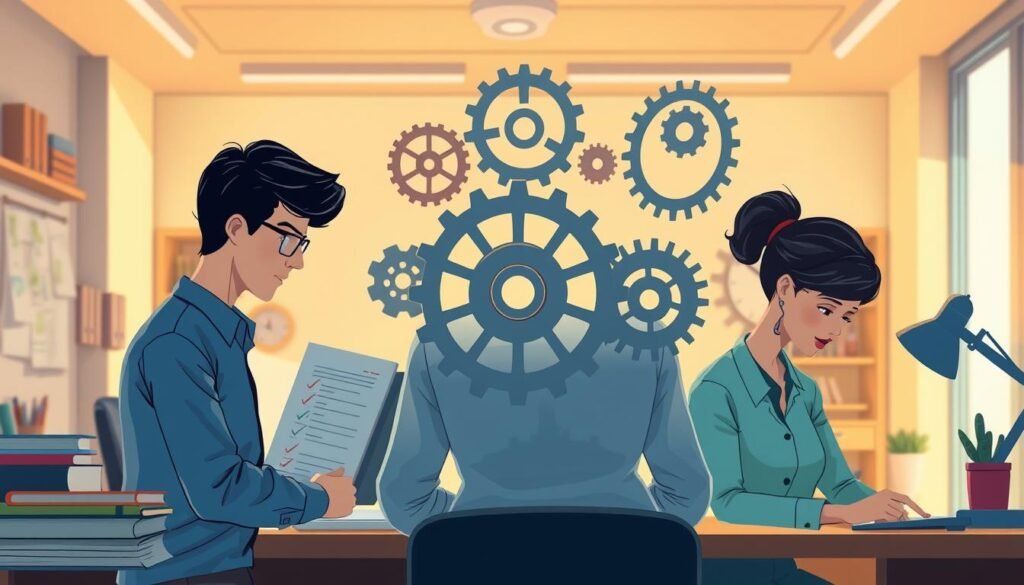
At home, executive function challenges show up in many ways. For example, people might find it hard to stick to routines, organize things, or manage their time. They might also struggle to start tasks, stay focused, or finish homework. These issues can mess up daily routines and family life.

The Connection Between Executive Function and Common Diagnoses
Executive function problems are linked to conditions like Attention Deficit Hyperactivity Disorder (ADHD) and learning disabilities. Knowing this connection helps families offer the right support and adjustments at home. By spotting signs of these challenges, families can help individuals handle their daily tasks better.
Understanding executive function skills and challenges helps families support those with difficulties. This creates a more organized and supportive home environment.
Assessing Executive Function Needs in Your Household
To offer real support, it’s key to check the executive function strengths and weaknesses in your family. This step is the base for making good strategies. It makes sure help is just right for each family member.
Identifying Executive Function Strengths and Challenges
Finding out what’s strong and weak in executive function is vital. Executive function strengths help build ways to tackle weaknesses. For example, if someone is good at planning but bad at time management, their planning skills can help with time management.
Some key areas to look at include:
- Organization and planning
- Time management
- Self-regulation of emotions
- Task initiation and completion
Common Signs of Executive Function Difficulties
Spotting signs of executive function problems is the first step to help. Common signs are:
| Signs | Description |
|---|---|
| Disorganization | Cluttered living or study spaces, trouble finding things |
| Procrastination | Often delaying tasks, missing deadlines |
| Time Management Issues | Hard to guess how long tasks take, poor scheduling |
Creating a Baseline Assessment for Family Members
To make a baseline, watch and write down each family member’s executive function skills over time. Use watching, feedback from family, and maybe special tests. This baseline helps track progress and tweak strategies as needed.

The Science Behind Effective Executive Function Home Strategies
Executive function challenges can be lessened with the right external supports. These supports offer structure and help reduce the need for internal thinking. This is very helpful for those with executive function deficits.
Why External Supports Work for Executive Function
Tools like visual schedules and checklists help by making up for cognitive issues. They give a clear, step-by-step guide. This helps people stay on track and manage their time better.
Studies show that these supports greatly improve daily life for those with executive function challenges. For example, a study on visual schedules found they boosted task completion and lowered stress in both kids and adults.
Research-Backed Approaches for Home Implementation
Several research-backed methods can be used at home to support executive function. These include:
- Creating structured routines
- Using visual aids like schedules and checklists
- Breaking down large tasks into smaller, manageable chunks
| Approach | Description | Benefit |
|---|---|---|
| Structured Routines | Establishing a daily routine that follows a consistent schedule | Reduces uncertainty and improves time management |
| Visual Aids | Using visual schedules and checklists to guide daily activities | Enhances task completion and reduces stress |
| Task Segmentation | Breaking down large tasks into smaller, more manageable tasks | Improves task initiation and completion rates |
Setting Realistic Expectations for Progress
It’s key to set realistic goals when using executive function supports at home. Progress might be slow, and it’s important to celebrate small wins.
“The key to successful implementation of executive function strategies is consistency and patience. By understanding that progress is not always linear, we can better support individuals with executive function challenges.”
By using research-backed methods and a supportive environment, people with executive function challenges can see big improvements. It’s about finding the right balance and sticking to these strategies consistently.
Creating a Home Environment That Supports Executive Function
To support executive function, it’s key to design a home that’s organized and free from distractions. This means using strategies that meet the needs of those with executive function challenges.
Physical Organization Principles
Having a well-organized home is the first step. This means decluttering, using storage, and labeling areas for different activities. It helps people move around easily and stay focused on their tasks.
Reducing Distractions and Sensory Overload
Keeping distractions low is vital for staying focused. This can be done by making quiet zones, using materials that block out noise, and setting rules for screen time. As Dr. Russell Barkley says, “Reducing distractions is key to improving executive function skills.” These steps can really help someone concentrate better.
Establishing Designated Spaces for Activities
Having specific areas for different activities helps create order. This means setting up places for homework, getting ready in the morning, and relaxing.
Creating Homework Stations
A good homework station is a must for staying productive. It should have all the needed supplies, good lighting, and few distractions. This makes it easier to get work done.
Setting Up Morning Preparation Areas
Having a spot for morning prep can make mornings easier. It can be for laying out clothes, packing bags, and making breakfast. This saves time and reduces morning stress.
By using these strategies, families can make their homes better for executive function. Studies show that a well-organized home leads to better grades and less stress.
“Organizing is what you do before you do something, so that when you do it, it’s not completely chaotic.” –
Developing Effective Morning Routines with Visual Supports
Visual supports are great for making morning routines better. A good morning routine helps you start the day right. It makes you more productive and less stressed. Visual schedules help you stick to your morning tasks, making your day more organized.
Components of a Successful Morning Routine
A good morning routine has several key tasks. These tasks get you ready for the day. They include:
- Personal hygiene activities
- Breakfast preparation
- Getting dressed
- Packing necessary items (e.g., backpack, lunch)
Breaking down the morning into these tasks makes it easier to follow your routine.
Creating Visual Schedule Templates
Visual schedule templates are key for a morning routine. They show you what tasks to do. To make a good visual schedule template:
- First, list the morning tasks.
- Then, use pictures or icons for each task.
- Put the tasks in order.
- Make the schedule last longer by laminating it.
Implementing and Adjusting Morning Systems
After making a visual schedule, use it every day. Start by adding it to your morning routine. Then, adjust it as needed. This helps make a routine that works for everyone.
Troubleshooting Morning Rush Challenges
Even with a good plan, morning challenges can happen. Common problems include:
| Challenge | Potential Solution |
|---|---|
| Resistance to following the routine | Involve the individual in creating the visual schedule to increase ownership. |
| Tasks taking longer than expected | Adjust the schedule to allocate more time for these tasks or break them down into smaller steps. |
| Forgetting items | Use checklists in conjunction with the visual schedule to ensure all necessary items are packed. |
By solving these morning problems, you can make your routine better. This makes mornings less stressful and more effective.
After-School Routines That Build Independence
The after-school time is key for teaching kids important life skills. A regular routine helps kids adjust from school to home. It boosts their independence and self-confidence.
Transitioning from School to Home
It can be tough for kids to move from school to home. They need a smooth transition from a strict school setting to a more relaxed home. A buffer zone or a transition activity can help them know it’s time to relax.
Some good ways to help kids transition include:
- Doing something calming, like reading or drawing
- Having a healthy snack to refresh
- Starting more structured activities after a short break
Homework and Study Routine Development
It’s vital to have a steady homework and study routine. This means having a dedicated study area with no distractions. Also, setting a regular time for homework and study is key.
Effective Homework Strategies:
- Breaking big tasks into smaller, easier parts
- Using a planner or calendar to keep track of homework
- Having a checklist to make sure all tasks are done
Balancing Structure with Downtime
It’s important to mix structured activities with downtime. Structure helps build independence, but downtime lets kids relax and recharge.
Managing Electronic Device Use
Controlling electronic device use is key to balancing structure and downtime. Setting rules for device use, like limiting screen time or making some areas device-free, helps kids develop good habits.
| Device Use Guidelines | Benefits |
|---|---|
| Limiting screen time to 1-2 hours | Reduces too much screen time |
| Designating device-free zones (e.g., bedrooms) | Improves sleep and reduces distractions |
| Encouraging educational content | Supports learning and growth |
By using these strategies, parents can help their kids create good after-school routines. These routines promote independence, self-reliance, and a healthy mix of structure and downtime.
Evening and Bedtime Routines for Executive Function Success
Having a regular bedtime routine is key for better sleep and improving executive function. A good evening routine tells your brain it’s time to sleep. This makes it easier to fall and stay asleep.
Wind-Down Sequences That Work
A wind-down sequence is a set of activities to help you relax before bed. Reading, meditation, or deep breathing exercises are great options. They calm your mind and body, helping you sleep better.
Preparing for the Next Day
Getting ready for tomorrow can be a big part of your evening routine. Lay out your clothes, pack your bag, or prep your lunch. This reduces stress and makes mornings smoother, which is great for those with executive function challenges.
Consistent Sleep Routines and Their Impact
Sticking to a sleep schedule greatly improves sleep quality and executive function. A regular sleep schedule helps your body’s internal clock. This leads to better sleep and fewer disruptions.
Bedtime Resistance Solutions
Many people struggle with bedtime resistance. To tackle this, set a consistent bedtime routine. Offer choices within the routine and make your bedroom sleep-friendly. This helps reduce bedtime battles and boosts sleep quality.
Designing Checklists That Actually Get Used
To make checklists effective, we need to focus on design and user needs. Checklists are great for helping with executive function. But, they only work well if they’re designed right.
Principles of Effective Checklist Design
Good checklists are clear, simple, and fit the user’s needs. They should be easy to read and understand. Dr. Peg Dawson says, “A good checklist is one that is used consistently.”
“The key to a successful checklist is that it is practical and easy to follow.”
Here are some key points to keep in mind:
- Use simple and clear language
- Keep the checklist concise and focused on essential tasks
- Use a logical and consistent structure
- Make it visually appealing with appropriate formatting and white space
Digital vs. Physical Checklists
Choosing between digital and physical checklists depends on personal preference. Digital checklists are flexible and accessible on many devices. Physical checklists offer a hands-on experience and don’t need technology. Digital checklists are great for those who use smartphones or computers. Physical checklists are better for those who like a tactile approach or have limited digital access.
Age-Appropriate Checklist Strategies
Checklist design should match the user’s age and developmental stage. Young children do well with visual checklists that have pictures. As they get older, checklists can include more text and details. Adults might find digital checklists with reminders helpful.
Sample Checklists for Different Situations
Here are some examples of checklists for various situations:
| Situation | Checklist Example |
|---|---|
| Morning Routine | Wake up, brush teeth, wash face, get dressed, have breakfast |
| Homework | Gather materials, read instructions, complete tasks, review work |
By tailoring checklist design to the user’s needs, we can make them more effective. This helps with executive function and daily routines.
Visual Schedules: Creation, Implementation, and Adaptation
Visual schedules are made for each person’s needs. They help those with executive function challenges. They offer a clear routine that can change as needed.
Types of Visual Schedules for Different Needs
Visual schedules vary based on individual needs and settings. Here are some common types:
- Daily schedules: Show the day’s activities.
- Task-specific schedules: Break down tasks into steps.
- Transition schedules: Help with moving between activities or places.
Each schedule can be tailored to fit the person’s understanding and challenges.
Materials and Methods for Creating Visual Supports
Choosing the right materials and methods is key. Options include:
- Printed charts and pictures
- Digital displays on tablets or smartphones
- Whiteboards or chalkboards for flexibility
It’s important to make the visual cues clear, simple, and relevant. Mixing images, symbols, and text helps understanding.
Fading Supports as Skills Develop
As skills improve, it’s time to reduce support. This helps with independence. Here’s how:
- Make the visual schedule less detailed over time.
- Introduce delays before starting activities.
- Encourage remembering the schedule from memory.
Visual Schedule Templates and Examples
Using templates makes creating visual schedules easier. You can find them online or make your own. Here are examples:
- A morning routine chart with pictures or symbols for each activity.
- A homework schedule with checkboxes for each task.
Adapting visual schedules to an individual’s progress and needs boosts their effectiveness. This supports executive function skills.
Time Management Tools for the Home Environment
Time management tools are key for those with executive function challenges. They help keep daily routines on track. By using the right tools, homes can become more productive and less stressful.
Visual Timers and Time Trackers
Visual timers and time trackers are great for those who struggle with time. They show time passing clearly, helping users stay focused. Visual timers are perfect for tasks like homework or chores. For example, a 25-minute work session followed by a 5-minute break boosts productivity.
Breaking Down Tasks into Manageable Chunks
Big tasks can feel too much for those with executive function challenges. Breaking them down into smaller parts makes them easier. This means listing steps and doing each one at a time. For example, cleaning a room can be broken into picking up toys, dusting, and vacuuming.
Building Time Awareness Through Daily Activities
Time awareness is key for good time management. Doing daily tasks that involve planning and time estimation helps. For example, planning a daily schedule or guessing homework time improves awareness.
Strategies for Homework Time Management
Managing homework time is important for developing time awareness. Strategies include having a dedicated homework area and using a visual schedule. For example, a student can use a checklist for a project.
- Create a dedicated homework space free from distractions.
- Use a visual timer to keep track of time spent on each task.
- Break larger tasks into smaller, manageable steps.
By using these tools and strategies, homes can become more organized and productive. It’s about finding the right balance and sticking to it every day.
Customizing Executive Function Home Strategies for Different Ages
Supporting executive function isn’t a one-size-fits-all approach. It must match the individual’s age and developmental stage. As children grow, their needs change, requiring strategies that meet their challenges and build on their strengths.
Preschool and Early Elementary Approaches
Young children benefit from simple, visual supports and play-based activities. Visual schedules and checklists with pictures help them understand routines and transitions. For example, a visual schedule with images of breakfast, getting dressed, and leaving for school aids in following morning routines independently.
Early elementary students need structured routines and basic time management. Teachers and parents can use timers and visual reminders to help them stay focused and transition smoothly between activities.
Middle School Executive Function Supports
Middle school students face more complex needs. They require strategies to manage homework, projects, and activities. Digital tools, like planner apps and reminders, are effective for this age. Teaching organizational skills, such as categorizing tasks and breaking down projects, is also key.
At this stage, learning to prioritize tasks and manage time is essential. Combining digital and physical tools, like a planner and phone reminders, helps them stay organized.
High School and Transition to Independence
High school students are on the verge of independence. They need strategies that support this transition. They benefit from advanced time management skills, like creating a study schedule, and self-advocacy to communicate their needs to teachers.
Adjusting Support Levels as Children Develop
As children move through different educational stages, support levels must adjust. Gradually reducing external support helps them develop independence. For example, a high school student who has mastered using a planner might start to rely less on reminders from parents, taking more control of their schedule.
By tailoring strategies to each child’s age and developmental stage, parents and educators can offer the best support. This approach helps children develop essential skills, fostering independence and self-confidence.
Organization Systems That Support Executive Function at Home
Having good home organization systems is key for supporting executive function. It helps people become more independent. By setting up organized spaces, families can boost their members’ executive function skills.
Color-Coding and Visual Organization Methods
Color-coding is a simple yet effective way to organize home life. It assigns colors to different categories or family members. This makes it easy to find what you need.
Benefits of Color-Coding:
- Enhances visual recognition
- Simplifies categorization
- Reduces confusion
Storage Solutions That Promote Independence
Storage solutions are vital for keeping a home organized. They help people manage their belongings and routines better. Accessible storage is important, making sure items are easy to find and put back.
Examples include:
- Low shelves for frequently used items
- Clear storage bins for easy identification
- Labelled drawers for personal items
Maintenance Strategies for Organizational Systems
To keep organizational systems working well, regular maintenance is needed. This means setting up routines to keep things organized.
Weekly Reset Routines for Families
Having a weekly reset routine is helpful for families. It involves tidying up, reviewing schedules, and planning for the next week. This keeps organizational systems effective and supports executive function.
Tips for a Successful Weekly Reset:
- Schedule a specific day and time
- Involve all family members in the process
- Review and adjust organizational systems as needed
Technology Tools and Apps for Executive Function Support
In today’s world, technology has many tools and apps for those with executive function challenges. These digital aids can be customized to fit individual needs. They offer structured support and help with managing daily tasks.
Digital Planners and Reminder Systems
Digital planners and reminders are great for those with executive function issues. They help organize tasks, set reminders, and keep schedules. Google Calendar and Microsoft Outlook are popular for these features.
Key Features of Digital Planners:
- Task management
- Reminders
- Calendar organization
- Syncing across devices
Apps Designed for Executive Function
Many apps are made to support executive function. They help with task management, focus, and organization. Todoist, Trello, and Forest are examples. They help users stay organized and focused.
“Technology can be a powerful ally in supporting executive function, providing a variety of tools for different needs.” – Expert in Educational Technology
Balancing Technology Use with Other Strategies
While technology is helpful, it’s important to use it wisely. Too much reliance on digital tools can be a problem. A balanced approach that includes both tech and non-tech methods is best.
Setting Up Digital Supports for Success
To set up digital supports, start by identifying your needs. Choose tools that fit those needs. Make sure the tools are easy to use and accessible. Regularly check and adjust these supports to keep them effective.
Conclusion: Building Consistency and Celebrating Consistency and Celebrating Progress
Consistency is key when using executive function strategies at home. Setting up routines and using visual aids helps manage daily tasks well. It takes commitment and patience, but it’s worth it.
It’s also important to celebrate small wins. This keeps motivation high and reinforces new skills. Celebrating achievements helps create a supportive space for growth.
Combining consistent practice with celebrating progress makes executive function strategies more effective. This approach builds a structured, supportive environment. It helps people become more independent and confident in their daily lives.
FAQ
What are executive function skills, and why are they important?
How can I identify executive function challenges in my child?
What are some effective strategies for supporting executive function at home?
How can I create a home environment that supports executive function?
What are some tips for developing effective morning routines?
How can I help my child transition from school to home and develop a homework routine?
What are some strategies for managing bedtime resistance?
How can I customize executive function strategies for different ages?
What are some effective time management tools for the home environment?
How can I maintain organizational systems and ensure they remain effective?


The PsyForU Editorial Collective is the research and editorial team of PsyForU Research International. The collective prepares educational, psychological, mental-health-awareness, inclusion, neurodiversity, and research-methodology content for students, parents, educators, researchers, and general readers. PsyForU content is intended for awareness, education, and capacity-building and should not be treated as clinical diagnosis, therapy, medical advice, legal advice, or emergency mental-health support.