



Here’s a wake-up call: 71% of senior managers say their real-time meetings are unproductive and inefficient! 😮 Even more shocking, over 51% of employees get pulled into gatherings they don’t need to attend. That’s a massive drain on your team’s time and energy!
You deserve better, and your team does too! 🚀 The solution isn’t to eliminate all collaboration—it’s about making smarter communication choices that actually drive results.
This guide will transform how you approach productive workplace collaboration. You’ll discover a powerful three-path framework for deciding when to bring your team together in real time, when to collaborate asynchronously, and when to skip the gathering entirely.
According to Buffer’s 2023 State of Remote Work report, 70% of remote workers focus better with asynchronous approaches. They also manage stress more effectively and face fewer distractions! 💪
Ready to reclaim your schedule? Let’s dive into effective meeting strategies that separate high-performing teams from overwhelmed ones! ✨
Key Takeaways
- Most meetings waste time – 71% of senior managers find real-time gatherings unproductive, costing your team valuable focus hours
- Asynchronous collaboration boosts productivity – 70% of remote workers concentrate better when they control their communication timing
- The three-path framework works – Deciding between synchronous, asynchronous, or skipping saves hours weekly
- Half your team attends unnecessary gatherings – 51% of employees sit in sessions they shouldn’t be in
- Meeting optimization reduces stress – 65% of workers manage pressure better with flexible communication approaches
- Strategic decisions matter – Not every update requires real-time interaction or video calls
The Meeting Overload Problem in Modern Workplaces
Meeting overload is a big problem in today’s workplaces. It’s not just annoying; it’s a major productivity issue. If your calendar controls you, you’re not alone. Millions of workers face this every day.
Over 51% of employees say they’re in meetings they don’t need to be in. This is a huge drain on productivity and morale. It’s a big problem.
But here’s the thing: even top leaders know this is a problem. A huge 71% of senior managers say real-time meetings are a waste of time. Yet, the cycle keeps going, day after day.
But there’s good news! You’re about to learn how to make your workday better. We’ll show you how to make meetings more productive and focused. You’ll see why old ways don’t work and how to change them today!
Why the Old Approach Keeps You Stuck
The old way of doing meetings is based on a bad idea: when in doubt, schedule a meeting. This has made meetings the go-to solution for everything. It assumes everyone is always available and that talking in real-time is best.
Think about it. Someone wants to share something, so they book a meeting. A quick question comes up, so they take 30 minutes of everyone’s time. And when a decision is needed, they call a big meeting. These actions might seem okay, but they’ve become automatic.
These meetings often include people who don’t need to be there. They interrupt your deep work. They break your day into small, useless chunks. And worst of all, many could be handled in other ways! 📉
“We have meetings to discuss meetings, and then follow-up meetings to clarify what happened in the first meeting. Meanwhile, the actual work keeps getting pushed to after hours.”
The old way also ignores different work styles and needs. Some people do their best work in meetings, while others need quiet time. By always meeting, we favor one style over others.
What Unnecessary Meetings Actually Cost You
Let’s look at the real costs of bad meetings. Switching to other ways of communicating can save teams six hours a week. That’s six hours of work time that could move your projects forward! 🌟

But there’s more to it than just saving time. The hidden costs are huge:
- Fragmented Focus: Meetings interrupt your flow, and it takes 23 minutes to get back to work
- Decision Fatigue: Switching between meetings drains your mental energy and lowers your thinking quality
- Creative Depletion: Busy days leave no time for strategic thinking
- Burnout Acceleration: Back-to-back meetings exhaust you without satisfaction
- Opportunity Cost: Time in bad meetings is time not spent on important work
This affects business communication across your whole company! If a team of 10 spends six hours a week in bad meetings, that’s 60 hours lost. Across departments and months, that’s thousands of hours that could have added value.
The financial cost is also huge. When you calculate the cost of each employee in unproductive meetings, many companies are wasting money. This isn’t just inefficient; it’s unsustainable! 💸
The Exciting Move Toward Smarter Communication
Now, everything changes! Companies are finally tackling meeting overload and moving to better communication. This isn’t about getting rid of meetings; it’s about being smart and intentional with them! 🚀
Intentional communication means asking the right questions before meeting. Does this need real-time talk, or can it wait? Who really needs to be there, and who just needs the info later? What do we want to achieve, and how can we do it best?
This shift changes how we think about working together. Instead of needing everyone at once, forward-thinking teams use different ways to communicate. They save time by focusing on real collaboration and handling simple stuff asynchronously.
| Traditional Approach | Intentional Communication | Impact |
|---|---|---|
| Default to scheduling meetings | Choose optimal communication method | Reduced meeting volume by 40-60% |
| Include everyone “just in case” | Invite only essential participants | More engaged attendees and faster decisions |
| Schedule without clear objectives | Define specific outcomes first | Meetings 30-50% shorter with better results |
| Real-time updates for everything | Async updates for routine information | 6+ hours saved per person weekly |
The best companies are creating cultures where questioning meetings is okay. They empower employees to suggest better ways to communicate. They celebrate teams that work well together without needing meetings all the time.
You’re now part of this big change! Companies that choose smarter communication are seeing huge benefits. They’re more productive, happier, more innovative, and make decisions faster. They show that you don’t need more meetings; you need better ways to talk and work together! ✨
This change starts with you making different choices about how and when you communicate. Ready to learn when meetings are really needed and when you can skip them? Let’s explore the new way to communicate! 💪
Understanding the Three-Path Framework: Sync, Async, or Skip
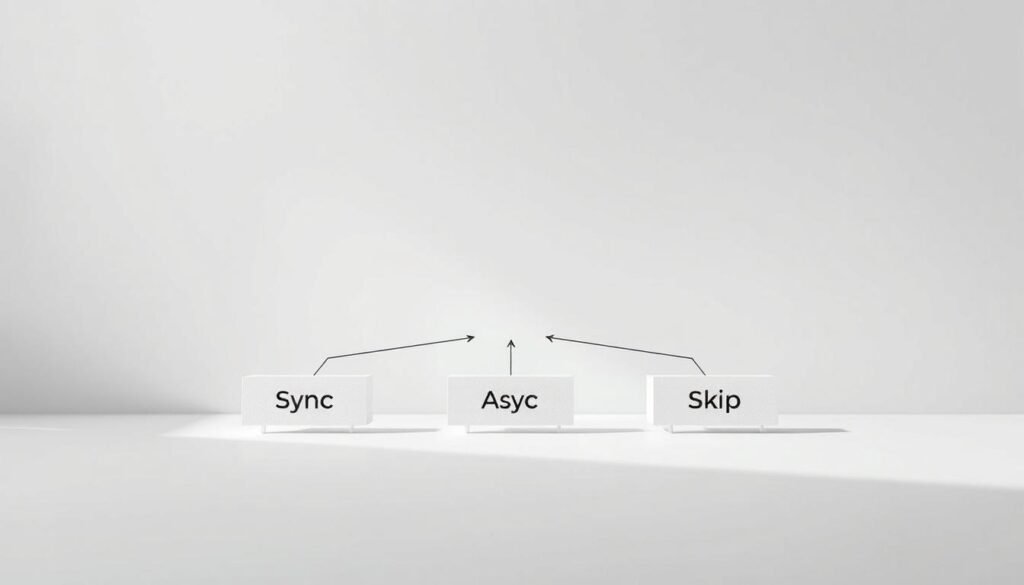
Imagine a simple system that tells you when to meet, when to communicate asynchronously, and when to skip meetings. 🎯 The Three-Path Framework turns workplace communication into strategic planning. It gives you three options for every communication scenario.
Decision-making frameworks like this empower your team to make smart choices. Instead of always meeting, you evaluate each situation thoughtfully. It considers synchronous collaboration, asynchronous communication tools, and skipping meetings when unnecessary.
Your meeting decision framework is like a GPS for workplace communication! 🗺️ It guides you to the most efficient communication path. This saves time, reduces meeting fatigue, and boosts productivity by matching communication methods to needs.
What Makes a Meeting Worth Having
Not every conversation needs calendar time, and that’s okay! A meeting is valuable when it creates outcomes you can’t get through other channels. Strategic meeting planning starts with understanding these unique benefits.
Real-time meetings are great for building genuine human connections. They’re essential for complex decisions involving multiple perspectives. People can read body language, hear tone of voice, and respond immediately.
Meetings also excel in conflict resolution and sensitive conversations. These situations require emotional nuance that text-based communication can’t provide. Your team needs real-time interaction to address concerns authentically and build mutual understanding! 💡
However, information sharing, status updates, and routine decisions rarely need live meetings. These tasks work well through documentation, recorded videos, or structured async updates. Recognizing this revolutionizes your approach to workplace communication!
The Decision Matrix for Meeting Strategy
Your strategic communication planning needs a clear evaluation system. The Decision Matrix provides that framework! This tool helps analyze communication needs before choosing your path forward.
Research shows teams using asynchronous communication tools have impressive results. Organizations report better autonomy in decision-making and greater organizational consistency. Your team gains confidence making these choices independently! 🏆
The matrix evaluates several key factors for your optimal communication approach:
| Evaluation Factor | Sync Meeting Indicator | Async Communication Indicator | Skip Meeting Indicator |
|---|---|---|---|
| Number of Participants | Small group (3-7 people) needing active discussion | Large group receiving information or providing input separately | One-way information sharing to any size group |
| Interaction Required | High collaboration, debate, or brainstorming needed | Sequential input, questions answered over time | No interaction needed, information only |
| Topic Urgency | Immediate decision required, time-sensitive issue | Important but allows thoughtful response time | Low urgency, routine updates |
| Subject Complexity | High nuance, emotional elements, requires dialogue | Moderate complexity benefiting from reflection time | Simple, straightforward information |
| Misinterpretation Risk | High risk requiring immediate clarification | Moderate risk manageable with clear documentation | Low risk, clear and unambiguous content |
Evaluating Communication Goals
Before scheduling any meeting or sending any message, get clear on your objective! 🎪 What specific outcome are you trying to achieve? This question drives your entire strategic meeting planning approach.
Your communication goals typically fall into several categories. Information sharing means distributing knowledge people need. Decision-making involves choosing between options and requires input. Relationship building focuses on strengthening team connections and trust.
Each goal type suggests different communication methods naturally. Information sharing rarely needs synchronous meetings unless the content is complex or sensitive. Decision-making needs real-time discussion for nuanced situations, multiple stakeholders, or high-stakes outcomes.
Relationship building genuinely benefits from face-to-face or video interaction! These connections happen through casual conversation, shared experiences, and human moments that async communication can’t fully replicate. Be intentional about creating space for these interactions without overloading schedules! 💪
Assessing Participant Requirements
Here’s a game-changing truth: not everyone needs to attend every discussion! Your decision making process improves dramatically when you carefully evaluate who truly needs involvement and what level of participation each person requires.
Consider three participant categories for every communication. Decision-makers have authority and responsibility for the outcome. Contributors provide essential input, expertise, or perspective. Informed parties simply need to know what was decided.
Decision-making frameworks work best when you match participation requirements to communication methods. Decision-makers and key contributors might need synchronous discussion for complex topics. Other contributors can often provide input asynchronously through documents or recorded feedback.
Informed parties almost never need meeting attendance! They benefit most from clear documentation, decision records, or brief video summaries they can review on their own schedule. This approach respects everyone’s time while maintaining transparency across your organization! 🌟
When everyone on your team understands these principles, something magical happens. People start making better communication choices automatically. Meeting culture transforms as individuals gain autonomy to select appropriate methods. Your meeting decision framework becomes part of your organizational DNA, creating consistency without rigid rules!
When Synchronous Meetings Are Essential
Let’s explore when it’s crucial to bring everyone together in real-time. This isn’t just helpful; it’s essential for moving your work forward! 🚀 While we’ve talked about meeting overload and the beauty of async communication, the truth is that some situations genuinely require synchronous interaction. Recognizing these critical moments separates great communicators from those drowning in unnecessary calendar invites!
The key to mastering synchronous vs asynchronous work lies in understanding when real-time connection creates irreplaceable value. You’re about to discover exactly when that video call or in-person meeting becomes your secret weapon! 💪
Complex Decision-Making That Requires Real-Time Discussion
When you’re facing multifaceted challenges with numerous variables, stakeholder perspectives, and potential trade-offs, strategic work sessions demand real-time interaction. Complex decisions benefit from immediate clarification, dynamic problem-solving, and the collective intelligence that emerges when minds work together simultaneously!
Think about launching a new product feature with competing priorities. You need engineering, marketing, and customer success perspectives happening together.
Real-time discussion allows participants to:
- Ask clarifying questions immediately without waiting hours for email responses
- Explore “what-if” scenarios together with instant feedback loops
- Read non-verbal cues that reveal hesitation, enthusiasm, or concerns
- Build consensus through collaborative dialogue rather than sequential comment threads
- Make confident decisions faster when time-sensitive opportunities arise
You can’t replicate that spontaneous “yes, and…” momentum in an asynchronous comment thread! The magic happens when ideas collide and evolve in real-time. ✨
Building Relationships and Team Cohesion
Here’s something critical that often gets overlooked: your team isn’t just a collection of task-completers—they’re human beings who need connection, trust, and camaraderie! 💝 According to research from Workplaceless, roles that rely heavily on cultivating and maintaining relationships are the most challenging to transition to async-first work.
Why? Because developing meaningful connections asynchronously is significantly more challenging than through synchronous interactions!
Productive virtual meetings for team collaboration serve purposes beyond task completion. They create psychological safety that makes everything else work better!
Consider these relationship-building scenarios that demand synchronous time:
- Onboarding new team members who need to feel welcomed and connected
- One-on-one career development conversations that require trust and vulnerability
- Team celebrations and milestone recognition that build shared identity
- Casual check-ins and virtual coffee chats that strengthen interpersonal bonds
- Cross-functional introductions that establish working relationships
Video calls allow you to see facial expressions, share authentic moments, and create the human connections that fuel engagement. Don’t underestimate this power! 🤝
Conflict Resolution and Sensitive Conversations
When tensions arise or sensitive topics emerge, synchronous communication becomes absolutely essential for navigating nuance effectively. A misinterpreted Slack message can escalate conflicts, while a face-to-face conversation—even virtual—can resolve them quickly!
Difficult conversations require the richness of real-time interaction. You need to read tone, respond to emotions immediately, and adjust your approach based on what you’re sensing from the other person.
Use synchronous vs asynchronous meetings strategically for these sensitive situations:
- Performance feedback discussions where tone and empathy matter tremendously
- Interpersonal conflicts between team members requiring immediate mediation
- Delivering unexpected news or changes that might trigger emotional responses
- Addressing misunderstandings before they snowball into bigger issues
- Negotiating compromises where back-and-forth dialogue accelerates resolution
The emotional intelligence required for these conversations simply cannot translate through written text alone. Body language, voice inflection, and the ability to pause and listen make all the difference! 💬
Brainstorming and Creative Collaboration
Creative brainstorming often thrives in real-time environments where energy builds and ideas flow spontaneously! According to Miro’s research, 70% of men believe they do their best brainstorming in meetings. Interestingly, this drops to 58% for women, suggesting that asynchronous work can actually offer more inclusive brainstorming opportunities.
That said, strategic synchronous sessions still have their place in creative work! The collective excitement of innovation happens best when everyone’s present together, building momentum. 🎨
Real-time creative sessions excel when:
- You need rapid ideation with immediate building on each other’s concepts
- Visual collaboration matters with sketching, mapping, or whiteboarding together
- Energy and enthusiasm fuel the creative process and inspire bold thinking
- Time constraints require generating multiple options quickly
- Cross-pollination of diverse perspectives sparks unexpected innovations
The key is balancing synchronous brainstorming with asynchronous refinement. Use real-time sessions to generate possibilities, then give everyone space to develop ideas independently. This hybrid approach maximizes both remote meeting efficiency and inclusive participation! 🌟
These are your synchronous superpowers—use them wisely and intentionally! When you reserve real-time meetings for these essential scenarios, every synchronous interaction becomes valuable and energizing rather than draining. That’s how you move work forward effectively! 🚀
Making Synchronous Meetings More Effective
Transforming your synchronous meetings into productivity powerhouses requires careful planning and discipline! 🚀 When you bring people together in real-time, you must make that time valuable. The good news? Small changes in preparation and facilitation create massive improvements in outcomes!
Your effective meeting strategy starts before anyone joins the call. It’s about recognizing that meetings compete with focused work time. Every minute counts, and respecting that reality changes everything about how you approach synchronous collaboration! 💪
Agenda Discipline and Pre-Meeting Preparation
The foundation of efficient meeting protocols is solid preparation. Think of your pre-meeting work as the difference between wandering aimlessly and following a clear roadmap to your destination! 🗺️ Without proper groundwork, even the most well-intentioned meetings drift off course, consume extra time, and leave participants frustrated.
Agenda discipline isn’t about creating boring documents that nobody reads. It’s about crafting clear expectations that allow everyone to show up ready to contribute! When done right, your preparation work cuts meeting time in half while doubling the quality of decisions made.
Creating Action-Oriented Agendas
Forget those vague agendas that say “discuss project updates” or “review quarterly goals.” Those are meeting efficiency techniques killers! Instead, create agendas that specify exactly what you’ll accomplish. Your agenda should answer one critical question: What will be different after this meeting?
Start each agenda item with an action verb that indicates the type of work you’ll do. Use “decide,” “resolve,” “brainstorm,” “finalize,” or “approve” instead of passive words like “discuss” or “review.” This simple shift transforms participant mindsets from passive observers to active contributors! 🎯
Include the expected outcome for each agenda item. For example, instead of “Marketing budget discussion,” write “Decide final marketing budget allocation for Q2 with approved spending limits by department.” See the difference? Everyone knows exactly what success looks like before the meeting even starts!
Here’s where time management in meetings gets seriously upgraded! Send all background materials, data, proposals, and context documents at least 24 hours before your meeting. This isn’t optional—it’s essential for productive meeting techniques! 📧
When participants review materials beforehand, they arrive with questions formulated, opinions developed, and ideas ready to share. Your meeting transforms from information-sharing (which can happen asynchronously) to actual decision-making and problem-solving!
Include specific instructions about what participants should do with pre-meeting materials. Ask them to read the proposal and identify three concerns, or review the data and come prepared with one recommendation. This accountability ensures people actually engage with the materials rather than just downloading them!
Facilitation Techniques That Drive Outcomes
A skilled facilitator is worth their weight in gold! 🌟 Great facilitation keeps discussions focused, ensures every voice gets heard, manages time ruthlessly, and drives relentlessly toward outcomes. These aren’t innate talents—they’re learnable skills that dramatically improve meeting effectiveness!
Start by assigning clear roles for each meeting. Designate a facilitator, note-taker, and timekeeper. These roles can rotate among team members, but someone needs to own each responsibility. The facilitator’s job isn’t to have all the answers—it’s to guide the group toward discovering them together!
Use timeboxing to maintain momentum. Allocate specific time blocks to each agenda item and stick to them! If a discussion needs more time, explicitly decide as a group whether to extend it or schedule a follow-up. This respects everyone’s time while maintaining productive meeting techniques! ⏰
Implement a “parking lot” for tangential topics that arise during discussions. Write them down visibly, acknowledge their importance, and commit to addressing them later. This validates concerns without derailing your current focus!
Draw out quieter participants with direct questions. Try phrases like “Sam, you have experience with this—what’s your perspective?” or “Jordan, I notice you’re thinking—what concerns do you have?” Diverse perspectives create better decisions, but they require intentional inclusion!
| Preparation Element | Timeline Before Meeting | Owner Responsibility | Expected Outcome |
|---|---|---|---|
| Action-oriented agenda with outcomes | 48 hours | Meeting organizer | Clear direction and participant expectations |
| Background materials and data | 24 hours | Subject matter experts | Informed participants ready to decide |
| Pre-work assignments or questions | 24 hours | Meeting organizer | Engaged participants with prepared input |
| Technology check and access links | 1 hour | Meeting organizer | Smooth start without technical delays |
Time Zone Considerations and Participation Equity
Here’s something that separates good meeting leaders from truly exceptional ones: time zone equity matters tremendously! 🌍 If you’re managing distributed teams across multiple time zones, your scheduling decisions send powerful messages about whose time and participation you value.
Don’t always schedule meetings that work perfectly for headquarters while requiring 3am wake-ups for remote teammates! That’s not just inconsiderate—it’s a fast track to disengagement and resentment. Rotate meeting times so the inconvenience gets distributed fairly across all team members.
When rotation isn’t possible, implement these efficient meeting protocols: record every session for those who can’t attend live, create detailed notes with decision rationale, and provide asynchronous input opportunities before meetings. This ensures everyone can contribute regardless of their location! 🎥
Consider using tools that automatically display multiple time zones when scheduling. This small step prevents accidental scheduling conflicts and shows respect for global colleagues. Your team will absolutely notice and appreciate this consideration!
For recurring meetings with participants across many time zones, experiment with alternating between two different times that share the burden. One week might favor Asia-Pacific participants, the next might favor European colleagues. Nobody loves every time slot, but everyone appreciates the fairness! 💪
Remember that time management in meetings extends beyond the meeting itself. Follow up with recordings, summaries, and decision documentation so those who couldn’t attend live stay fully informed and engaged with team outcomes!
When Asynchronous Communication Works Better
Certain work situations really benefit from asynchronous communication strategies! Not every update or conversation needs a meeting. The benefits of async communication are backed by data that will amaze you! 🎉
Buffer’s 2023 report shows 70% of remote workers find it easier to focus with async work. Also, 65% manage stress better and 50% have fewer distractions. Choosing async methods wisely saves time and makes work healthier and more productive! 🙌
Progress Reports and Daily Updates
Status updates are perfect for asynchronous communication methods! Instead of a 30-minute standup meeting, team members can post updates when it fits their workflow. This respects everyone’s peak productivity hours and creates a searchable record.
Think about it: your 9 AM update can be read by your colleague at 2 PM, and your manager can review it at 4 PM. Everyone gets the info they need without interrupting their focus time! 📊
The beauty of async communication for status updates is that people consume info when they need it. No more sitting through updates that don’t apply to your projects! Plus, that written record is invaluable for tracking project history or onboarding new team members.
Announcements and Knowledge Distribution
Sharing information and company announcements don’t need real-time attendance, and that’s great news! 🎯 When you’re rolling out a new policy or sharing company news, asynchronous communication techniques like recorded videos or detailed memos allow people to digest info at their own pace.
Here’s why this matters: complex info needs time to process. Async announcements let team members pause, rewind, and re-read content. They can revisit it days or weeks later when they need to reference specific details. Try doing that with a live meeting! 💡
Asynchronous collaboration for announcements also ensures equity across distributed teams. No one misses critical info because of time zones or conflicting meetings. Everyone accesses the same high-quality content on their own schedule.
Structured Decisions with Defined Guidelines
Routine decision-making with clear parameters thrives through asynchronous communication methods! When you have established criteria, limited options, and defined decision-makers, async tools like polls or approval workflows move things forward efficiently without scheduling conflicts.
Consider approval processes: Does your team lead really need a meeting to approve a budget request that meets all criteria? Nope! A well-documented async request with clear parameters gets faster results. Decision-makers can review the information thoroughly, check supporting documents, and provide thoughtful responses—all on their own timeline.
This approach to asynchronous collaboration actually improves decision quality because people have time to consider options carefully. You get better outcomes with less calendar chaos! 🙌
Deep Work and Complex Analysis
Work requiring deep thinking and analysis absolutely needs asynchronous communication! 🧠 A healthcare study showed a 20.1-minute drop in task completion duration with async methods, saving an impressive 58.8% of time. That’s not just efficiency; that’s transformation!
Complex problem-solving, strategic planning, detailed feedback, and creative work all require focused, uninterrupted time. Real-time meetings interrupt the flow state where your best thinking happens. Async communication protects those precious focus blocks and allows for more thoughtful, considered responses instead of rushed reactions.
The data speaks volumes: 52% of employees prefer asynchronous methods over real-time interactions for good reason. When you’re analyzing data or writing strategy documents, you need time to think deeply without someone waiting for your immediate response. That’s where breakthrough insights happen! 💡
Asynchronous communication techniques for analytical work mean you can tackle complex problems during your peak mental energy hours. Morning person? Dive into that strategic analysis at 6 AM. Night owl? Your best thinking might happen at 10 PM. Async methods respect your natural rhythms while maintaining team collaboration and progress.
Implementing Asynchronous Communication Methods
To build an effective async-first workflow, you need specific methods and tools. These help your team share information, make decisions, and track progress. 💪
Asynchronous collaboration tools are flexible. Team members can contribute when they’re most productive, not when everyone is free. This avoids the need for constant meetings.
Let’s look at the practical ways to make async communication work!
Written Communication as Your Foundation
A memo-first culture changes how decisions are made. Instead of meetings, you start with written documents. These capture thinking, proposals, and strategic recommendations! 📝
This method forces clarity before discussion. Written thoughts are organized better than verbal ones.
Everyone gets equal opportunity to understand complex topics at their own pace. No advantage to the loudest voice or the quickest processor!
Structuring Effective Memos
Your memos need a consistent structure for clarity and quick decision-making. Start with these essential sections:
- Context: What’s the background situation or problem we’re addressing?
- Problem Statement: What specific challenge needs solving right now?
- Proposed Solution: What’s your recommended approach and why?
- Alternatives Considered: What other options did you evaluate?
- Recommendation: What action should the team take?
This framework ensures complete thinking without needing back-and-forth clarification. Readers can evaluate your proposal independently and provide thoughtful feedback!
Setting Response Expectations
The biggest async mistake? Leaving response timing unclear! ⏰ Your memo needs explicit deadlines to prevent the dreaded black hole where nothing moves forward.
Include response expectations in your document header. Say “Please provide feedback by Thursday EOD” or “Decision needed within 48 hours for project timeline.”
Clear deadlines create accountability without micromanagement. Team members know exactly when their input matters and can prioritize accordingly!
Daily Progress Without Daily Meetings
Asynchronous standups replace daily sync meetings with efficient written updates. Team members post their progress in a shared channel or dedicated tool—typically covering yesterday’s accomplishments, today’s focus, and any blockers! 🌅
This method respects everyone’s workflow. Engineers can update after their morning code review, designers after their creative session, and product managers between stakeholder conversations.
Platforms like Chrono automate this process even further. They pull updates directly from Git commits, Jira tickets, and team calendars so engineers don’t waste time writing status reports manually.
The result? Productive workflow management that keeps everyone informed without interrupting deep work sessions!
Visual Communication Through Recorded Updates
Sometimes text isn’t enough—you need to show rather than tell. That’s where video recordings and async video updates transform asynchronous collaboration tools! 🎥
Tools like Loom let you record your screen while narrating explanations. You can walk through design mockups, demonstrate software features, provide code reviews, or explain complex data visualizations.
Video recordings combine the personal touch of face-to-face communication with async flexibility. Team members watch when convenient, pause to take notes, and replay sections that need deeper understanding.
This approach works brilliantly for feedback cycles! Instead of scheduling a meeting to review work, record your thoughts while examining the deliverable. Your colleague gets detailed, contextual feedback without coordinating calendars! 🎯
Creating Institutional Memory
Decision records might be the most underrated async practice in modern organizations. They create transparent documentation of what was decided, why it matters, who made the call, and what happens next! 📚
Every significant decision deserves a simple record that captures:
- Decision: What was chosen and when?
- Context: What situation prompted this decision?
- Rationale: Why did this option win over alternatives?
- Consequences: What changes as a result?
- Owners: Who’s responsible for implementation?
This practice prevents endless “wait, why did we decide that?” questions three months later. New team members can understand historical context without tribal knowledge conversations!
Decision records also improve future decision-making. When you can review past reasoning, you spot patterns in what worked and what didn’t. That’s workflow optimization built on actual organizational learning! 🚀
Your async communication system should feel like a well-oiled machine. Each method serves a specific purpose, and together they create a framework where work moves forward without constant synchronous coordination!
When to Skip the Meeting Entirely
Let’s talk about the ultimate time-saving strategy: knowing when to skip meetings entirely! 🎯 Here’s your permission slip to be bold and reclaim your calendar! Sometimes the most productive decision isn’t choosing between sync or skip—it’s confidently choosing to skip altogether!
The numbers tell a compelling story. Over 51% of employees find themselves pulled into meetings they don’t need to attend. When teams switch to async communication and eliminate unnecessary meetings, they save an average of six hours per week! That’s nearly a full workday returned to meaningful, focused work! 🚀
FYI Updates That Don’t Require Discussion
If your meeting purpose is simply sharing information without needing discussion, input, or decisions, you’ve found a prime candidate for elimination! These FYI updates deserve to be time-saving meeting alternatives like emails, team channel posts, or project management tool updates.
Think about it: if people don’t need to respond or take action, they definitely don’t need to sit in a meeting! Your teammates will thank you for respecting their time! 📧
Consider these streamlined communication methods instead:
- Send a well-structured email with clear headers and bullet points
- Post updates in your team’s Slack or Teams channel
- Update your project dashboard with the latest information
- Create a brief video recording people can watch on their own time
- Add information to your team wiki or knowledge base
Meetings That Can Be Replaced by Documentation
If you’re planning to read slides aloud or share information that could live in a document, wiki, or FAQ, stop right there! Turn that meeting into searchable, referenceable content instead! 📄
Documentation beats meetings for informational content because it’s:
- Searchable: Team members can find exactly what they need
- Referenceable: People can return to it whenever questions arise
- Scalable: New team members can get up to speed without scheduling time
- Asynchronous: Everyone accesses information when it works for their schedule
When you create solid documentation, you’re building a knowledge asset that continues delivering value long after any meeting would be forgotten! That’s the power of choosing to skip! 💪
Recurring Meetings That Have Lost Purpose
Here’s where things get REALLY interesting! Many recurring meetings accumulate over time and continue even after their original purpose has been fulfilled. This creates what experts call “meeting debt”—those calendar fixtures that started for a specific project or purpose but keep happening because… well, inertia! 🔄
You know exactly which meetings these are. They’re the ones where people zone out, multitask, or arrive unprepared because deep down, everyone knows the meeting isn’t adding value anymore!
Identifying Meeting Debt
Ready to uncover your hidden meeting debt? Apply these meeting elimination criteria to your recurring calendar events:
| Question to Ask | Red Flag Answer | Action to Take |
|---|---|---|
| What would happen if we didn’t have this meeting? | “Probably nothing” or “Not sure” | Strong candidate for cancellation |
| What decisions have we made in the last three sessions? | Can’t remember any significant decisions | Convert to async updates or documentation |
| Who actually contributes or benefits from attending? | Only 2-3 people out of 10+ attendees | Cancel for full group, create smaller sync for active participants |
| When was this meeting first scheduled and why? | Original purpose no longer relevant | Immediate cancellation with clear communication |
| Could this information be shared another way? | “Yes, easily” | Replace with email, doc, or dashboard |
If you’re answering “yes” to the red flag column, you’ve identified genuine meeting debt that’s costing your team precious focus time! The solution? Time to cancel! 🎯
Canceling Without Disruption
Now comes the important part: when to cancel meetings without creating confusion or concern. The key is clear, proactive communication! Here’s your step-by-step approach:
- Announce the change in advance: Give people notice rather than just deleting the calendar invite
- Explain the reasoning: Share why the meeting is being discontinued in clear, positive terms
- Provide alternatives: Specify what (if anything) will replace it and how people stay informed
- Invite feedback: Ask if anyone sees a gap that needs addressing differently
- Follow through consistently: Don’t let the meeting creep back onto calendars without reassessing its value
Here’s a sample message you can adapt: “Team, after reviewing our meeting schedule, I’m canceling our weekly status meeting effective next month. We’ll replace it with async Friday updates in our project channel, where everyone can share progress and blockers. This gives everyone back 30 minutes weekly for focused work! Questions or concerns? Let me know!” 📩
Most people will be relieved, not upset! You’re giving them the gift of time and focus! When you establish meeting-free workdays by eliminating unnecessary gatherings, you create space for deep work that actually moves projects forward! 🎁
Remember: every cancelled unnecessary meeting is a strategic decision to respect your team’s time and energy. Choose to skip meetings confidently, communicate clearly, and watch productivity soar! The best meeting is sometimes no meeting at all! ✨
Meeting Elimination Criteria and Audit Process
Meeting bloat doesn’t fix itself – it needs a systematic process to eliminate it! 🔍 Teams that do structured meeting audits can save hundreds of hours a year. They also boost meeting efficiency across the board. It’s not about being against meetings; it’s about being for productivity!
Your journey begins with visibility. Most teams don’t know how much time they spend in meetings until they audit them. Studies show that regular meeting reviews lead to big improvements in productivity optimization and employee happiness. Ready to become a meeting audit pro? Let’s dive in! 💪
How to Audit Your Current Meeting Schedule
Your meeting audit follows a clear three-step process. It brings clarity to your calendar chaos. Each step builds on the last, giving you a full view of where your time goes and where you can improve. This method ensures nothing is missed! 📝
The audit process takes about two to three hours to start. But the time you invest here pays off all year. Think of it as a smart investment in productivity! 📈
Step 1: List All Recurring Meetings
Begin by making a list of every recurring meeting on your team’s calendar. Yes, every single one – from daily standups to monthly reviews to quarterly planning sessions! 📅 This step alone often reveals surprising patterns.
For each meeting, document the following:
- Meeting name and stated purpose
- Frequency (daily, weekly, bi-weekly, monthly)
- Duration (scheduled time and actual time used)
- Number of attendees and their roles
- Total person-hours consumed per occurrence
Calculate the annual time commitment by multiplying duration times attendees times frequency. A 30-minute weekly meeting with 8 people equals 208 person-hours annually. That’s a lot! When you see these numbers, the need for time management techniques becomes clear. 🎯
Step 2: Evaluate Each Meeting’s Value
Now comes the crucial part – ruthless evaluation! For each meeting on your list, ask these specific questions to determine its true value. Be honest here; sentimentality about meetings helps no one achieve productivity improvement! 🤔
- Clear purpose: Can you articulate the specific objective in one sentence?
- Measurable outcomes: Does the meeting consistently achieve tangible results?
- Necessary attendees: Do all participants actively contribute?
- Optimal duration: Could the meeting accomplish its goals in less time?
- Best format: Must this be synchronous, or could it work asynchronously?
- Continued relevance: Does the original reason for this meeting still exist?
Rate each meeting on a scale from one to five for each criterion. Meetings scoring below three in any category need immediate attention. Those scoring below two should be eliminated or completely redesigned. This evaluation drives real productivity enhancement across your organization! 💡
Step 3: Identify Alternatives
For every meeting that didn’t score perfectly in your evaluation, brainstorm specific alternatives. This step transforms your audit from analysis to action, implementing practical time management optimization strategies that stick! 🚀
Consider these replacement options:
- Shared documentation: Weekly status meetings become collaborative progress docs
- Async video updates: Project syncs transform into recorded walkthroughs
- Structured workflows: Decision meetings become approval processes with clear criteria
- Written memos: Information sharing becomes comprehensive documents with comment threads
- Reduced frequency: Weekly check-ins move to bi-weekly with better preparation
- Shorter duration: Hour-long meetings compress to focused 25-minute sessions
The goal isn’t eliminating all meetings – it’s ensuring every meeting on your calendar earns its place through clear value creation. When teams apply these time management techniques, they typically eliminate 30-40% of recurring meetings within the first month! 🎯
Questions to Ask Before Scheduling
Prevention beats cure every time! Once you’ve cleaned up your existing meeting schedule, protect your progress by implementing a screening process for new meetings. These pre-scheduling questions serve as gatekeepers for calendar bloat, maintaining the meeting efficiency you’ve worked hard to achieve! 🛡️
Before scheduling any new meeting, get clear answers to these critical questions:
- What is the specific, measurable outcome? If you can’t define success, you can’t achieve it.
- Who must actively participate? Distinguish between essential contributors and people who can receive updates afterward.
- What pre-work is required? Meetings without preparation waste everyone’s time.
- Could this objective be achieved asynchronously? If yes, that’s your answer!
- What’s the backup plan if key people can’t attend? If the meeting can’t proceed without someone, that person is overextended.
- How will we measure this meeting’s success? Define your success criteria upfront.
- What happens if we don’t have this meeting? Sometimes the answer is “nothing bad” – and that’s valuable information!
Make these questions part of your meeting request process. Some organizations even create a simple form that must be completed before any new recurring meeting is added to team calendars. This single change can prevent hours of wasted time from ever entering your schedule! The impact on time management for teams is immediate and measurable. ✅
Creating Meeting-Free Workdays
Here’s your power move for maximum productivity improvement: designate entire days as meeting-free zones! 🗓️ This practice, sometimes called “Focus Fridays” or “No-Meeting Mondays,” gives team members uninterrupted time for deep work, creative thinking, and complex problem-solving.
The benefits are remarkable. Studies show that knowledge workers need approximately 23 minutes to fully regain focus after an interruption. When meetings fragment your day into 30-minute chunks, deep work becomes nearly impossible. Meeting-free days solve this problem completely! 🎯
Start implementing meeting-free workdays with these steps:
- Choose your day strategically: Select a day that works for your team’s workflow (Fridays work well for many teams)
- Communicate the policy clearly: Explain the purpose and expected benefits to build buy-in
- Protect it consistently: Make exceptions truly exceptional, not routine
- Block calendars in advance: Mark these days as unavailable for the entire quarter
- Measure the impact: Track productivity metrics and gather team feedback
Some teams start with one meeting-free day per month and gradually increase frequency. Others go all-in immediately with weekly protected days. Choose the approach that fits your organizational culture, but commit fully to whatever you choose. Half-measures dilute the benefits of this powerful productivity enhancement strategy! 💪
Watch what happens when you implement meeting-free workdays. Team members report higher satisfaction, better work-life balance, and significantly improved output quality. Projects that seemed stuck suddenly move forward. Creative solutions emerge. Productivity soars! 🚀
The meeting audit process isn’t a one-time event – it’s an ongoing practice. Schedule quarterly reviews to reassess your meeting landscape and maintain the gains you’ve achieved. Your calendar should evolve with your team’s changing needs, always optimized for maximum value and minimum waste. You’re not just managing meetings; you’re architecting a culture of productivity optimization! 🏗️
Meetings That Move Work Forward: Sync, Async, or Skip Decision Framework
Having a clear decision-making process helps teams work better together! 🎯 This framework shows you how to handle every communication situation with confidence. You’ll never have to guess whether to meet or send an email again!
Teams that use structured decision-making processes communicate better. Studies show they can cut meeting time by up to 30% with clear rules. That means more time for real work!
Let’s go through the framework step by step. It’s not just advice—it’s your guide for strategic decision-making that changes how your team works together. 🚀
Step 1: Define the Objective and Desired Outcome
Starting with clear goals is key to effective strategic work planning. Many teams rush into meetings without knowing what they want to achieve. This leads to wasted time and confusion.
Your first step is simple but powerful: write down what you want to achieve in one sentence. Avoid vague goals like “discuss the project.” Clear goals lead to clear results!
Clarifying Purpose and Success Criteria
Make your purpose statement clear so you can measure success. For example, instead of “discuss design options,” say “decide on three final design approaches and assign implementation owners with deadlines by Friday.” This makes a big difference! 💡
Your success criteria should answer these questions clearly:
- What specific decision needs to be made?
- What information must be shared or gathered?
- What action items should result from this communication?
- How will we know this communication was successful?
Writing clear success criteria helps you decide if you need a meeting or not. This step alone can cut down on unnecessary meetings by half!
Identifying Stakeholders and Decision-Makers
Now, figure out who needs to be involved and in what way. This is crucial for decision-making efficiency because different roles need different levels of involvement! 👥
Map out three types of people:
- Decision-makers: People with the final say
- Contributors: Team members who provide important input
- Informed parties: Stakeholders who need to know but don’t contribute
Understanding these roles changes how you plan your communication workflow! Decision-makers and contributors might need to meet in person for complex decisions. Informed parties just need to know the outcome later. Don’t waste everyone’s time in the same meeting!
Step 2: Assess Complexity and Collaboration Needs
After defining your goal and stakeholders, look at the complexity and interaction needed. This will tell you the best way to communicate! 🧩
The complexity and interaction relationship is key to smart decision-making workflow strategy. High complexity and interaction need synchronous meetings. Low complexity and little interaction are better suited for async methods or skipping the meeting.
Ask yourself about the information you’re dealing with! Does it involve many systems? Are there complex trade-offs? Does it need a lot of context or background knowledge?
Complex information includes:
- Many variables that affect each other
- Significant ambiguity or interpretation needs
- Technical concepts that need explanation
- Emotional or political aspects that need careful handling
Loom’s research framework looks at five key factors for every communication: number of participants, interaction level, urgency, complexity, and risk of misinterpretation. These factors help guide your strategic decision-making process!
High complexity information benefits from real-time discussion. Moderate complexity often works well with detailed async documentation. Simple information rarely needs more than a written update!
Determining Interactive Requirements
Now, figure out how much interaction your goal really needs. Does it require back-and-forth dialogue to reach consensus? Can people contribute their input sequentially without real-time discussion? Or is this primarily one-way information sharing? 🔄
Match interaction needs to communication methods:
- High interaction: Debate, consensus-building, brainstorming, conflict resolution → Synchronous meeting
- Moderate interaction: Sequential input, clarifying questions, structured feedback → Asynchronous collaboration
- Low interaction: Information broadcast, status updates, announcements → Documentation only
The interaction assessment connects directly to your collaborative workflows strategy! When you match interaction needs to communication methods, engagement goes up and time waste goes down dramatically.
Step 3: Consider Timing and Urgency
Urgency plays a big role in whether you need a meeting or not! But remember, not everything that feels urgent actually is urgent. Learning to tell the difference saves a lot of time! ⚡
Evaluate timing in three ways. Crisis situations that need immediate action require synchronous communication. These are true emergencies where delay is risky.
Time-sensitive but not urgent situations often work well with async methods. Your team can respond within hours, allowing for thoughtful input without disrupting everyone’s focus work at the same time.
Important but not urgent topics should default to async or documentation first. Just because something is important doesn’t mean it needs to interrupt everyone right now! Building this discipline into your decision-making process creates sustainable, respectful communication patterns.
Ask these timing questions honestly:
- What happens if we delay this communication by 24 hours?
- Is the urgency driven by external deadlines or internal anxiety?
- Can people contribute meaningfully with a few hours’ response time?
- Does coordinating schedules create more delay than async discussion would?
Your answers will show the true urgency level and guide whether you need a meeting! Remember, waiting for everyone’s calendars to align for a meeting often takes longer than async communication would. ⏰
Step 4: Select the Right Communication Method
Now you’re ready to make your final decision with confidence! You’ve defined your goal, identified stakeholders, assessed complexity and interaction needs, and evaluated urgency. All these factors point to the best communication method! 🎯
Use this selection framework based on your analysis:
| Complexity Level | Interaction Need | Urgency | Recommended Method |
|---|---|---|---|
| High | High | High | Synchronous meeting with focused agenda |
| High | Moderate | Moderate | Async discussion with video or detailed doc |
| Moderate | Low | Moderate | Structured async communication |
| Low | None | Low | Skip meeting—use documentation only |
The beauty of this decision-making efficiency framework is its consistency! Every team member can apply the same criteria and reach similar conclusions. This creates organizational alignment around communication workflow standards without needing constant approval.
When your analysis shows high complexity, high interaction needs, and genuine urgency, schedule that synchronous meeting with confidence! You know it’s necessary, and participants will come prepared because the purpose is crystal clear.
When you identify moderate complexity with lower interaction requirements, choose async methods that respect everyone’s time and cognitive energy. Detailed memos, recorded video updates, or structured discussion threads accomplish your objectives without disrupting everyone’s work.
When your assessment reveals low complexity, minimal interaction needs, and flexible timing, skip the meeting entirely! Documentation handles these situations perfectly. Write it clearly, share it broadly, and let people review on their own schedule.
Apply this framework for every communication decision starting today, and watch your team’s effectiveness skyrocket! 🚀 You’re now equipped with the strategic work planning approach that separates high-performing teams from the rest. The clarity you bring to communication decisions will transform how your entire organization collaborates!
Remember, this isn’t about eliminating all meetings—it’s about ensuring every communication method serves your actual needs! When you match method to purpose with this systematic approach, you honor everyone’s time while accelerating progress on what truly matters. That’s the ultimate goal of intentional communication strategy! 💪
Tools and Technologies for Each Approach
Technology is key to your sync-async-skip strategy, making remote work smooth. The right tools change how your team talks, works together, and gets things done. Let’s look at the main platforms that make each approach work! 🚀
Your tech stack should match your communication plan. Each tool has a special role in moving work forward. It’s important to pick solutions your team will use and love! 💪
Synchronous Meeting Platforms and Features
For real-time work, your tools need to be reliable and useful. These platforms help you have productive meetings that get things done, not just talk. Let’s see what makes these tools great for your team! 🎯
Video Conferencing Solutions
Zoom, Microsoft Teams, and Google Meet are top choices for virtual meetings. They offer features like screen sharing, breakout rooms, recording, and chat. Your choice depends on your team’s needs and what you already use! 📹
Zoom is easy to use and works well on different internet speeds. Microsoft Teams works well with Office 365, which many teams use. Google Meet is great for Google Workspace users and doesn’t need any software! ✨
When picking video conferencing tools, look for key features. Screen sharing helps with demos and solving problems together. Breakout rooms are good for small group talks in big meetings. Recording lets people catch up later! 🎬
Miro and Mural change how teams brainstorm and share ideas. They offer big canvases for design, planning, and creativity. Teams can work together on the same board, seeing changes live! 🎨
These tools are great for strategy and design sprints. They have templates for things like SWOT analysis and agile reviews. Visuals make complex ideas easier to talk about! 🖼️
They also work well for work that happens at different times. Team members can add ideas to boards between meetings. This way, work moves forward even when everyone isn’t online at the same time! 💡
Asynchronous Collaboration Tools
Asynchronous tools help teams work together without needing to be online at the same time. They keep work visible and moving forward. They’re a big help for teams in different time zones! 🌍
Project Management Platforms
Jira, Linear, Asana, and Trello help with task management and communication. Each has its own strengths for different teams. Engineering teams might like Jira or Linear, while marketing teams might prefer Asana or Trello for its look! 📊
These tools make meetings less necessary. Team members can assign tasks, set deadlines, and track progress in one place. This way, everyone can see what’s happening without interrupting work! 🎯
The best tools have strong notification systems and can connect with other apps. You can link them to your meeting tools, code, and documents. This makes work flow smoothly! ⚡
Chrono helps engineering teams track progress and see what’s happening in real-time. It makes planning easier, so teams spend less time reporting and more time working! 🛠️
Async Video and Screen Recording
Loom and similar tools change how you share info and give feedback. A five-minute video can replace a long meeting, making communication clearer. Your future self will thank you! 🎥
These tools are great for demos, code reviews, design feedback, and training. Viewers can watch, pause, and rewatch as needed. This saves time and respects everyone’s schedule! ⏰
Async video adds a personal touch that text can’t match. Seeing faces and hearing voices builds rapport, even without being together. It’s perfect for keeping team culture alive across distances! 😊
Documentation and Knowledge Management Systems
Notion, Confluence, and Google Workspace are like your team’s shared brain. They make info easy to find and use. No more searching for old documents! 🧠
Good documentation systems cut down on questions and meetings. You can create wikis, process guides, and onboarding materials. New team members get up to speed faster, without needing to meet face-to-face! 📚
The key to good knowledge management is making it easy to create and keep up. Choose tools that are easy to use and have strong search. Use templates and formats to keep things consistent! 🎯
Integration is crucial for documentation systems. Your knowledge base should connect to project tools, code, and communication apps. This keeps info current and where people work! 🔗
| Tool Category | Best For | Key Features | Integration Strength |
|---|---|---|---|
| Video Conferencing (Zoom, Teams, Meet) | Real-time discussions, productive remote meetings, relationship building | Screen sharing, breakout rooms, recording, chat integration | Calendar systems, project management, messaging platforms |
| Collaborative Whiteboarding (Miro, Mural) | Visual brainstorming, design thinking, strategy sessions | Infinite canvas, templates, real-time collaboration, voting | Video conferencing, documentation systems, project tools |
| Project Management (Jira, Asana, Linear) | Task tracking, workflow management, progress visibility | Custom workflows, automation, reporting, dependencies | Code repositories, communication tools, time tracking |
| Async Video (Loom) | Information sharing, feedback, training, demos | Screen recording, video messaging, annotation, transcription | Project management, documentation, messaging platforms |
| Knowledge Management (Notion, Confluence) | Documentation, wikis, decision records, process guides | Rich text editing, databases, templates, powerful search | All business productivity tools, APIs for custom connections |
The magic happens when your tools work together well! Integration helps avoid information silos and reduces switching between tasks. Choose tools that fit with what you already use, rather than forcing big changes! 🌟
Remember, technology should help your strategy, not make it harder. The coolest tools won’t help if your team doesn’t use them. Start with the basics, make sure your team likes them, then add more as needed! 💪
Investing in the right tools saves time on meetings and improves how teams work together. Teams with the right tech spend less time planning and more time creating value. That’s what your sync-async-skip strategy aims for! 🚀
Ensuring Follow-Through and Accountability
Ready for a follow-through framework that turns decisions into results? This is where productive work collaboration becomes unstoppable! 🎯
Even the best communication plans fail without accountability systems. You know when to meet, go async, or skip. But, making work happen needs intentional follow-through processes!
High-performing teams have execution discipline. Let’s build systems that turn decisions into action! 💪
Action Items and Clear Ownership
Vague action items kill productive workplace communication! When someone says “we should look into this” or “let’s circle back on that,” nothing happens. Zero. Zilch. Nada! 🚫
Every action item needs clear ownership. No exceptions!
Your team needs a consistent format for productive work collaboration. Create a standard for all communication channels!
Here’s your action item formula for success! Each task must answer four critical questions:
- WHO is the specific person responsible? (Names, not teams!)
- WHAT exactly needs to be delivered? (Clear, measurable outcomes)
- WHEN is the firm deadline? (Specific dates and times)
- WHERE should the completed work be shared? (Documentation location)
No more “someone should handle this” statements. Assign real people with real deadlines. This creates immediate accountability! ✅
Document every assignment in your project management system the moment it’s decided. Whether from a meeting or async discussion, capture it immediately in a central location where everyone can access it!
Clear is kind. Unclear is unkind.
Tracking Progress Transparently
Transparent visibility makes accountability natural! When everyone can see what’s in progress, what’s blocked, and what’s completed, you eliminate the need for constant status meetings. 📊
Platforms like Chrono emphasize tracking progress transparently with live dashboards. These systems show current squad capacity, utilization, and project status without requiring manual status reports!
Your tracking system should answer these questions instantly:
- What tasks are assigned to each team member?
- What’s the current status of each project?
- Where are the bottlenecks or blockers?
- What deadlines are approaching this week?
This visibility creates natural momentum! People stay on track when their work is visible to the team. It’s not about micromanagement—it’s about creating a streamlined workflow where progress is celebrated and problems surface early! 🎉
Decision Documentation Best Practices
Decision amnesia costs organizations millions! How many times has your team revisited the same discussion because no one documented the original decision? 🤔
Optimizing team communication means capturing every significant decision with full context. This prevents endless decision re-litigation and helps new team members understand your organization’s thinking!
Your decision record should include:
- What was decided: The specific outcome or direction chosen
- Why this was chosen: The reasoning and business justification
- What alternatives were considered: Options evaluated and rejected
- Who made the decision: The decision-maker(s) and stakeholders consulted
- What actions follow: Specific next steps with owners and deadlines
- Date and context: When decided and any relevant circumstances
Store decision records in accessible knowledge management systems. Tag them properly so future team members can search and understand historical context! 📚
This documentation becomes your institutional memory. When questions arise months later, you have a clear reference point instead of relying on faulty human memory or having to recreate discussions!
Closing the Loop on Asynchronous Work
The async black hole is real! Work happens, but nobody knows about it. Tasks get completed in isolation without informing stakeholders. This creates confusion and duplicated effort! 🔄
Optimizing workflow collaboration requires closing the loop—the practice of notifying relevant people when async work is completed. This simple habit prevents most async communication breakdowns!
Here’s your loop-closing protocol for productive team communication:
- Complete the work: Finish the task to the agreed standard
- Document the outcome: Write a brief summary of what was done
- Notify stakeholders: Tag or message everyone who needs to know
- Confirm next steps: Clarify what happens next and who’s responsible
- Update tracking systems: Mark tasks complete in your project tools
Effective tagging systems help manage async updates! Chrono uses priority levels that make expectations clear:
- P0 tags: Immediate response required (within hours)
- P1 tags: Specific deadline attached (usually 24-48 hours)
- P2 tags: At-your-leisure reading (no urgent action needed)
This system prevents notification fatigue while ensuring urgent items get attention! People know which messages require immediate action versus which can wait for their next focused work block. 🎯
Create team norms around loop-closing expectations. Make it a cultural practice where completing work without closing the loop feels incomplete. This is the difference between async chaos and async excellence!
When you combine clear ownership, transparent tracking, thorough documentation, and consistent loop-closing, you build a culture of accountability and follow-through. This is what separates high-performing teams from everyone else! Your communication strategy now has teeth—decisions become action, and action drives results! 🚀
Remote Team Coordination and Distributed Workflows
Having team members from different places brings great talent. But, it also needs smart communication strategies! 🌍 When your team is spread across the globe, coordinating remotely is key for success and happiness. The good news is, with the right planning, distributed work can actually enhance your team’s performance!
Research shows 67% of remote workers want flexible work options. This means your team values working from anywhere. But, this freedom needs careful planning to keep everyone connected and happy without losing work-life balance.
The trick is to mix synchronous meetings with asynchronous work. You need strategies that respect different time zones while keeping collaboration strong! Let’s explore the specific ways to make this work! 🚀
Managing Multiple Time Zones Effectively
Time zones are the biggest challenge for teams working from afar. But, they don’t have to stop you! Success starts with understanding geography and planning wisely. Don’t assume everyone can just join a call whenever it’s easy for you!
Start by mapping your team’s locations and time zones. Tools like World Time Buddy help you see when everyone can meet. This awareness is the base for fair scheduling that respects everyone’s hours.
Your first goal is to find overlap hours for team meetings. These hours might not be perfect for everyone, but they can avoid 2am calls! 🕐
Here’s how to find overlap hours:
- Document everyone’s working hours in their local time and convert to a shared reference timezone
- Identify minimum overlap windows where at least 75% of the team has reasonable working hours
- Reserve overlap hours for essential sync meetings only, protecting this precious time
- Use async communication for everything else to maximize flexibility
Even a two-hour overlap window can work if you’re smart about what needs real-time discussion!
Rotating Meeting Times Fairly
It’s important to make sure everyone gets a turn in meetings! Don’t always schedule for the convenience of one place or timezone. That can make others feel left out! 🔄
Instead, use fair rotation schedules for meetings. For example:
- Week 1: Schedule meetings optimal for Asia-Pacific team members
- Week 2: Schedule meetings optimal for European team members
- Week 3: Schedule meetings optimal for Americas team members
- Week 4: Find middle-ground times that somewhat accommodate multiple regions
Your global teammates will really appreciate this! Studies show rotating meeting times improves morale and makes everyone feel included.
Hybrid Team Communication Strategies
Hybrid teams face a unique challenge. When some are in the office and others remote, it’s easy for in-person folks to have more influence. This can hurt teamwork! 🏢
To fix this, use these hybrid team communication tips:
- Document everything in shared, accessible locations regardless of where decisions happen
- Use video for all meetings even when some attendees are co-located in a conference room
- Explicitly invite remote voices into conversations and pause for their input
- Designate a remote advocate in hybrid meetings to ensure virtual participants aren’t overlooked
- Default to async communication for announcements and updates so location doesn’t determine access
The goal is to make sure everyone has an equal say and stays informed. Your physical location shouldn’t limit your influence or information access!
Maintaining Team Connection Without Over-Meeting
Yes, connection is key! 💝 Remote work doesn’t mean losing team bonds and culture. But, too many meetings can actually damage connection by causing fatigue and resentment.
Here are ways to keep your team connected without too many meetings:
- Create async social channels for water-cooler chat and personal sharing
- Schedule optional virtual coffee chats where attendance is genuinely voluntary
- Celebrate wins visibly in shared spaces where everyone can participate
- Share personal updates through brief video messages or written posts
- Host quarterly all-hands meetings for big-picture alignment and celebration
You can build strong culture and connection with thoughtful async communication and the right amount of synchronous touchpoints! Your distributed team can be just as connected as any co-located team with the RIGHT approach! 🚀
The secret is quality over quantity. One meaningful quarterly gathering can create more connection than fifty forgettable weekly meetings. Choose your synchronous moments wisely, and use async tools to keep daily relationships and collaboration strong!
Measuring Success and Optimizing Your Meeting Strategy
Success in team communication isn’t just about guessing. It’s about using data! 📈 You can’t improve what you don’t measure. That’s where real change starts! Teams that last make progress by tracking their steps, getting feedback, and always improving their ways!
Improving meeting efficiency is a journey, not a one-time fix. It’s about measuring, learning, and adjusting all the time! Let’s explore how to track your success and make your communication strategy even stronger! 🚀
Productivity Metrics to Track
Choosing the right metrics is key to getting better! You need numbers that show how your new communication strategy is working! These numbers tell your success story and show why you should keep investing in better communication!
Start by measuring before you make any changes. Then, track the same numbers every month to see how you’re doing! The difference will be clear! 📊
Track how many meeting hours you’ve saved or turned into online formats! Teams that make these changes save about six hours per week per person! That’s a lot of time saved for your whole team! ⏰
Calculate your total meeting time saved with this simple formula. Add up all the meeting hours before your changes, then subtract your current total! The difference is time you can now use for real work!
But what’s even more important is the focus time you gain! Are your team members getting more uninterrupted work time? Use calendar tools to see how much uninterrupted time they have! Good workflow management means more time for deep work and innovation! 🧠
Look for longer blocks of uninterrupted work time. These are when your team does their best work! Track how much of your week is spent in focus mode versus meetings!
Decision Velocity and Project Progress
Speed is key in today’s fast-paced business world! Measure how fast decisions are made! Track your time-to-decision for different types of decisions before and after your changes! ⚡
Are routine decisions happening faster online? Are complex decisions better because you’re using your time wisely? Your meeting tactics should speed up both!
Watch how fast projects are finished and milestones are hit! Teams that coordinate better move faster! Create a simple way to track if projects are done on time, early, or late!
| Metric Category | What to Measure | Target Improvement | Measurement Frequency |
|---|---|---|---|
| Time Efficiency | Weekly meeting hours eliminated | 4-6 hours per person | Monthly |
| Focus Quality | Continuous work blocks of 2+ hours | 30% increase | Monthly |
| Decision Speed | Average days to decision | 25-40% reduction | Quarterly |
| Project Delivery | On-time completion rate | 15-25% improvement | Quarterly |
Team Feedback and Continuous Improvement
Numbers tell part of the story, but your team’s experience is just as important! Qualitative feedback is GOLD! 💬 Regular feedback from your team shows what’s working and what needs tweaking!
Create ways to get honest feedback! Survey your team every quarter about how well communication is working! Ask questions that lead to real changes!
Your survey should cover these key areas:
- What’s working well? Find out what’s successful so you can do more of it!
- What’s frustrating? Find out what’s causing problems and fix it fast!
- Where are the gaps? Discover what’s missing in your communication setup!
- Which tools need improvement? Find out what tech issues you need to solve!
- Do you feel heard and connected? Check if your team feels connected and valued!
Make communication retrospectives a regular part of your culture! Schedule them every quarter to talk about what to keep, change, or try! These talks help everyone feel part of the communication effort! 🔄
Make sure people feel safe sharing their thoughts! They should feel okay without fear of being judged! Talk about learning and growing, not just criticizing!
Keep track of all feedback carefully! Look for patterns that show big issues or chances for improvement! One person’s problem might be a small thing, but if many people say the same thing, it’s a big deal!
Adjusting Your Approach Based on Results
Just having data isn’t enough. You need to adjust your meeting strategy based on what you learn! This isn’t a set-it-and-forget-it approach. It’s a living, breathing practice that changes with your team’s needs! 🌱
Check your metrics and feedback every month to spot trends! Are some meeting tactics working better than others? Is your online communication doing great while meetings still feel heavy? Use these insights to make your changes!
If something’s not working, change it quickly! Don’t let old ways stick around just because “that’s how we’ve always done it!” Being flexible is a strength, not a weakness! If a tool isn’t catching on, try something else! If weekly meetings are too much, try bi-weekly instead!
But don’t forget to celebrate when something works well! Document it and scale it! 📝 Make templates, guides, and examples to help others succeed! Share your wins across teams to build excitement and encourage more adoption!
Try small experiments to test new ideas! Use A/B testing in your communication strategy! Try a new meeting format with one team before using it everywhere! Test different online tools for specific tasks! Learn what works best for your unique situation!
Share your successes with everyone! When you see progress, tell the team! Recognizing their efforts makes them want to keep improving! When people see their feedback leading to real changes, they’ll stay engaged in making things better! 🏆
Make adjusting your approach a regular part of your calendar! Schedule quarterly strategy reviews to analyze your data, discuss feedback, and make smart decisions about what to improve next! Make refining your approach a regular habit, not just a quick fix!
Remember, you’re not just making meetings better. You’re building a culture of continuous improvement in communication! This mindset shift turns good teams into great teams! Every measurement, every piece of feedback, every adjustment brings you closer to communication excellence! Keep learning, keep improving, keep moving forward! 💪
Conclusion
The sync-async-skip framework is a game-changer for team collaboration! 🚀 It helps you create a culture of productive teamwork. This culture values everyone’s time and energy.
Starting your journey to better meetings is easy. Just decide the best way to communicate for each task. Use live meetings for tough decisions and building relationships. Choose async tools for updates and deep work. Skip meetings when writing documents is enough.
This approach really works! Teams save hours each week, work more efficiently, and enjoy better work-life balance. By managing your time well, you make room for focused work that advances projects. 💪
Begin your change this week. Review one meeting that happens often. Switch one status update to async. Use your calendar to make meetings more effective. Every small step leads to better meetings for your whole team! ✨
Remember, you’re not cutting out teamwork. You’re making it more focused and effective. Every choice you make in communication either wastes energy or brings results. Choose wisely, stick to it, and watch your team succeed! 🎯
FAQ
What is the Three-Path Framework for meeting decisions?
How do I know when a synchronous meeting is actually necessary?
What types of communication work better asynchronously?
How do I implement a memo-first culture in my team?
What are the signs that a recurring meeting should be eliminated?
How should I handle time zone differences for distributed teams?
What’s the best way to conduct asynchronous standups?
How do I ensure follow-through on decisions made asynchronously?
What tools are essential for implementing this framework?
How do I audit my current meeting schedule to identify what to cut?
What questions should I ask before scheduling any new meeting?
How can I maintain team connection without having too many meetings?
What metrics should I track to measure the success of this approach?
How do I handle resistance from team members who prefer traditional meetings?
What’s the difference between “no meeting needed” and asynchronous communication?

