



The key to success is not just about individual skills. It’s about having good management systems in place. Studies show that 86% of workplace failures come from bad teamwork or poor communication. Also, only 28% of leaders think their big decisions are top-notch, showing big gaps in how companies work.
For a team to do well, three things must work together. Effective daily communication strategies make sure everyone gets the message. Organizational frameworks give a solid base for doing things right every time. And being able to change quickly when needed is key.
Recent studies tell us that management skills can be learned, not just given. Companies that use detailed daily productivity systems and clear structures do better than those that don’t. This method turns regular teams into top performers, always doing their best.
Key Takeaways
- 86% of workplace failures result from poor collaboration and communication breakdowns, highlighting the critical need for systematic approaches
- Effective team management integrates three essential pillars: communication protocols, structural frameworks, and adaptive adjustment mechanisms
- Only 28% of executives consider their strategic decisions high-quality, revealing widespread gaps in management effectiveness
- Management excellence is a learnable skill developed through intentional implementation of evidence-based practices
- Organizations with a solid daily productivity system do better than those without one
- Successful leadership balances clear rules with the ability to adapt to changing situations
Why Daily Management Requires Both Structure and Flexibility
Every manager faces a paradox in their daily work. They need to set clear plans but also be ready to change when needed. This balance is key to success in today’s fast-changing world.
Studies show that sticking too closely to plans without being able to adapt can lead to failure. This is because too much structure can make it hard to respond to new situations. It’s not about choosing one or the other, but finding a way to have both.
Harvard Business School found that not being able to adapt can lead to 60% of strategic plans failing. This shows the risk of too much structure. Managers who stick to rigid plans and schedules can’t adapt well to changes.
On the other hand, not having enough structure can also cause problems. Teams without clear plans struggle to work together and make decisions. Without a clear plan, it’s hard to manage schedules and adapt to new situations.

The answer is to find a balance between structure and flexibility. This is called “structured flexibility.” It means having clear plans but also being able to adjust when needed. This approach helps teams stay organized while being able to adapt to new situations.
Successful teams need clear plans and the ability to change when needed.
Flexible planning works in real life. Teams have standard meeting rules and ways to make decisions. These rules help keep things organized. But, they also have ways to change plans when needed.
Managers have to know when to stick to plans and when to change. This requires being able to read the situation well. Being able to adapt is key to managing well.
There are signs to help managers decide when to stick to plans and when to change. If things are stable and the problem is clear, sticking to plans is best. But, when things are changing fast, being able to adapt is more important.
When faced with new challenges, teams need to be able to adapt. This means making changes based on new information. Being able to adjust plans is key to success in these situations.
| Management Approach | Characteristics | Outcomes | When to Apply |
|---|---|---|---|
| Excessive Structure | Rigid schedules, inflexible protocols, unchangeable plans | Organizational brittleness, inability to respond to changes, missed opportunities | Rarely appropriate; avoid except in highly regulated environments |
| Insufficient Structure | Unclear procedures, ad-hoc decision-making, minimal frameworks | Coordination failures, duplicated efforts, decision paralysis, inconsistent results | Never recommended; creates chaos instead of agility |
| Structured Flexibility | Clear frameworks with built-in adjustment mechanisms, defined boundaries with contextual variation | Organizational adaptability, effective response to challenges, maintained accountability | Most situations; allows both consistency and responsiveness |
Managers need to balance structure and flexibility. They should value consistent processes but also be ready to adjust. This skill can be learned, not just something you’re born with.
The next sections will explore how to implement these strategies. Each system provides structure to keep things organized but also allows for flexibility. This balance makes management more effective.
Understanding the importance of both structure and flexibility is key. Without this understanding, managers may lean too much towards one or the other. Effective daily management comes from seeing structure and flexibility as complementary, not opposing forces.
Establishing Communication Preferences Across Your Team
Setting clear communication preferences is key to a smooth team. Atlassian’s research shows that 86% of respondents blame poor communication for workplace failures. This highlights a big gap between what teams intend to communicate and how they actually do it.
It’s not just about sharing information. While teamwork is seen as vital, only 39% of employees feel their teams collaborate enough. This shows we need to create communication plans that fit everyone’s needs while keeping the team united.
Good communication strategies do more than just share updates. They help solve problems, align goals, and share knowledge. It’s not just about how often you talk, but how you talk to each other.

Identify Individual Communication Styles and Needs
People communicate in many different ways. This is shaped by their thinking style, culture, work history, and if they have neurodiverse traits. Some people love to talk things through in the moment, while others need time to think before speaking.
Understanding these differences starts with systematic observation and structured conversation. Managers should talk one-on-one to learn how each person likes to communicate. This helps figure out the best way to share information and get feedback.
To assess communication styles, use tools like communication style inventories. Look at preferences for:
- Verbal versus written information delivery
- Synchronous (real-time) versus asynchronous communication timing
- Detailed versus high-level information granularity
- Formal versus informal interaction styles
- Individual versus group communication contexts
Recording these preferences helps create a team communication profile. This profile acts as a guide for how to communicate effectively. For example, knowing that one team member needs written agendas before meetings helps everyone.
It’s important to understand why people prefer certain ways of communicating. Maybe someone prefers written communication because they have trouble with hearing or English is not their first language. Knowing the reasons helps us communicate better.
Create a Team Communication Charter
A team communication charter makes clear what everyone expects from communication. It’s a document that outlines how the team will communicate in different situations. This helps avoid common problems.
The charter covers important aspects of communication. It says which channels to use for urgent versus non-urgent messages. It also sets expectations for how quickly to respond to messages.
It also talks about how to handle meetings. The charter should say things like whether to use cameras during video calls and how to signal when you want to contribute. It also sets rules for side conversations during meetings.
The charter also has rules for escalating issues. It explains when to bring problems to the attention of others and how to do it. This helps everyone know what to do in different situations.
Communication feedback loops are a key part of the charter. It says how to give feedback on communication and when to review and update the charter. It also explains how to bring new team members up to speed.
The charter is a guide and a promise. When there are disagreements about communication, the charter helps resolve them. It makes communication issues less personal.
| Communication Element | Charter Specification | Purpose | Review Frequency |
|---|---|---|---|
| Urgent Messages | Phone call or text message with “URGENT” prefix | Ensure immediate attention for time-sensitive issues | Quarterly |
| Project Updates | Weekly email summary with dashboard link | Maintain visibility without meeting overload | Monthly |
| Feedback Requests | Minimum 48-hour response window via shared document | Allow processing time while maintaining momentum | Quarterly |
| Team Decisions | Documented in project management tool with tagged stakeholders | Create searchable decision record and ensure awareness | Bi-annually |
Match Communication Channels to Message Types
Choosing the right channel for communication is important. Email, instant messaging, video calls, and project management tools each have their own strengths. Using the right channel can make communication clearer and reduce misunderstandings.
When managing daily tasks, it’s important to have a plan for choosing channels. The type of message matters. Complex discussions need richer channels than simple updates.
Urgency also plays a role in channel choice. While instant messaging might seem quick, a phone call can be better for urgent matters. True urgency demands synchronous communication to confirm understanding.
How you document information also affects channel choice. Channels that keep records are best for important decisions. This ensures accountability.
Emotional content needs careful handling. Feedback should be given in a way that avoids misinterpretation. Praise should be shared openly to boost morale.
The size of the audience affects channel choice. For large groups, use channels that allow people to respond at their own pace. For small groups, synchronous communication can help build understanding.
Effective strategies include decision trees for choosing channels:
- Does this require immediate response? If yes, use phone call or synchronous video chat. If no, continue evaluation.
- Does this involve complex or sensitive content? If yes, use face-to-face or video conversation. If no, continue evaluation.
- Does this require permanent documentation? If yes, use email or project management platform. If no, continue evaluation.
- Does this involve multiple stakeholders needing visibility? If yes, use shared team channel or platform. If no, use direct message.
Feedback loops help teams improve their communication over time. Regular reviews should discuss how well communication is working. This helps refine strategies for better communication.
Communication strategies need to be flexible. As teams change, so should how they communicate. Regularly reviewing and updating strategies ensures they stay effective.
Building Visual Task Management Systems
When work is visible through good task management systems, teams see how tasks are spread out. They also see where work is going and where it might get stuck. This makes it easier to track work and avoid confusion.
Visual management helps teams more than just organizing tasks. Without clear systems, teams rely on memory and emails to keep track. This leads to information that’s not shared well among team members.
Visual systems for daily tasks put all information in one place. This makes it easy for everyone to see what needs to be done. It helps teams work together better and make decisions about how to use resources.
Set Up Physical or Digital Task Boards
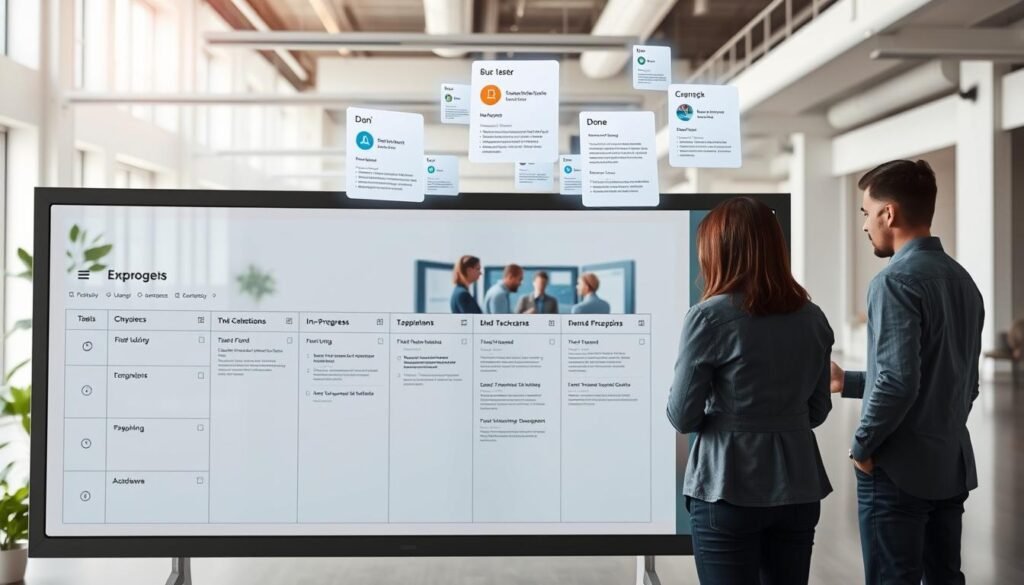
Choosing between physical boards and digital platforms is key in setting up task management. This choice affects how teams interact with their work systems. It also shapes how they work every day.
Physical boards are great for teams working together in the same place. They make it easy to see and update tasks. This keeps everyone involved and informed.
Digital platforms are better for teams that work from different places. They let teams see work status no matter where they are. These platforms also offer features like automation and integration with other systems.
Team size matters when choosing a task management system. Small teams do well with simple systems. These systems are easy to use and don’t take up a lot of time.
Medium-sized teams need more advanced systems. These teams handle multiple projects and need to keep work organized. They also need to be able to search and filter tasks easily.
Large teams need the most advanced systems. These teams need systems that work well with other tools and software. They also need support for a lot of users and customization options.
| Team Size | Recommended Approach | Key Features Needed | Example Tools |
|---|---|---|---|
| 5-10 Members | Simple visual boards | Basic columns, easy updates, minimal setup | Trello, physical boards, Kanban boards |
| 10-30 Members | Structured digital platforms | Multiple projects, filtering, notifications, templates | Asana, Monday.com, ClickUp |
| 30+ Members | Enterprise systems | Advanced permissions, reporting, integrations, automation | Jira, Azure DevOps, Wrike |
| Hybrid/Remote | Cloud-based solutions | Mobile access, real-time sync, collaboration tools | Notion, Airtable, Smartsheet |
Design Your Board Columns and Workflow States
Good board design goes beyond the basic “To Do, Doing, Done” setup. It should reflect the team’s actual work flow. This makes it clear where work is stuck and where it needs to move.
Development teams might have columns like “Backlog,” “Ready for Development,” and “Deployed.” Each column shows a clear step in the process. This helps avoid tasks getting stuck in unclear states.
Service teams might have columns like “New Request” and “Awaiting Client Response.” These show the reality of work that involves waiting. It helps avoid blaming team members for delays.
The number of columns should be just right. Too few hide important details, while too many are confusing. Most effective boards have 4 to 7 columns that capture key steps without being too detailed.
Implement Daily Checklists That Drive Accountability
Checklists help break down big tasks into smaller steps. They make it clear what needs to be done in one work session. Checking off tasks gives a sense of accomplishment and keeps momentum going.
Good checklists are detailed but flexible. A deployment checklist might include steps like “Run automated test suite” and “Verify database migrations.” Each step is a clear action that moves the project forward. This ensures important steps get done before considering the work complete.
Checklists make it clear what each team member is doing. Digital platforms can track who’s doing what and how it’s going. This creates a sense of accountability among team members.
Checklists work best as part of daily routines. Teams should use them at the start and end of the day. This makes checklists a natural part of the workflow, not just extra work.
Use Color-Coding and Priority Markers Effectively
Color-coding and markers help teams quickly understand task boards. They show categories, urgency, and types of tasks without needing to read details. This makes it easier to focus on what’s important.
Priority markers use colors to show what needs attention fast. Red for urgent, yellow for important soon, and green for lower priority. This helps teams know where to focus when time is short.
Colors can also show task types or client categories. For example, a marketing team might use blue for content creation and orange for campaigns. This helps team members find work that matches their skills. It also shows if some areas are getting too busy.
The key to effective systems is to keep color use simple and consistent. Teams should document their color meanings and make sure everyone knows them. Too many colors can confuse, not clarify.
Visual task management works best when it’s simple and used consistently. Start with basic systems and add more as needed. Regular reviews help make sure the systems are working well.
Creating Time-Blindness Aids and Schedule Visibility
Organizations that use time-blindness aids see better punctuality and less stress. This is because time becomes clear through visual aids. Time perception issues affect teams, making it hard to meet deadlines and work together smoothly.
Time management problems show up in many ways. People often show up late, underestimate how long tasks will take, and have scheduling conflicts. These issues are not just about personal problems but also about the lack of good systems to help with time perception.
By using time-blindness aids, teams can work better together. This is because everyone can see time clearly, making it easier to plan and work together.
Changing how teams manage time needs better systems. These systems should make time clear and easy to use. This way, teams can work better together, not just because of personal effort but because of good systems.
Implement Visual Timers and Automated Reminders
Visual timers make time clear, helping teams stay on track. These tools give feedback on time, helping teams stay focused. They are great for meetings and tasks that need to be done on time.
Time-tracking apps also help by showing how long tasks take. This helps teams learn how to plan better. Many people find out they spend more time on tasks than they think.
Automated reminders help teams remember important times. Instead of relying on memory, reminders come at the right time. This makes it easier to manage time well.
- Pomodoro-style work intervals: Twenty-five-minute focused sessions with visible countdown timers promote sustained attention while preventing overextension
- Meeting countdown displays: Shared timers visible to all participants keep discussions on track and respect allocated timeframes
- Task-specific time tracking: Automatic duration logging for different activity categories reveals actual time allocation patterns
- Graduated reminder sequences: Multiple notifications at strategic intervals (24 hours, 1 hour, 5 minutes before) accommodate different preparation needs
- Ambient time indicators: Non-intrusive devices that change color or provide subtle audio cues as time segments progress
Build Shared Calendar Systems Everyone Can Access
Shared calendars help teams avoid conflicts and work better together. They show everyone’s schedule clearly. This makes it easier to plan and work together.
But, calendars can fail if not used well. If some team members don’t update their calendars, it can cause problems. If calendars are not clear, it can be hard to know what’s going on.
Clear rules can fix these problems:
- Universal participation requirements: All team members maintain current calendars reflecting their availability, commitments, and work locations
- Descriptive entry standards: Calendar items include sufficient context (purpose, location, attendees, preparation needs) for coordination purposes
- Integration protocols: Personal commitments that affect availability appear on shared calendars with appropriate privacy levels
- Update expectations: Changes to availability or commitments receive immediate calendar updates, not separate notifications
- Visibility permissions: Clear guidelines about what information requires full team visibility versus limited sharing
Calendars work best when they make planning easier, not harder. They should help teams plan together, respect each other’s time, and work well together without too much talking.
Design Time-Blocking Templates for Different Roles
Time-blocking templates help teams plan better by matching schedules to roles. Different roles need different schedules. These templates help keep things organized and prevent chaos.
Roles that need deep focus, like developers, get templates that protect their time. These templates have long blocks for work and short breaks. They help teams work together smoothly.
Roles that need to be quick to respond, like customer service, get templates that let them jump in and out of tasks. These templates have short blocks for work and quick breaks. They help teams stay responsive while keeping some focus time.
Good time-blocking templates have these features:
| Template Component | Deep Focus Roles | High Responsiveness Roles | Management Roles |
|---|---|---|---|
| Morning Block | 3-4 hour uninterrupted focus period for complex work | Check communications, respond to urgent items, short tasks | Strategic thinking, planning, priority-setting session |
| Midday Block | Collaborative meetings, team coordination, quick communications | Continued responsiveness with scheduled brief focus windows | Meetings, one-on-ones, team coordination activities |
| Afternoon Block | Secondary focus period or collaborative work based on energy levels | Project work between responsive availability, flexible adjustment time | Follow-up actions, decision-making, communication responses |
| End-of-Day Block | Communication catch-up, administrative tasks, next-day planning | Activity wrap-up, documentation, handoff preparation | Review, reflection, next-day preparation, team check-ins |
Templates are a good start but can be adjusted. They help teams work better together by being flexible. This way, teams can plan better and work together smoothly.
Leaders need to use time-blocking too. When managers show they respect time, teams follow. This makes time-blocking a normal part of work, not just a suggestion.
Using visual timers, shared calendars, and time-blocking templates helps teams work better. These tools make planning easier, reduce conflicts, and help teams manage their time well. This leads to better work and less stress for everyone.
Establishing Meeting Norms That Respect Everyone’s Time
Setting up meeting norms makes conversations focused and respectful of everyone’s time. Studies show that workers spend a lot of time in meetings, but many feel they’re not productive. This mismatch leads to frustration and makes meetings less effective.
Meetings are important for sharing updates, solving problems, and aligning goals. But without clear rules, they often turn into long, unproductive talks. This wastes time and doesn’t help the team much.
To improve, teams need to follow team coordination best practices. Meetings are a big investment of time and resources. They should be well-planned and executed to be worth the time spent.
Design Effective Meeting Agendas with Time Allocations
Good meetings start with clear agendas sent out early. These agendas should list what will be discussed and why. This helps everyone know what to expect and prepares them for the meeting.
Each agenda item should have a set time to keep discussions on track. This prevents meetings from getting too long. Studies show that meetings with agendas finish more of their planned topics.
Agendas should also say who will lead each part and what preparation is needed. This helps everyone come ready to discuss, not just listen. It makes meetings more productive.
- Decision meetings: Clearly state the choices, present the reasons, and decide together
- Status updates: Share reports before the meeting, focus on solving problems together
- Planning sessions: Start with goals, brainstorm, evaluate, and plan next steps
- Problem-solving discussions: Define the problem, find causes, solve it together, and assign tasks
Send out agendas 24-48 hours before to help everyone prepare. This shows respect for their time and makes meetings more efficient.
Set and Enforce Clear Start and End Times
Starting meetings on time is a big challenge. It shows how a team works together. Meetings often start late because people are waiting or chatting.
To improve, set clear start and end times. Start meetings right on time, even if not everyone is there. This shows that being on time is important.
Have someone keep track of time during meetings. This person warns when time is running out. They help keep the meeting on track.
| Meeting Duration | Time Check Intervals | Buffer Allocation | Hard Stop Protocol |
|---|---|---|---|
| 30 minutes | Every 10 minutes | 5 minutes reserve | End at 28 minutes |
| 60 minutes | Every 15 minutes | 10 minutes reserve | End at 55 minutes |
| 90 minutes | Every 20 minutes | 15 minutes reserve | End at 80 minutes |
| 120 minutes | Every 25 minutes | 20 minutes reserve | End at 110 minutes |
Use timers to show how much time has passed. This helps everyone stay focused. It makes meetings more productive.
Ending meetings on time is just as important as starting them on time. Running over schedule can cause problems. It makes it hard to keep to a schedule and can upset others.
End meetings a few minutes early. This allows for notes, action items, and a smooth transition to the next thing. It shows respect for everyone’s time.
Create Meeting-Free Focus Blocks in Team Calendars
Having time without meetings helps with deep work. It lets teams focus on important tasks without interruptions. This improves productivity and teamwork.
Organizations can set up meeting-free days or blocks. This helps everyone concentrate on their work. It also makes meetings more focused and productive.
Another way is to have all meetings in a specific time slot. This means mornings or afternoons are free for deep work. It helps teams stay focused and productive.
Creating proactive schedule adjustments needs leadership and teamwork. If leaders don’t respect focus time, it’s hard to keep it. It’s important to stick to the plan.
Here are ways to make focus blocks work:
- Pilot programs: Test focus blocks with a team, see how it works, and then use it everywhere
- Calendar blocking: Use shared calendars to block off focus time, so others know not to schedule meetings
- Exception protocols: Have clear rules for when to break the focus block, so it’s not abused
- Measurement systems: Track how meetings are doing, to see if focus blocks are helping
Having meetings in a smaller time frame can make them better. It helps keep discussions focused and prepares everyone better.
Focus blocks reduce the cost of switching between tasks. When people know when they can focus, they do better work. It helps them stay on track.
Setting meeting norms is a team effort. It needs everyone’s agreement. Regular checks on how meetings are going help make them better over time.
Respecting time boundaries is key to teamwork. Teams that do this well are more productive and happier. They feel in control of their time and meetings are more useful.
Designing Quiet Spaces and Focus Environments
Workspace design is key to team productivity and brain function in today’s workplaces. The place where teams work affects their focus, information handling, and quality of work. Yet, many managers ignore this link, focusing on processes and tools instead of the environment.
Studies show that things like noise, distractions, space, lighting, and temperature greatly affect focus, information processing, creativity, and mental tiredness. This has big implications for how we design workspaces. In open offices, finding a balance between teamwork and focus is a big challenge.
To make quiet spaces, we need more than just a quiet room. We must understand how team members work, what tasks they need to focus on, and how the environment affects their work. This section looks at ways to design focus environments that help teams work better through better work-life balance and organization.
Assess Physical Workspace Needs for Concentration
First, we need to know what each team member needs to focus. Not all work needs the same level of attention. For example, customer service reps handle different tasks than software developers or financial analysts.
Tasks that need a lot of focus, like coding or financial analysis, are very sensitive to distractions. Studies say it takes 15 to 25 minutes to get back into deep work after an interruption. Frequent interruptions can make it hard for team members to do their best work.
On the other hand, tasks that involve a lot of talking, like team problem-solving or customer service, need spaces that encourage easy communication. Different work modes need different environments, so workspaces should offer variety.
Managers should check how well the workspace supports focus. They should look at things like noise levels, privacy, space, lighting, and temperature. They should also ask team members about their experiences to understand how the environment affects their work.
Implement Noise Management Strategies
Managing noise is critical for focus. Our brains are wired to notice sounds, making it hard to ignore background noise. Unpredictable sounds, like human speech, are the worst because our brains automatically try to understand them.
To manage noise, we need both physical and behavioral solutions. Physical solutions like sound-absorbing materials and white noise systems help. Behavioral solutions, like rules for noise levels, also play a big role. The best solutions combine both, tailored to the specific needs of the workspace and team.
Companies that focus on sound design see better employee happiness, less stress, and more productivity for tasks that need a lot of focus.
Physical solutions include:
- Sound-absorbing materials like ceiling tiles, wall panels, and soft furniture that reduce echo and sound reflection
- White noise systems that mask unpredictable sounds with constant background noise
- Spatial arrangements that keep quiet areas away from busy spots
- Physical barriers like walls or screens that block sound
- Designated quiet zones with clear boundaries for different noise levels
Behavioral solutions include rules for noise and communication. These rules help everyone understand when it’s okay to talk and when it’s not. For example, using headphones can signal that someone is focused.
The table below compares different noise management strategies:
| Strategy Type | Primary Benefits | Implementation Complexity | Cost Range |
|---|---|---|---|
| Acoustic Panels | Reduces echo and ambient noise; aesthetically flexible | Moderate – requires professional installation | $2,000-$10,000 per zone |
| White Noise Systems | Masks unpredictable sounds; consistent acoustic environment | Low – simple technology deployment | $500-$3,000 per system |
| Enclosed Focus Rooms | Maximum acoustic isolation; privacy for sensitive work | High – requires construction or prefab units | $5,000-$25,000 per room |
| Behavioral Protocols | Culture-building; reinforces respect for focus time | Moderate – requires training and reinforcement | Minimal direct cost |
Hybrid work setups can help manage noise by letting employees choose where to work. This flexibility can improve work-life balance and make workspaces more effective.
Create Signaling Systems for Focus Time
Even with good noise management, interruptions can be a problem. Colleagues, managers, and spontaneous chats can interrupt focus. We need signaling systems to show when someone is available or busy.
These systems help team members protect their focus time while staying accessible for urgent matters. They use clear signals like flags or digital status updates to show when someone is available or busy.
Effective signaling includes:
- Visual desk indicators like colored flags or status lights
- Digital status indicators in tools like Slack or Teams
- Headphone protocols where headphones mean focus time
- Calendar blocking for uninterrupted work
- Physical location conventions for focus areas
The success of these systems depends on shared understanding and mutual respect. Teams must agree on what the signals mean and respect them. This requires clear discussions, training, and leadership examples.
Managers play a key role in making these systems work. When leaders use focus signals and respect others’ time, it sets a good example. But if managers ignore signals or interrupt often, the system fails.
It’s important to find a balance between being available and protecting focus time. Not all interruptions can wait. Teams should have clear rules for when to interrupt, like for emergencies or urgent tasks.
One way to handle this is to have three levels of priority:
- Critical – Interrupt right away (system failures, safety issues, urgent customer needs)
- Important – Send a message and wait for a response (significant decisions, time-sensitive questions)
- Routine – Add to queue for later (status updates, non-urgent questions)
Digital tools can help with signaling by automating some messages. This saves time and helps manage expectations without needing immediate answers.
By combining workspace design, noise management, and clear signals, we can create better environments for focus. This investment in the physical and social environment helps teams do their best work while staying collaborative.
Implementing Remote and Hybrid Flexibility
Managing teams spread across different locations is a big challenge. The shift to remote and hybrid work has changed how we work. Now, it’s about outcomes and coordination, not just being in the same place.
This change means managers must find new ways to keep teams productive and connected. They need to make sure everyone can work well together, no matter where they are.
Work setups range from teams working together in one place to teams spread all over. The hybrid model is the most complex. Some team members work from home full-time, while others are in the office. Or, they might switch between locations on different schedules.
Research shows teamwork is key to success, but many feel they don’t collaborate enough. Being spread out can make this problem worse. But, with the right management and communication, teams can work well together, even from far apart.
Establish Clear Remote Work Guidelines and Expectations
Having clear rules for remote work helps everyone know what to expect. It turns tricky conversations into clear policies. This makes sure everyone knows what’s expected, no matter where they are.
Good remote work policies decide who can work from home based on their job. They say when team members need to be available during the day. And they explain how to show when you’re free or busy.
Setting core hours helps teams work together better. It means everyone knows when they should be available. This makes it easier to plan meetings and work together, even if you’re not in the same place.
It’s important to keep records when working remotely. Rules should say what needs to be documented. This way, everyone has access to important information, even if they’re not in the office.
Remote work rules should also be clear about what’s expected. They should say that working from home doesn’t mean you’re not doing your job. This stops people from thinking remote work is less important.
Coordinate Hybrid Schedules for Maximum Collaboration
Managing hybrid teams is all about coordinating schedules. It’s about making sure people are together when they need to be. This means finding a balance between what each person wants and what the team needs.
Some tasks are better done together, like brainstorming or solving problems. These activities need people to be in the same place. Finding these moments helps teams work better together.
Create an In-Office Coordination Calendar
An in-office calendar helps teams plan together. It shows when people will be in the office. This makes it easier to schedule meetings and work together.
Good calendars show plans two weeks in advance. They help everyone plan and adjust. They also show when people are in the office, even if they’re not there all day.
These calendars help teams find chances to work together. When many people are in the office at the same time, it’s a good time for team activities. This way, teams can work together better without everyone having to be there all the time.
Balance Individual Preferences with Team Needs
It’s hard to balance what each person wants with what the team needs. Too much focus on one person can cause problems. But, too much structure can make things too rigid.
Setting anchor days helps teams work together better. These days are when certain teams or groups are in the office. This creates a routine for working together without losing flexibility.
Roles in the team also play a part. Some jobs need people to be in the office more than others. New team members might need to be in the office more to learn. Experienced team members might need less structure.
Managers should have clear rules for when to work from home. They should consider the team’s needs and the person’s situation. This helps everyone work together well, no matter where they are.
Maintain Team Cohesion Across Physical Locations
Teams spread out need to feel connected. Without effort, they might not work well together. They might even start to feel like separate groups.
Good communication is key to keeping teams together. Using video for meetings helps everyone feel connected. It’s better than just talking on the phone.
Keeping records helps everyone have the same information. This stops information from getting lost because someone is not in the office. It makes sure everyone is on the same page.
Clear communication rules and using video for meetings are important. So is using tools for messages that don’t need a quick answer. This helps teams work together well, even when they’re not in the same place.
Doing things together helps teams feel connected. Virtual coffee breaks and team-building exercises are good for this. They help team members get to know each other better.
Meeting in person helps teams even more. It’s a chance to build strong relationships. Meetings and retreats are great for this.
It’s important to recognize everyone’s contributions, no matter where they are. This stops people from feeling left out. It makes sure everyone feels valued.
Managing remote and hybrid teams is a big job. It needs careful planning and the right systems. With the right approach, teams can work well together, no matter where they are.
Managing Day to Day with Clear Communication, Structure, and Adjustments
Managers need to turn big plans into daily actions. They must create stable routines that can change when needed. This shows the difference between just reacting and leading well.
Good daily routines connect big plans with everyday work. They make sure planning, doing, checking, and adjusting happen regularly. This helps teams work better together.
Having a daily productivity framework helps a lot over time. Small daily steps add up to big changes. This keeps teams moving forward without getting stuck.
Execute Morning Startup Routines for Managers
Morning routines set the stage for a good day. They help managers stay focused and ready to lead. This is key to managing well.
Starting the day with a routine takes just 15-20 minutes. But it makes a big difference all day. It helps managers switch from personal to work mode and make smart choices.
Managers start by looking at what’s important for the day. They check deadlines, stakeholder needs, and big goals. This helps them focus on what really matters.
Then, they check on the work in progress. They look for tasks that are on track, any delays, and where they can add more work. This helps them see what needs to change.
This check shows what’s working and what’s not. It helps managers see patterns. They can then plan better for the day.
Managers need to prioritize tasks wisely. They should think about what’s urgent and important. This helps avoid getting bogged down by small tasks.
Send Daily Direction and Context Updates
Daily updates guide the team. They tell everyone what to focus on and why. This helps team members make smart choices.
Good updates explain why certain tasks are important. This helps team members understand the bigger picture. It makes them more independent and less dependent on managers.
The way updates are sent should fit the team’s style. Some like meetings, others emails. The goal is for everyone to know what to do next.
Having a set time for updates helps keep things consistent. This makes the team rely on these updates to know what to do.
Conduct Midday Check-Ins and Course Corrections
Midday check-ins are important for making changes. They happen when enough work is done to see what needs fixing. This is the best time to make adjustments.
These check-ins are not about watching every move. They’re about finding and fixing big problems. This way, managers can help without controlling too much.
These check-ins help find and fix problems. They show what’s working and what’s not. This helps managers make things better over time.
Identify Blockers and Resource Needs
Blockers are things that stop progress. They can be unclear goals, missing info, or not enough resources. Finding these helps fix problems fast.
Quickly solving blockers is key. A small problem today can turn into a big one tomorrow if not fixed. Managers who act fast make a big difference.
Looking at what resources are needed is also important. It’s not just about how much work can be done. It’s about having the right skills and tools. This helps avoid delays.
| Blocker Category | Warning Signals | Typical Response Time | Manager Intervention |
|---|---|---|---|
| Information Dependencies | Tasks marked “waiting” for multiple days | Within 4 hours | Direct stakeholder contact, escalation if needed |
| Technical Obstacles | Repeated failed attempts, requests for specialized knowledge | Within 24 hours | Connect with technical experts, authorize external support |
| Resource Constraints | Team member juggling excessive simultaneous assignments | Same day | Reprioritize tasks, redistribute work, defer lower-priority items |
| Unclear Requirements | Multiple clarifying questions, false starts on implementation | Within 2 hours | Facilitate requirements clarification, document decisions |
Make Real-Time Priority Adjustments
Adjusting priorities as needed is important. New information can change what’s most important. Managers who stick to plans too much miss opportunities.
It’s important to explain why priorities change. This shows that adjustments are thoughtful, not just random. Team members understand the reasoning behind changes.
Adjusting priorities midday helps avoid wasting time. It lets managers focus on what’s really important. This keeps work moving forward.
Keeping track of these changes helps improve planning. It shows what often needs adjusting. This knowledge helps plan better for the future.
Perform End-of-Day Reviews and Next-Day Planning
End-of-day reviews help wrap up the day. They check if goals were met and what’s next. This helps avoid feeling lost or stuck.
These reviews don’t need to take long. Just 10-15 minutes is enough. Regular reviews help managers get better at planning and understanding their team.
Reviewing the day helps improve planning skills. Managers learn what works and what doesn’t. This helps them plan better for tomorrow.
Planning for the next day starts with these reviews. It gives managers a head start on the next day. This makes mornings more focused and productive.
Linking reviews to planning keeps work flowing smoothly. It avoids the feeling of starting over each day. This helps managers think about progress over time, not just day by day.
Daily routines for managing work are very effective. They take just 30-45 minutes a day. But they save hours of unnecessary work. Teams that follow these routines do better and are happier.
The real power of daily routines is in their long-term effect. Small steps each day add up to big changes. Teams that follow these routines are clearer, less stressed, and achieve more.
Defining Performance Clarity and Expectations
Many teams struggle because they don’t know what success means. This lack of clarity leads to problems like hesitation to take action and conflicts. Performance clarity helps by making sure everyone knows their role and how they’ll be judged.
Without clear expectations, teams waste time on the wrong tasks. They’re afraid to act because they’re not sure who makes decisions. This causes duplicated work and missed important tasks.
Creating clear communication frameworks helps solve these issues. By setting clear goals and metrics, teams can work more efficiently. This leads to better productivity.
Establishing Concrete Goals and Progressive Checkpoints
Setting clear goals helps teams focus on what’s important. Instead of vague goals, teams have specific targets to aim for. These goals are measurable and align with the team’s overall goals.
Goals can be about outcomes or how to achieve them. Outcome goals are about results, like improving customer satisfaction. Process goals focus on how to get there, like using new communication methods.
Outcome goals show if you’re succeeding. Process goals help the team work better over time. Both are key for daily productivity.
Breaking down big goals into smaller steps helps teams stay on track. Regular checks let teams adjust their plans early. This way, they can meet their goals before it’s too late.
These checks also keep teams motivated. They get to celebrate small wins often. This makes progress clear to everyone involved.
Building Measurement Systems That Reveal Performance
Clear metrics help teams know how they’re doing. Different roles need different ways to measure success. This makes evaluations fair and clear.
Quantitative metrics work for roles with measurable results. These metrics give clear data. But not all work can be measured this way.
Qualitative metrics are for roles that need judgment. These include things like quality of analysis and problem-solving skills. Clear criteria are needed for these assessments.
Behavioral metrics look at how teams work together. They measure things like teamwork and communication. These metrics show how well the team works together.
It’s important for teams to know what metrics matter. They should understand how these metrics are used. Regular feedback helps teams improve.
Teams that use clear metrics work better together. They have fewer conflicts and are more engaged. This leads to better productivity.
Clarifying Authority Boundaries and Responsibility Distribution
Knowing who does what and who makes decisions is key. This prevents confusion and overlapping work. It makes sure everyone knows their role.
RACI matrices help clarify roles. They show who is responsible, accountable, consulted, or informed for each task. This makes communication clear.
Decisions need to be clear too. Some decisions can be made on your own, while others need approval. This helps teams work better together.
Clear decision-making helps teams work better. It reduces confusion and makes sure everyone knows their role. This leads to better teamwork and productivity.
Documenting roles and decisions helps teams work better. It reduces duplicated effort and makes decision-making faster. This leads to better teamwork and productivity.
Performance clarity is key for effective management. It helps managers evaluate teams better and delegate tasks clearly. Team members know what’s expected of them and can work better together.
Being clear about expectations makes management easier. It reduces the need for constant explanations. This makes teams more productive and efficient.
Developing Adjustment Plans for Changing Priorities
Organizations face a constant challenge between keeping things steady and adapting when things change. Managers need teams to follow set processes for consistency and efficiency. But sticking too hard to old plans can lead to worse outcomes than changing course.
This balance is one of management’s toughest skills. Changing direction too often can confuse teams and make them doubt plans. On the other hand, sticking to old ways too long wastes resources and misses opportunities.
Effective adjustment plans help teams know when to change and how to do it smoothly. These plans turn adjustments into a skill, helping teams handle adapting to daily challenges without losing focus.
Recognize Signals That Adjustments Are Needed
The key to smart adjustments is knowing when to change. Managers who can’t tell the difference between real changes and temporary bumps either overreact or ignore signs of trouble.
Several signs show when it’s time to adapting to changing priorities. If plans and actual results keep diverging, it’s a sign of a bigger problem. Changes in the outside world, like market shifts or new technology, can also make old plans obsolete. Adaptive daily planning means keeping an eye on these changes.
New information that shows old plans were based on incomplete data is another important signal. If customer needs change or technical approaches won’t work, it’s time to revise plans.
| Adjustment Signal Type | Characteristics | Normal Variation | Response Required |
|---|---|---|---|
| Sustained Progress Divergence | Consistent pattern across 3+ measurement cycles showing gap between planned and actual results | Isolated week or single metric temporarily off track with recovery trajectory visible | Investigate root causes; modify approach or resources |
| External Condition Changes | Market, competitive, regulatory, or technological shifts that invalidate planning assumptions | Minor fluctuations within expected ranges that don’t affect strategic direction | Reassess goals and tactics based on new environmental realities |
| New Critical Information | Discovery that fundamental assumptions about needs, feasibility, or resources were incorrect | Additional data that refines understanding without contradicting core premises | Revise plans to incorporate new understanding before proceeding |
| Stakeholder Feedback Patterns | Consistent indication from customers or team members that delivered work misses emerging needs | Individual preferences or isolated concerns not representing broader patterns | Align deliverables with actual instead of assumed requirements |
Stakeholder feedback that shows work doesn’t meet needs is another sign to adjust. When customers or team members keep saying the same thing, it’s time to change.
It’s important to treat these signals as a system, not just react to every change. Proactive schedule adjustments come from seeing patterns, not just one-off changes.
Communicate Changes to Plans Effectively
When it’s time to adjust, how you tell teams matters a lot. Managers often don’t realize how much change disrupts team members’ work. They’ve planned their work and made commitments based on old plans.
Good communication of changes means more than just telling teams what’s new. It’s about keeping trust while explaining why things are changing. Adaptive communication strategies help teams see changes as smart moves, not random shifts.
Frame the Why Behind Priority Shifts
Explaining why changes are needed is key to good communication. Teams need to understand the reasons behind new priorities. This includes the signals seen, the analysis done, and how these connect to the new direction.
This explanation does several things. It shows changes are thoughtful, not just random. It helps teams see how new changes fit into the bigger picture. It also shows the adaptive thinking the organization wants from its teams.
Be honest about the disruption changes cause. Pretending changes don’t affect work is not smart. Acknowledging the effort needed for changes builds trust when you explain why it’s worth it.
Organizations using adaptive management techniques have clear ways to share priority shifts. They make sure to cover the important points: what’s changing, why, what stays the same, how it affects current work, and what support is offered during the change.
Update Documentation and Task Systems
Just telling teams about changes isn’t enough if documents and task systems don’t show the new direction. Teams rely on these resources to know what’s important. If they don’t match, confusion and mixed messages follow.
Updating all documents and task systems to reflect new priorities is a must. It’s not just about changing project plans. It includes updating procedures, training materials, meeting agendas, and performance metrics.
Complete updates show you’re serious about changes. Partial updates that mix old and new priorities confuse teams. They make it seem like changes aren’t final or that management hasn’t thought it through.
Organizations should have rules for updating documents when plans change. This includes who does it and by when. This prevents the confusion that comes from old systems not matching new plans.
Implement Adjustment Protocols Without Chaos
The difference between smooth adjustments and chaos is in the protocols. Routine adjustment frameworks guide how changes are made, from evaluating to implementing. This turns adjustments into a skill, not a crisis.
Protocols start with who decides on changes. Small changes might need just a team lead’s okay. Bigger changes need manager or executive approval. This ensures changes are made with the right authority.
Protocols also cover what to tell teams about changes. This ensures the right people get the right info without overwhelming them. It keeps communication clear and focused.
Guidance on handling work in progress is also key. Should teams finish old tasks before starting new ones? How do they handle work that’s not done? Adaptive management strategies answer these questions, helping teams adapt smoothly.
Keeping records of changes helps teams learn and improve. Recording why changes were made and what happened next builds knowledge. This knowledge helps teams make better decisions in the future.
Setting realistic timelines for changes is important. Unrealistic expectations can lead to fake compliance. Realistic timelines help teams truly adapt to new priorities.
Training teams for new changes is essential. Adjusting routines for success means giving teams the tools and knowledge they need. This helps them work well under new directions.
Regularly checking how adjustments are working is important. Organizations should see if changes are improving things, what unexpected problems arise, and what they can learn. This helps teams get better at adapting over time.
Having good adjustment protocols shows a company is mature in managing change. Companies that adjust well without disruption are more likely to succeed. They have a real adaptive capability that sets them apart.
Research from Harvard Business School shows that companies that adjust well do better than those that don’t. They outperform both rigid and chaotic organizations. Being able to adjust without disruption is a sign of strong management, leading to lasting success.
Establishing Your Feedback Cadence
The timing and frequency of feedback can make or break performance conversations. Traditional methods focus on infrequent reviews, often once or twice a year. This approach fails to improve behavior, causes anxiety, and lacks real-time guidance.
Feedback cadence offers a better way. It involves regular feedback at various times. This creates ongoing performance talks. Daily, weekly, and monthly conversations each have their own role.
Organizations that use consistent feedback processes see better performance and happier employees. Frequent, low-stakes feedback reduces anxiety and helps in skill development.
Create Daily Micro-Feedback Opportunities
Daily micro-feedback is quick and specific. It happens naturally during work. It’s about immediate learning and skill growth.
Effective communication strategies for daily management make micro-feedback part of daily work. For example, a manager might praise a team member’s thorough analysis in seconds.
Developmental micro-feedback helps without delay. It guides team members on tasks they’re struggling with. This prevents inefficiency and saves time.
Good micro-feedback is specific, timely, balanced, focused on learning, and clear. It helps team members grow without fear.
Managers who use transparent team communication see team members seeking feedback. Daily micro-feedback makes conversations less stressful.
Structure Weekly One-on-One Check-Ins
Weekly check-ins are for deeper conversations. They last 15 to 30 minutes. They cover current work, obstacles, and personal needs.
These sessions are structured but flexible. They focus on specific topics while allowing for flexibility. This balance is key to effective communication.
Consistent scheduling of these interpersonal workplace communication sessions builds trust. Team members know they can discuss concerns without interruption.
Managers prepare for these conversations by reviewing previous notes. This ensures feedback is specific and based on real observations.
These weekly sessions also help address concerns early. This prevents problems from getting worse before they’re addressed.
Conduct Monthly Performance Conversations
Monthly conversations are for a broader view. They last 45 to 60 minutes. They cover long-term goals, skill development, and career aspirations.
These organizational communication techniques complement daily and weekly feedback. They help identify patterns and growth over time.
Monthly conversations focus on reflection and planning. They are structured differently than weekly check-ins.
| Conversation Component | Purpose | Typical Duration | Key Questions |
|---|---|---|---|
| Monthly Review | Assess progress on goals and projects | 10-15 minutes | What major accomplishments stand out? Where did challenges emerge? |
| Skill Development Assessment | Evaluate growth in target competencies | 10-15 minutes | What capabilities have strengthened? What areas need continued focus? |
| Goal Adjustment | Revise objectives based on changing priorities | 10 minutes | Do current goals align with team needs? What modifications are needed? |
| Career Development | Discuss longer-term aspirations and growth | 10-15 minutes | What experiences would support your development? What opportunities interest you? |
| Forward Planning | Set focus areas for the coming month | 5-10 minutes | What will you prioritize? What support do you need? |
Monthly sessions are for serious discussions. They build on daily and weekly feedback. This ensures issues are addressed thoroughly.
Documentation from these conversations is valuable. It supports fair evaluations and promotion decisions. It’s based on detailed observations throughout the year.
Daily, weekly, and monthly conversations create a feedback cadence. It makes feedback a continuous process. Team members get timely guidance, and managers stay updated.
Organizations with this system see better performance and stronger relationships. It leads to faster skill development and better management. Feedback becomes a valuable ongoing dialogue.
Building Workflow Optimization Systems
Small inefficiencies add up quickly when done many times. This makes workflow optimization key for teams wanting to stay productive. A five-minute delay in getting approvals can turn into hours lost for many team members.
Teams get frustrated when they can’t focus on important work because of obstacles. This is because they’re stuck in inefficient workflows.
Effective workflow optimization looks at the big picture, not just quick fixes. It aims to find and fix patterns of inefficiency. This way, teams can keep improving their productivity over time.
Identify Bottlenecks in Daily Operations
Bottlenecks slow down work and cause delays. They can be found in different areas, each needing its own solution. Some bottlenecks are due to not enough resources or specialized knowledge.
Other bottlenecks come from too many approvals or handoffs. Technical issues, like outdated software, also slow things down. Tools like Jira help teams see where work piles up and where it takes too long.
To find bottlenecks, teams use several methods. Workflow mapping shows how tasks move through steps. Cycle time analysis looks at how long tasks take. Interviews with team members add valuable insights.
Teams can tackle bottlenecks in several ways:
- Capacity expansion: Add people, extend hours, or spread out work to handle more.
- Knowledge transfer: Train team members to reduce reliance on experts.
- Process redesign: Simplify approvals and handoffs.
- Technical improvements: Upgrade systems and fix integration issues.
- Workflow restructuring: Change task order to speed things up.
Choosing the right solution depends on knowing what the bottleneck is. By matching solutions to the right problem, teams can really boost their productivity.
Streamline Repetitive Processes Through Automation
Automation is a powerful way to make workflows better. It moves routine tasks to systems that do them fast and well. This is best for tasks that happen often and follow clear rules.
Automation works best for tasks that don’t need human judgment. This includes things like data entry and sending reminders. Microsoft Teams shows how scripting can make routine tasks easier.
Even simple automation can free up a lot of time. This lets teams focus on tasks that need creativity and human touch.
| Automation Level | Complexity | Best Applications | Implementation Approach |
|---|---|---|---|
| Basic Features | Low | Email rules, template responses, scheduled reports | Built-in platform capabilities requiring minimal configuration |
| Integration Tools | Medium | Cross-platform data sync, trigger-based workflows | Third-party automation platforms connecting existing systems |
| Custom Solutions | High | Complex business logic, specialized processes | Scripting or development tailored to unique requirements |
| Advanced AI | Very High | Pattern recognition, predictive analysis, adaptive responses | Machine learning models trained on organizational data |
Starting with simple tasks and moving to more complex ones is a good plan. This approach helps teams build their skills and see quick wins. Productivity systems work better when teams see the benefits of automation.
Measure and Improve Cycle Times
Measuring cycle times is key to making workflows better. It shows how long tasks take from start to finish. Shorter cycle times mean teams can respond faster and work more efficiently.
Tools help teams track cycle times and find where work slows down. This lets teams focus on improving the right parts of their workflow. They can either make processes faster or add more resources where needed.
Improving cycle times has many benefits:
- Quality improvement: Catching errors early saves time and money.
- Reduced inventory: Less work in progress means less complexity.
- Enhanced predictability: Consistent cycle times make planning easier.
- Faster learning: Quick completion lets teams try new things faster.
- Improved morale: Seeing progress boosts team spirit.
Teams should start by measuring cycle times before making changes. This way, they can see if their efforts are paying off. Keeping track of cycle times helps teams stay on top of their game.
Improving cycle times means questioning the need for certain steps. Sometimes, tasks that seem necessary can be cut. Structured workflow systems regularly review cycle times to find ways to improve.
Workflow optimization is an ongoing effort. By tackling bottlenecks, automating tasks, and improving cycle times, teams can stay ahead. This creates a self-improving system that adapts to new challenges while keeping operations smooth.
Balancing Structure with Adaptability
Managing a balance between structure and adaptability is a key skill for leaders. It’s not about picking one and sticking to it forever. Instead, it’s about knowing when to follow a plan and when to change it.
Good managers can quickly tell when a situation calls for sticking to the plan or when it’s time to adapt. This skill comes from experience and learning from past decisions. It helps them make the right choices for their team.
Knowing when to follow a plan is important. Sometimes, sticking to what you know works best is the best choice. This is true for things like following rules or meeting deadlines.
But there are times when you need to be flexible. When things change fast or when you need to try something new, being adaptable is key. This is where flexibility in planning comes in.
Managers need to be able to recognize when it’s time to be flexible. This means looking at the situation and deciding if sticking to the plan will work or if you need to try something different. It’s about making choices that are best for the team.
Being flexible can be hard for managers. They might worry about making the right choice or pleasing everyone. But, with practice and learning from mistakes, they can get better at it.
Creating a system for making these decisions is important. It helps managers and their teams know what to do in different situations. This way, everyone can work together effectively.
Recognize When Flexibility Is Required
Knowing when to be flexible is just as important as knowing when to stick to a plan. Sometimes, things change so fast that you need to adapt quickly. This is when flexibility is key.
There are signs that show when you need to be flexible. If something needs to happen fast or if sticking to the plan won’t work, it’s time to adapt. It’s about making choices that are best for the team.
Managers might feel unsure about being flexible. They might worry about making the right choice or pleasing everyone. But, with practice and learning from mistakes, they can get better at it.
Creating a system for making these decisions is important. It helps managers and their teams know what to do in different situations. This way, everyone can work together effectively.
Train Your Team to Make Smart Adjustments Independently
Teaching your team to make smart decisions on their own is key. This way, they can adapt quickly and make the right choices without always needing a manager’s approval. It’s about empowering them to make decisions that are best for the team.
It’s important to give your team the freedom to make decisions. But, it’s also important to guide them and teach them how to make good choices. This way, they can learn and grow without making too many mistakes.
Create Decision-Making Guidelines
Creating guidelines for decision-making is important. It helps your team know what they can decide on their own and what they need to ask someone else about. It’s about giving them the freedom to make decisions while keeping things running smoothly.
Guidelines should be clear and based on things like money, customer impact, and how easy it is to change a decision. This way, your team knows what they can do on their own and what they need to ask someone else about.
| Decision Category | Independent Authority | Consultation Required | Approval Needed |
|---|---|---|---|
| Scheduling adjustments | Individual schedule changes within role requirements | Changes affecting team coordination or deadlines | Departures from client commitments or regulatory requirements |
| Process modifications | Personal workflow optimizations not affecting others | Changes to shared processes or team workflows | Modifications to compliance-related or client-facing procedures |
| Communication approaches | Routine updates and standard information sharing | Sensitive topics or unusual circumstances | Strategic communications or crisis situations |
| Resource allocation | Use of assigned resources within budget | Requests for additional resources or budget flexibility | Commitments exceeding established thresholds |
It’s important to explain these guidelines clearly. Use examples to show how they work in real situations. This helps your team understand and feel confident in making decisions on their own.
Empower Team Members with Autonomy Boundaries
Setting boundaries is important for giving your team the freedom to make decisions. It helps them know when to act on their own and when to ask for help. This way, they can work independently while keeping things running smoothly.
Creating the right boundaries is key. They should be clear and based on things like experience, reversibility, and risk. This way, your team can make decisions confidently without stepping over their boundaries.
If your team makes a mistake, use it as a chance to learn. Analyze what happened and how you can improve. This way, you can help your team grow and make better decisions in the future.
Remember, finding the right balance between structure and adaptability is an ongoing process. It’s not something you do once and forget about. It’s about constantly adjusting and learning as you go.
Conclusion
Effective team management is about combining many parts into one system. It’s about clear communication, structure, and making changes together. These parts work together, not alone.
Communication helps create a shared understanding of what’s expected. Structure makes sure everyone knows how to talk to each other. Together, they help make changes smoothly.
Setting up these systems is a big job for managers who like things more casual. But the benefits are worth it. Things get done faster, everyone is happier, and problems are solved quicker.
Managers can’t do everything at once. Start with the basics like knowing how everyone likes to communicate. Then, add more complex systems over time.
Getting better at managing a team takes time and practice. Every attempt is a chance to learn and get better. It’s important to adjust plans based on the team and the work environment.
Good managers know how to stay consistent and flexible. They keep things running smoothly while being ready to change when needed. This skill is key to success in team management.
Managing a team every day is a big job. But it’s essential for keeping teams strong, keeping talent, and reaching goals. Investing in management skills pays off in many ways.
FAQ
How do I balance providing structure for my team while remaining flexible enough to adapt to changing circumstances?
What should I include in a team communication charter and how do I create one?
Should I use a physical task board or a digital project management platform for my team?
How do time-blindness aids benefit team members who don’t struggle with time perception?
What should I include in a team communication charter and how do I create one?
Should I use a physical task board or a digital project management platform for my team?
How do time-blindness aids benefit team members who don’t struggle with time perception?
What should I include in a team communication charter and how do I create one?
Should I use a physical task board or a digital project management platform for my team?
How do time-blindness aids benefit team members who don’t struggle with time perception?
What should I include in a team communication charter and how do I create one?
Should I use a physical task board or a digital project management platform for my team?
How do time-blindness aids benefit team members who don’t struggle with time perception?
What should I include in a team communication charter and how do I create one?
Should I use a physical task board or a digital project management platform for my team?
How do time-blindness aids benefit team members who don’t struggle with time perception?
What should I include in a team communication charter and how do I create one?
Should I use a physical task board or a digital project management platform for my team?
How do time-blindness aids benefit team members who don’t struggle with time perception?
What should I include in a team communication charter and how do I create one?
Should I use a physical task board or a digital project management platform for my team?
How do time-blindness aids benefit team members who don’t struggle with time perception?
What should I include in a team communication charter and how do I create one?
Should I use a physical task board or a digital project management platform for my team?
How do time-blindness aids benefit team members who don’t struggle with time perception?
What should I include in a team communication charter and how do I create one?
Should I use a physical task board or a digital project management platform for my team?
How do time-blindness aids benefit team members who don’t struggle with time perception?
What should I include in a team communication charter and how do I create one?
Should I use a physical task board or a digital project management platform for my team?
How do time-blindness aids benefit team members who don’t struggle with time perception?
What should I include in a team communication charter and how do I create one?
Should I use a physical task board or a digital project management platform for my team?
How do time-blindness aids benefit team members who don’t struggle with time perception?
What should I include in a team communication charter and how do I create one?
Should I use a physical task board or a digital project management platform for my team?
How do time-blindness aids benefit team members who don’t struggle with time perception?
What should I include in a team communication charter and how do I create one?
Should I use a physical task board or a digital project management platform for my team?
How do time-blindness aids benefit team members who don’t struggle with time perception?
What should I include in a team communication charter and how do I create one?
Should I use a physical task board or a digital project management platform for my team?
How do time-blindness aids benefit team members who don’t struggle with time perception?
What should I include in a team communication charter and how do I create one?
Should I use a physical task board or a digital project management platform for my team?
How do time-blindness aids benefit team members who don’t struggle with time perception?
What should I include in a team communication charter and how do I create one?
Should I use a physical task board or a digital project management platform for my team?
How do time-blindness aids benefit team members who don’t struggle with time perception?

