What if the main thing holding you back isn’t willpower or motivation? But the physical space where you work every day?
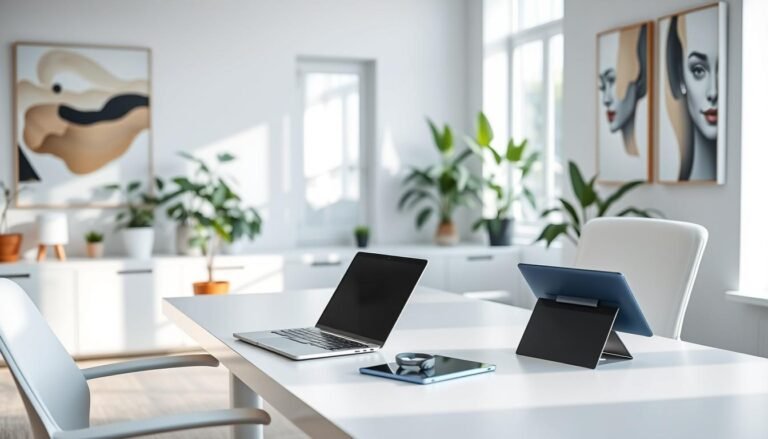
Most people don’t realize that environments play a big role in how well we think. Your workspace doesn’t just hold your work—it actually affects how you make decisions, think creatively, and stay focused. The design choices around you create invisible frameworks that either help or hinder your performance.
Studies show that making smart changes to your environment can really pay off over time. Small tweaks in lighting, sound, or layout can make a big difference. These changes help reduce mental strain and lead to better, more consistent work.
By combining engineering with behavioral science, we can make workspaces more efficient. Just like big systems need a complete approach, designing your own space requires a detailed plan. This plan helps you manage your attention better.
This approach is more than just rearranging things. It’s about using science to make your space work better for you. By applying principles from circadian rhythms and cognitive ergonomics, you can turn your space into a tool that boosts your work quality and helps you stay productive.
Key Takeaways
- Physical environments actively influence cognitive performance and decision-making capacity, not just as passive containers for work
- Strategic environmental modifications create compound benefits that reduce cognitive friction and decision fatigue over time
- Workspace optimization requires integrating principles from behavioral science, circadian rhythms, and cognitive ergonomics
- Small, intentional changes in lighting, acoustics, and spatial organization produce disproportionately large performance improvements
- Sustainable productivity practices emerge from treating your environment as an active system requiring thoughtful design
- Mindful space planning functions as behavioral architecture that shapes work patterns and attention management systems
Why Your Environment and Energy Determine Your Output
Your physical environment either helps or hinders your brain power, shaping success or failure before willpower kicks in. The link between your workspace and brain function is clear, thanks to neuroscience. This means we should focus on making our spaces better, not just trying harder.
The places we spend time in act like extra brains, either boosting or draining our energy. Every little thing, like distractions or disorganization, takes a toll on our brain power. This constant drain can make us feel like we’re not doing well, even when it’s not our fault.
Studies show that our surroundings shape our actions more than we think. The way things are arranged and the feel of a space can make some actions easier and others harder. This is why making our homes more efficient leads to lasting results, not just quick fixes.
Calculate the Hidden Cost of Poor Environmental Design
Figuring out the cost of bad design takes looking at both immediate and long-term effects. Most people miss the big picture by only seeing obvious distractions. A detailed look reveals hidden ways that our environment drains our productivity.
To measure these costs, start by tracking how often you get distracted and how long it takes to focus again. Research shows it takes about 23 minutes to get back on track after a distraction. With dozens of distractions every day, this adds up to a lot of lost time.
Too many things around us can make our brains tired by constantly processing unnecessary information. Every object we see makes our brain work, even if we’re not aware of it. This constant effort wears us down, making it harder to focus on important tasks.
Small problems in our space, like disorganization, add up over time. Here’s a simple way to see how they affect us:
- Time lost looking for things: 10 minutes a day adds up to 60 hours a year
- Recovering from distractions: 15 distractions at 5 minutes each is 75 minutes a day
- Clutter making decisions harder: It can reduce our brain power by 20% in the afternoon
- Uncomfortable seating: It forces us to take breaks every 8-12 minutes, breaking our focus
- Noise affecting work: It can lower our performance by 15-30% depending on how unpredictable it is
These factors work together, making things worse than they would be alone. Bad lighting, clutter, and uncomfortable chairs all add up to make us less productive. Making our environment better is a smart investment that pays off big time.
Companies that check their spaces often find 15-25 problems that cost them time and focus. Fixing just half of these issues can save 30-90 minutes of work every day. That’s like gaining 180-540 hours a year.
Recognize How Energy Depletion Sabotages Your Best Intentions
Managing our energy is key to doing well, but most plans ignore it. When we’re tired, even the best plans fail. This is why we need to design our spaces to help us when we’re not at our best.
Our brains work in cycles, with times when we’re more focused and times when we’re not. When we try to do hard work during the low times, we’re fighting against our natural rhythm. This is why we can’t just will ourselves to be more productive when we’re not feeling it.
Working against our natural rhythm makes things even harder. Our body’s internal clock controls when we’re ready to work best. Messing with this clock through bad schedules or lighting can hurt our performance in many ways.
| Energy State | Cognitive Capacity | Behavioral Patterns | Intervention Effectiveness |
|---|---|---|---|
| Peak Energy | 85-100% of baseline | Goal-directed, resistant to distraction, sustained focus | Minimal intervention needed |
| Moderate Energy | 60-84% of baseline | Adequate performance with effort, increased susceptibility to interruption | Environmental support helpful |
| Low Energy | 40-59% of baseline | Default behaviors dominate, difficulty maintaining intention | Strong environmental architecture essential |
| Depleted Energy | Below 40% of baseline | Reactive mode, minimal executive control, automatic responses | Interventions largely ineffective until recovery |
This shows why plans fail when they ignore how we feel. Trying to push through when we’re tired only makes things worse. We need to design our spaces to help us when we’re not at our best and to make the most of our peak times.
Not getting enough sleep makes things even worse. Just one bad night can make us as slow as someone who’s had too much to drink. Chronic sleep loss makes us worse at making decisions and controlling our emotions. No amount of motivation can make up for this.
This means we need to design our systems to match our energy levels, not assume we’re always at our best. Good attention management recognizes that we’re not always at our top game. Designing our spaces to support us through these ups and downs is key to lasting success.
What we eat, how much water we drink, and how much we move also affect our energy. Blood sugar swings and dehydration can make us less focused and more impulsive. Sitting for too long also hurts our brain by reducing blood flow and oxygen. These are things we can control, but most productivity plans ignore them.
Combining good design with energy management is the foundation of all productivity strategies. Without it, plans for managing tasks and time are fighting against our biology and environment. Changing from struggle to success starts with recognizing that the right design beats good intentions every time.
Assess Your Current Space and Energy Patterns
Changing your environment for better productivity starts with knowing your current situation. Before making any changes, it’s important to understand what’s holding you back. This step turns your feelings of frustration into clear data that guides your actions.
This method helps create a distraction-free environment that fits your needs. Instead of using general advice, it focuses on your unique patterns. This way, you can make changes that really help.
By observing your space, you learn how it affects your work. This knowledge helps you make better choices for your workspace.
Conduct a Distraction Audit of Your Physical Space
The distraction audit lists all the things that interrupt you in your workspace. It starts by defining your main work area. This is where you do your focused work.
Next, sit in this area during a typical work time. Just watch for 15 minutes without trying to work. Note anything that catches your eye.
These distractions fall into different types. Visual distractions include moving screens and too many things around. Auditory interruptions are sounds like notifications and conversations.
Write down each distraction. Note its type, how often it happens, how intense it is, and if you can control it.
Also, track how long it takes to focus again after each distraction. Research shows even small distractions can make it hard to focus for a long time.
This audit helps you see what’s slowing you down. It shows you where to focus your efforts to improve your workspace.
Do this audit at different times of the day. Your space can be distracting at different times for different reasons.
Track Your Energy Peaks and Valleys for One Week
Tracking your energy helps you know when you’re most productive. This seven-day tracking shows your natural energy cycles. It helps you plan your work better.
Rate your energy every 90 minutes. One is very tired, ten is very alert. This helps you plan your day.
Keep track of what affects your energy. This includes sleep, meals, and stress. It helps you see patterns.
This tracking helps you design your space for better productivity. It shows when you’re most focused and when you need a break.
| Time Period | Energy Rating | Best Task Match | Common Depletion Factors |
|---|---|---|---|
| 6:00 AM – 9:00 AM | 7-9 (Variable) | Strategic planning, creative work, complex problem-solving | Poor sleep quality, skipped breakfast, early meetings |
| 9:00 AM – 12:00 PM | 8-10 (Peak for many) | Deep analytical work, difficult learning, critical decisions | Email overload, unstructured meetings, notification interruptions |
| 12:00 PM – 3:00 PM | 4-6 (Post-lunch dip) | Collaborative work, routine tasks, administrative duties | Heavy meals, inadequate hydration, passive sitting |
| 3:00 PM – 6:00 PM | 6-8 (Secondary peak) | Communication tasks, review work, moderate creativity | Decision fatigue, accumulated stress, environmental noise |
| 6:00 PM – 9:00 PM | 3-7 (Highly variable) | Light learning, planning, personal projects | Family demands, accumulated fatigue, screen exposure |
After tracking your energy, look for patterns. This helps you plan your day and space for better productivity.
Identify Your Biggest Environmental Friction Points
Friction points are things that make your work harder than it should be. They might seem small but they really slow you down.
Start by looking at your distraction audit and energy tracking. Find patterns that show when and why you get distracted. The biggest friction points usually fall into a few categories.
Physical access friction happens when you can’t find what you need easily. Looking for things in another room can really slow you down. It’s a small thing but it adds up.
Transition friction is when you have trouble switching between tasks. If your space doesn’t help you switch easily, it takes more energy. Having clear spaces for different tasks can help.
Visual clutter is another big problem. Too many things around can make your brain work harder. It’s like trying to find a needle in a haystack.
Technology can also be a problem. If your tools are hard to use or keep interrupting you, it’s a friction point. A slow computer or too many alerts can really slow you down.
Auditory friction is when your environment is too noisy. Constant or changing sounds can make it hard to focus. It’s like trying to have a conversation in a busy restaurant.
A minimalist work environment helps by removing things that get in the way. It’s not about being plain, but about being focused on what you need.
To find your biggest friction points, make a list. Include how often it happens, how bad it is, and how easy it is to fix. Then, fix the ones that are the biggest problem first.
This process helps you make your space better for work. It shows you where to focus your efforts for the biggest impact.
This detailed approach gives you the information you need to improve your space. It’s not just about making it look good, but about making it work for you.
By understanding your space and how it affects you, you can make it better. This approach helps you avoid wasting time and energy on things that don’t help.
Apply Core Principles of Attention Architecture
Your environment plays a big role in how well you do every day. It’s like a system that helps or hinders your brainpower. Just like engineers make energy systems efficient, attention architecture makes your space better for focusing.
This approach makes your space work for you, not against you. It’s like having a system that helps you stay on track without needing to try hard. This turns good advice into real actions that happen automatically.
Understanding attention architecture means seeing how every part of your space affects your brain. It’s about making your space help you stay energized, not drained. Here are the key ideas to make cognitive load reduction real, not just a dream.
Design for Default Actions Instead of Relying on Willpower
Willpower is like a limited resource that gets used up all day. You make thousands of small decisions every day, using up your brainpower. When you need willpower to do your work, it can fail when you’re stressed or tired.
Choice architecture is a better way. It makes good choices easy and bad ones hard. This turns your space into a guide, not a test of willpower.
The easier you make the right decision, the more frequently you’ll make it without thinking.
To start using attention management through environmental design, look at what slows you down. Make your important work easy to start by keeping what you need close. Don’t waste time searching for things.
Make distractions harder to get to. Put your phone in a place that takes effort to reach. Turn off social media to avoid checking it too much. Make your browser open to work sites, not news.
Designing for defaults is powerful. Think about how different your day is with these two examples:
| Willpower-Dependent Design | Default Action Design | Cognitive Impact |
|---|---|---|
| Phone on desk, face-up with notifications visible | Phone in separate room during focus blocks | Eliminates 50-100 distraction triggers daily |
| Work materials stored in various locations | All essential tools within arm’s reach | Removes 20-30 retrieval decisions per work session |
| Snacks positioned on desk | Healthy options visible, treats require deliberate retrieval | Reduces unconscious consumption by 60-70% |
| Multiple tabs and applications open simultaneously | Single-purpose digital workspace configurations | Decreases task-switching by 40-50 instances hourly |
This way of designing your space helps you focus better. It saves your brainpower for important work. You make hundreds of small decisions easier, freeing up your mind for big tasks.
Reduce Cognitive Load Through Visual Simplicity
Too much visual stuff in your space uses up your brain. Your eyes are always working, even when you’re not looking. This constant effort drains your mental energy.
Every object and color in your space uses up some brainpower. A cluttered space makes your brain work harder to focus. This takes away from the work you really need to do.
Visual simplicity is a smart way to save brainpower. Studies show you can focus 23% longer in simple spaces. This is because your brain doesn’t have to work as hard.
To simplify your space, start by listing everything you see. Then, decide what’s really important and what’s not. This helps you focus on what matters most.
The minimalist approach helps manage your brainpower:
- Immediate zone: Has only items you use often—usually 3-5 things
- Secondary zone: Keeps things you use weekly in closed spaces
- Archive zone: Stores reference materials for easy access
- Elimination category: Gets rid of decorations to keep your space focused
Colors also play a role. Simple color schemes reduce brain effort by 15-20%. Use neutral colors for the background and bright colors for important cues.
Information density is key too. Too much text distracts you. Keep only what you need to see right now. Store the rest.
By following these tips, you can make your space better for your brain. It’s not about making it less useful, but more efficient. This lets you use your brainpower for what really matters.
These ideas make attention architecture a key part of staying sharp. By designing your space for simplicity and default actions, you keep your brain ready for anything.
Create Dedicated Productivity Zones in Your Home
Your home has many areas that can make you feel different. By designing these spaces, you can make your home better for work. Instead of just one work area, create zones for different tasks.
Our brains are wired to respond to our surroundings. This means moving to a specific area can get you ready for a task. But, working in bed can mess with your focus and sleep because it’s not the right place for work.
Productivity zones help your brain focus without needing to think about it. They follow the rules of how our brains work, making it easier to stay on task.
Establish Single-Purpose Areas for Different Work Modes
Each task needs its own mental state. For deep thinking, you need a quiet space. For creativity, a room that feels open and inspiring is best. For talking with others, a space with good tech and sound is key.
Start by figuring out what tasks you do most. Then, set up areas for each one. This way, each space is perfect for its task.
For deep work, face a wall or window to avoid distractions. Keep the area simple to help you focus. Use it for tasks that need your full attention.
Creative spaces should be a bit messy but organized. They should feel big and have lots of things to look at. Make sure you can move around easily to stay creative.
Even in small spaces, you can create zones. Use tricks like changing your chair or desk to signal a new task. The key is to always associate certain tasks with certain spaces.
The place where we live and work greatly affects how we act, think, and feel. We build our spaces, and then they shape us.
Use Physical Boundaries to Signal Mental Shifts
Boundaries help your brain switch gears. They can be walls, furniture, or even rugs. The brain needs to notice these changes to adjust.
Doorways are special because they help clear your mind. Try to have different work areas in different rooms to use this effect. It helps you focus better.
In open spaces, use furniture to create zones. Bookshelves, plants, or rugs can help separate areas. This makes each zone feel unique, even if they’re in the same room.
Lighting is also key. Use different lights for different areas. This helps your brain know where you are and what to do.
Use rituals to help your brain adjust to new zones. Stand up, stretch, or say out loud that you’re switching tasks. This helps your brain make the switch smoothly.
Optimize Lighting for Alertness and Circadian Alignment
Lighting is very important for staying alert and feeling good. It affects how well you work and how well you sleep. Use light to help you stay awake during the day and sleep at night.
Getting natural light is the best. Place your main work area near windows. This helps you feel awake and keeps your body clock in check.
Artificial light needs careful thought. Use bright lights with cool colors in the morning and midday. Use warmer lights in the evening to help you wind down. This helps your body stay in sync with the day.
Here’s a guide for lighting in different zones:
| Zone Type | Optimal Color Temperature | Recommended Intensity | Best Light Source |
|---|---|---|---|
| Deep Work Zone | 4000-5000K (neutral white) | 750-1000 lux | Adjustable LED desk lamp + natural light |
| Creative Zone | 3000-4000K (warm neutral) | 500-750 lux | Indirect ambient lighting + accent lights |
| Administrative Zone | 3500-4500K (neutral) | 500-800 lux | Overhead lighting + task lighting |
| Evening Work Zone | 2700-3000K (warm) | 300-500 lux | Warm LED bulbs, blue light minimized |
Use layered lighting for different tasks and times. Mix ambient, task, and accent lights. This lets you adjust the light to fit your needs and the time of day.
Be careful with blue light, which is good during the day but bad at night. Use smart bulbs to change the light color as the day goes on. This helps your body get ready for sleep.
Where you put your screen matters for comfort and focus. Place monitors away from windows to avoid glare. Make sure the room light is not too different from the screen to avoid eye strain.
If you work at odd hours or have little natural light, try light therapy. A 10,000 lux light box in the morning can help you stay alert and sleep better at night.
By designing zones, using boundaries, and adjusting lighting, you can make your home better for work. These changes help you focus and stay productive without needing to think about it. They make your home a tool for improving your work and life.
Eliminate Visual Clutter and Environmental Noise
Your workspace can either help you focus or distract you. Visual clutter and noise are big factors in this. Research shows our brains can only handle so much at once.
By getting rid of distractions, you make your workspace better for work. Studies show that a clean space lowers stress and helps you make decisions faster. This is why it’s important to make your workspace both visually and audibly clean.
Implement the Minimalist Workspace Method
Effective minimalist workspace organization means getting rid of things you don’t need. This is different from just making your space look nice. It’s about making it better for your brain.
Start by making a list of everything in your workspace. Sort items by how often you use them. Keep daily items where you can easily find them. Store less-used items in places you can reach but out of the way.
Limit what you see in your workspace. Our brains can only handle a few things at once. Keep only what you need for your current tasks visible. Store the rest in organized places.
Keeping your surfaces clean is key to minimalist workspace optimization. Surfaces get cluttered easily. Clean them regularly to keep your space organized.
Don’t just focus on your desk. The whole area around you affects your focus. Keep walls clear and organized to help you stay focused.
Clutter is not just the stuff on your floor—it’s anything that stands between you and the life you want to be living.
When choosing what to keep visible, think about what helps you work better. A minimalist home office might have things you need to see, like notes or supplies. The goal is to make your work easier, not just look nice.
Keeping your workspace tidy is important. Do regular checks to catch clutter before it gets out of hand. This includes digital clutter, like too many tabs open on your computer.
Address Auditory Distractions With Strategic Sound Management
Managing sound is important for focus. There are different types of noise, and they affect us in different ways. Knowing this helps you find the right solutions.
Find out what noises distract you the most. Keep track of when and how often they happen. This helps you figure out how to fix the problem.
Creating a distraction-free home office design means using sound to your advantage. Use things like soundproofing and curtains to block out noise. This helps keep your focus on your work.
| Auditory Distraction Type | Cognitive Impact | Recommended Intervention | Implementation Priority |
|---|---|---|---|
| Intermittent unpredictable noise | Severe attention disruption, elevated cortisol | Physical sound barriers, schedule adjustments | High |
| Human speech in background | Moderate interference with language tasks | White noise masking, spatial separation | High |
| Consistent mechanical sounds | Minimal after habituation period | Equipment repositioning if excessive | Medium |
| Variable environmental noise | Moderate distraction, fatigue accumulation | Sound conditioning, active noise cancellation | Medium |
Sound masking is a good solution when you can’t get rid of noise. Use tools like white noise generators to make your space quieter. This works well in noisy places.
Active noise cancellation technology lets you control your sound environment. It’s great for focusing, but take breaks to avoid getting tired of the silence.
Everyone is different when it comes to sound. Some people need quiet, while others prefer a little background noise. Find what works best for you.
Think about what you’re doing when deciding on your sound environment. Some tasks are more affected by noise than others. Adjust your sound based on your tasks.
Combining visual and auditory optimization makes your workspace even better. A clean and quiet space helps you stay focused longer. This is key to being productive.
Designing Spaces and Energy Routines That Lower Effort and Distraction
Creating spaces that help us stay focused is key. It’s like how engineers make systems that use less energy. We need to design our spaces and routines to make them easier to use and less distracting.
Spaces that work well are like systems that run smoothly. They help us stay focused without using up too much mental energy. This way, we can do our best work without getting tired.
Designing spaces that help us stay focused is all about making things easier. It’s about creating environments that support our natural behaviors. This way, we can focus better and do our best work.
Build Low-Friction Pathways for High-Value Activities
Starting activities requires some effort, like in chemistry. Making it easier to start important tasks is key. We need to remove obstacles that stop us from doing our best work.
Even small things can make a big difference. For example, having fewer steps to complete a task can help us stay on track. This is why we should make our workspaces easy to use.
Starting deep work can be hard. We need to find our materials, clear our space, and turn off distractions. Each step can make us want to procrastinate.
But we can make it easier. By keeping our materials and workspace organized, we can start work faster. This way, we can focus on our important tasks without getting distracted.
- Physical access barriers: Items stored in closed drawers require more activation energy than items on open shelves
- Visual search costs: Disorganized materials force cognitive effort into location
- Sequential dependencies: Activities requiring multiple preliminary steps face compounding friction
- Decision fatigue triggers: Environments requiring constant choices about what to do next deplete mental resources
We should design our spaces to make it easy to do our best work. This means creating environments that support our goals without making us think too hard.
Design Environmental Cues That Trigger Productive Behaviors
Our behavior is often automatic, based on what our environment tells us. We can use this to our advantage by designing spaces that encourage good habits. This way, we can focus on our goals without getting distracted.
Environmental cues help us remember and follow good habits. They work better than reminders in our minds because they don’t compete for our attention. This makes it easier to stay on track.
Creating spaces that support good habits involves using different types of cues:
| Cue Type | Mechanism | Implementation Example | Behavioral Outcome |
|---|---|---|---|
| Visual Prominence | Attracts attention through contrast or placement | Exercise equipment positioned in direct sight line from desk | Increases movement break frequency by 40% |
| Contextual Association | Links specific locations with specific activities | Reading chair used exclusively for deep reading | Reduces task-switching and context confusion |
| Sequential Positioning | Places next-action items in path of current activity | Water bottle positioned where coffee cup gets placed | Automates hydration without conscious planning |
| Removal Cues | Eliminates triggers for undesired behaviors | Phone charging station outside workspace | Reduces digital distraction instances by 60% |
The placement of cues is important. If they’re too obvious, they can be distracting. If they’re too subtle, they might not get our attention. The goal is to make them visible when we need them most.
Effective cues are consistent. They always mean the same thing. This makes our responses automatic. But, if cues are confusing, they can make it harder to focus.
Create Energy-Preserving Workflows Through Spatial Planning
Traditional workspaces don’t consider the different needs of tasks. We need to design spaces that support our work without draining our energy. This means organizing our workspaces to match the demands of our tasks.
Switching between tasks can be costly. It requires us to adjust our thinking and focus. This can drain our energy and make it harder to do our best work.
By organizing our tasks in a logical order, we can save energy. This means grouping similar tasks together and arranging them in a way that makes sense. This way, we can focus on our work without getting tired.
Consider a workflow that moves from research to writing to editing. Traditional setups might scatter these tasks across different areas. But, by organizing them in a logical order, we can save energy and stay focused.
Energy-saving design also considers the sensory environment. Different tasks require different settings. For example, tasks that need deep focus should be in a quiet, simple space. This helps us stay focused and avoid distractions.
Temperature is also important. Our brains work best in a certain range. Designing spaces that keep the temperature right can help us stay focused and avoid distractions.
Implement Habit Stacking Within Your Physical Layout
Habit stacking is powerful when supported by our environment. By linking new habits to existing ones, we can make them easier to follow. This means arranging our spaces to support our habits without needing to think about it.
This approach works because it builds momentum. Each completed task gives us the energy to start the next one. This makes it easier to keep going without getting tired.
Start by identifying your reliable habits. These are the things you do without thinking. Then, place new habits next to these to make them easier to follow. This way, you can build a chain of habits that supports your goals.
For example, making coffee can be a habit that leads to starting work. By placing your workspace next to where you make coffee, you can start work without thinking. This makes it easier to stay focused and avoid distractions.
Effective habit stacking considers several factors:
- Temporal alignment: Stacked behaviors must fit naturally within available time windows
- Energy compatibility: High-energy behaviors should follow moments of natural energy peaks
- Cognitive load matching: Complex new habits attach more successfully to simple anchor behaviors
- Physical proximity: Distance between stacked behaviors should require minimal navigation
By designing our spaces to support our habits, we can make our work easier. This means creating environments that encourage good habits without making us think too hard. This can help us stay focused and achieve our goals.
Advanced implementations use multiple stacking sequences throughout the day. This means creating a flow from morning routines to deep work to breaks. This flow helps us stay focused and avoid distractions.
The environment supports this flow by making decisions for us. It guides our behavior so we can focus on our work without getting tired. This makes our work more productive and helps us achieve our goals.
Optimize Ergonomics for Sustained Mental Performance
The link between how we sit and think is key to boosting productivity. Most people focus on avoiding injuries, but the real benefit is in how it helps us think better over long periods. Sitting wrong can distract us, making it harder to focus and be creative.
Cognitive ergonomics studies how our workspace affects our brain. It shows that setting up our space right is essential for staying sharp. This section will show you how to arrange your workspace to keep your mind sharp and avoid hidden distractions.
Set Up Your Desk for Cognitive Endurance
How we set up our desk is more than just about being comfortable. It’s about staying focused for hours. The right desk setup helps us avoid distractions, letting us focus better.
Starting with the desk height is key. It should be high enough so your arms are straight when typing. This keeps your shoulders relaxed and prevents mental fatigue.
Standing desk users should aim for the same arm position. This keeps your spine straight and your weight evenly distributed.
Adjusting your chair is also important. Your feet should be flat on the floor, and your back should be supported. Armrests should help keep your forearms relaxed without raising your shoulders.
These adjustments help you stay focused by reducing the need to adjust your posture.
Where you place your keyboard and mouse is also critical. Your keyboard should be close enough to keep your shoulders relaxed. Your mouse should be next to your keyboard to avoid reaching.
Here are some tips for mental fatigue reduction:
- Keyboard distance: Keep it 4-6 inches from the desk edge for better wrist positioning.
- Mouse height: Match it with your keyboard to avoid wrist strain.
- Material placement: Keep often-used items within 16 inches to reduce reaching.
- Document holders: Place them at screen height to avoid head movement.
- Phone positioning: Keep it within reach on your non-dominant side to avoid reaching.
Organizing your workspace can save you mental energy. Every movement or awkward position can distract you. Over time, this can really affect your focus and productivity.
Position Screens to Reduce Eye Strain and Mental Fatigue
How you set up your screens is important for your eyes and brain. The right placement can reduce eye strain and help you stay focused. Visual discomfort can make it harder to concentrate and lead to mental fatigue.
Monitor distance is key. Aim for 20 to 40 inches to avoid eye strain. This distance helps your eyes stay relaxed while keeping information clear.
For most people, starting with arm’s length is a good place to begin adjusting based on your vision and screen size.
Screen height is also important for avoiding neck strain. The top of the screen should be at or slightly below eye level. This keeps your neck straight and your most-used screen areas in the best viewing position.
Tilting your screen slightly backward can also help reduce glare and keep your eyes at the right distance.
With multiple monitors, it’s important to avoid too much neck movement. Place your main monitor in front of you and secondary ones at angles no more than 35 degrees. This makes it easier to see all your screens without straining your neck.
The following table outlines optimal screen positioning specifications for different workspace configurations:
| Configuration Type | Distance Range | Height Position | Angle Adjustment |
|---|---|---|---|
| Single monitor (24-27″) | 20-26 inches | Top at eye level | 10-15° backward tilt |
| Large monitor (32″+) | 30-40 inches | Center at eye level | 15-20° backward tilt |
| Dual monitor setup | 24-30 inches each | Top slightly below eye level | Angled inward 35° maximum |
| Laptop with external display | 20-24 inches | External at eye level, laptop elevated | Both 10-15° tilt |
Adjusting your screen’s brightness and contrast is important for comfort. The screen should match the room’s light level to avoid eye strain. Aim for brightness between 120 and 150 cd/m² in typical office lighting.
Contrast ratios of around 1000:1 are good for clear visuals without harsh transitions.
Good screen placement can make a big difference over long work sessions. Eye strain can slow you down and make you feel tired faster. By setting up your screens right, you can stay focused and productive.
This approach to productive workspace setup shows that how we arrange our space affects our brainpower. Investing in good ergonomics can improve your mental performance, reduce fatigue, and boost your output. Ergonomics is not just about comfort; it’s about creating a brain-friendly environment for peak performance.
Establish Device Boundaries and Notification Hygiene
Setting limits on device use is key. It’s not just about willpower. Smartphones and devices interrupt our focus, making it hard to concentrate.
Effective notification hygiene needs a mix of environment and behavior changes. Our brains weren’t made for digital distractions. Strong device detox plans help us stay focused.
We’ll look at three ways to manage devices. First, we’ll set up physical and time limits. Then, we’ll sort notifications and plan regular device breaks.
Spatial and Temporal Device Separation
Creating distraction-free living spaces starts with physical barriers. Make some areas phone-free, like workspaces and bedrooms. This helps us stay focused.
Having a place to charge phones outside these areas helps. A charging station in the kitchen works well. It’s far from work areas but easy to reach in emergencies.
Time-blocking is another strategy. Set aside device-free times for important tasks. These blocks last 90 to 120 minutes, helping us focus deeply.
Plan for urgent messages during these times. Use landlines or set up emergency contacts. This keeps our work areas distraction-free.
Notification Configuration Frameworks
Notification hygiene goes beyond just turning off notifications. It’s about organizing them. This way, we can focus on what’s really important.
Start by checking all your devices for notifications. See which ones are worth interrupting you. Most notifications aren’t that urgent.
Set up three levels of notifications. Critical ones get through right away. Important ones wait until you’re ready. And low-priority ones can wait even longer.
Use a table to organize your notifications. This helps you see what’s urgent and what can wait. It keeps your work area calm and focused.
| Notification Tier | Examples | Delivery Method | Review Frequency |
|---|---|---|---|
| Critical | Emergency contacts, security alerts, key stakeholder messages | Immediate with sound and visual alert | Real-time |
| Important | Work messages, calendar reminders, primary communication channels | Silent delivery, badge accumulation | 3-4 scheduled check-ins daily |
| Low-Priority | Social media, promotional content, news updates, system notifications | Disabled or routed to separate folder | Weekly or disabled |
| Archived | Inactive apps, deprecated services, redundant notifications | Completely disabled | Never |
Each device has its own way to manage notifications. iOS and Android offer tools to help. But remember, these settings can change with updates.
Progressive Device Detox Protocols
Device detox helps us break free from device addiction. It’s about changing how we use devices, not just cutting back.
The detox plan lasts 21 to 30 days. It has three phases. First, we track our device use. This shows how much time we spend on devices.
In the second phase, we start to limit our device use. We remove apps and block websites. We find new ways to do things instead of reaching for our devices.
By the third phase, we’re ready to use devices on our own terms. We test if we can stick to our new habits without reminders. This helps us stay focused and productive.
To keep our habits in check, we do regular checks. We review our devices and habits every month. We also do a deep detox every few months to keep our focus sharp.
By combining these strategies, we can create a distraction-free home office setup. This setup helps us stay focused and productive. It’s all about creating a space that supports our work.
Design Your Sleep Environment for Energy Recovery
The quality of your sleep affects how well you do during the day. Making your sleep environment better is key to being more productive. It’s like managing energy systems, but for your body’s recovery.
Good sleep is essential for your brain to work well. It helps clear out waste and balance your brain chemicals. Without the right sleep, your brain won’t function at its best.
Many people don’t realize how important a good sleep environment is. Even small changes, like a bit of temperature change or some light, can hurt your sleep. This can make you feel tired and less focused.
Environmental Controls for Optimal Recovery
Three main things affect your sleep: temperature, light, and sound. Each one needs special attention to help you recover better. Taking care of your sleep is like taking care of your energy.
Temperature is important because it helps your body cool down to sleep. The best bedroom temperature is between 60-67°F. This helps you sleep well.
To keep your bedroom cool, use a programmable thermostat. Choose breathable bedding and a cooling mattress. These help you sleep better, just like using energy-efficient systems.
Light affects your sleep more than you think. It tells your body when to sleep and when to wake up. Too much light in the evening can make it hard to fall asleep.
To manage light, use blackout curtains and turn off screens before bed. Use amber or red lights if you need some light. This helps your body make melatonin, the sleep hormone.
Sound is also important. Too much noise can wake you up during sleep. Use white noise machines or earplugs to block out noise.
Behavioral Architecture for Sleep Transition
Having a bedtime routine helps you relax and sleep better. It’s like setting up a special path for your body to follow. This makes it easier to fall asleep.
Bedtime routines work because they signal to your brain that it’s time to sleep. They help your body get ready for sleep. This includes lowering your heart rate and making melatonin.
A good bedtime routine includes things that calm you down. Reading, stretching, or meditating are good choices. The key is to do the same things every night.
Make sure your bedroom is only for sleep and intimacy. This helps your brain know it’s time to sleep. It’s like setting up a special sleep zone.
Travel and other plans can mess up your routine. Have a shorter version of your routine for these times. This keeps your body used to the sleep signals.
Devices can be a problem at night. Try to finish work on them early. Use blue-light filters and dim the screen to help you sleep.
Write down your thoughts before bed to clear your mind. This can help you relax and sleep better. It’s like managing your energy to help you recover.
Make your bedroom cooler before bed to help you sleep. A warm bath or shower can help your body cool down faster. This can make you fall asleep quicker.
Good sleep is key to being sharp during the day. It helps with focus, memory, and making decisions. Improving your sleep can make you better at everything.
Start with the biggest change you can make, like light control. Track how you feel for a week before making another change. This helps you see what works best for you.
By making small changes, you can make a big difference in how well you sleep. This is one of the best ways to boost your productivity.
Align Your Work Schedule With Ultradian Rhythms
Aligning work with our natural cycles is a big change from relying on willpower. Instead of pushing ourselves too hard, we can work with our natural ups and downs. These cycles, called ultradian rhythms, help us focus better at certain times and rest at others.
By understanding these cycles, we can plan our work better. We can do our most important tasks when we’re most alert. This makes our work more efficient and less tiring.
Using rhythm-aligned scheduling means more than just knowing about cycles. It’s about planning our work and breaks carefully. This way, we work smarter and take better care of our brains.
Understand Your Natural 90-Minute Focus Cycles
Our brains work in cycles of about 90 to 120 minutes. These cycles help us stay alert and focused. They keep going from morning to night, with our brain power going up and down.
Studies show that these cycles come from how our brain and nervous system work together. When we’re in the up phase, we can think better and solve problems easier. But as we go down, it gets harder to focus and make mistakes increase.
To find your own cycle, watch how you feel and work every hour for a few days. This will show you when you’re at your best and when you need a break.
Here’s how to find your cycle:
- Hourly assessment: Rate how clear your mind is every hour for five days
- Energy notation: Note how you feel and how well you work
- Pattern analysis: Use your data to see when you’re most focused
- Validation testing: Check if your patterns match your real experience
While most people have a 90-minute cycle, everyone is a bit different. Some people have really clear cycles, while others are more gradual. It’s best to plan your work around your own cycle.
Knowing about ultradian cycles changes how we see productivity. Instead of thinking we’re not trying hard enough, we realize it’s just our brain’s natural rhythm. This helps us plan our work better and avoid getting too tired.
Schedule High-Cognitive Tasks During Peak Energy Windows
It’s smart to do hard tasks when you’re most alert. This makes you more efficient and do better work. To do this, you need to plan your day based on when you’re most focused.
First, sort your tasks by how hard they are. Then, schedule the hard ones when you’re most alert. This way, you use your brain power wisely.
Here’s a way to sort your tasks:
| Cognitive Demand Level | Task Characteristics | Optimal Scheduling | Energy Requirement |
|---|---|---|---|
| High Cognitive Load | Strategic planning, complex analysis, creative work, important decisions | First or second ultradian peak | Maximum mental clarity and focus |
| Moderate Cognitive Load | Routine problem-solving, correspondence, meetings, collaborative work | Mid-cycle periods or secondary peaks | Adequate attention with some flexibility |
| Low Cognitive Load | Administrative tasks, organizing, simple data entry, routine communications | Energy valleys or end-of-day periods | Minimal sustained attention required |
| Restorative Activities | Physical movement, social connection, passive learning, reflection | Between ultradian cycles | Active recovery to restore capacity |
Most people are most alert right after waking up. This is the best time for hard tasks. Later in the day, you might have another peak, but it varies.
To plan your day well, pick your most challenging tasks for when you’re most alert. This way, you avoid wasting your best hours on easy tasks.
Planning your day based on when you’re most alert is key. Instead of asking when you can do a task, ask when you’ll be at your best. This simple change can make a big difference in your work.
The key is not to prioritize what’s on your schedule, but to schedule your priorities.
Work culture often clashes with our natural rhythms, like meeting times. To work better, you might need to set boundaries and explain how this helps your work.
Build Strategic Rest Intervals Into Your Day
Rest is not a sign of weakness but a key to staying sharp. It helps us avoid burnout and keeps our brain working well.
Our brains get tired when we focus too long. Without breaks, we can’t work well for long. Energy-efficient daily habits include taking breaks to stay sharp.
Good breaks are different from just stopping work. They should help your brain recover and happen before you’re too tired. This way, you can keep working at your best.
Here are some good ways to rest:
- Physical movement: Short walks or stretching help your brain
- Sensory variation: Changing your senses, like listening to music, helps your brain rest
- Social connection: Talking about non-work things helps your brain rest
- Mindfulness practices: Meditation or deep breathing helps your brain relax
- Passive intake: Listening to something interesting helps your brain rest
Rest when you’re naturally tired, usually every 90 to 120 minutes. Signs you need a break include feeling distracted, making more mistakes, or feeling restless. These signs mean your brain is telling you to rest.
Rest for 10 to 20 minutes to recover between cycles. For really hard work, rest for 30 to 60 minutes. Changing your environment helps your brain switch from work to rest mode.
But, rest is often seen as lazy in work culture. This can lead to burnout. Explain how breaks help you work better to your colleagues and bosses.
To protect your breaks, use your calendar to mark them as important. This stops meetings from interrupting. Show how breaks improve your work to change how others see them.
Combining energy-efficient daily habits with a good work environment makes you even better at work. A space that supports both work and rest helps you stay focused and refreshed.
Integrate Movement Breaks Into Your Environment
Mental performance drops without regular physical activity. This makes movement-friendly design essential, not just a luxury. Our bodies need constant movement, but work often keeps us sitting for too long. This harms our blood flow, brain oxygen, and thinking skills.
Research shows sitting for over 90 minutes without a break hurts our focus and thinking speed. It’s not just about knowing we need to move. We need to make it easy to do so.
Creating spaces that encourage movement is key. We should design work areas that make moving a natural part of our day. This way, we don’t have to think about it, making it easier to stay active.
This approach also helps our brains stay sharp. It’s about making sure our work spaces support our body’s needs for good thinking.
Strategic Equipment Placement for Natural Activity
Where we place tools and resources affects how much we move. We should avoid layouts that make everything too easy to reach. This might seem efficient, but it stops us from moving and keeps our blood flowing.
Using productive inefficiency means making small changes that help a lot. For example, putting printers and important papers in other rooms makes us stand and move more. These short breaks help us stay focused and solve problems better.
Standing desks are a good idea, but they must be used right. Just switching to a standing desk isn’t enough. We need desks that can change height easily, so we can move more.
Putting water, trash, and storage in different places also helps us move. This makes us walk more and stay hydrated. It’s all about making our work spaces better for our bodies.
It’s important to find the right balance. Some things we need often should be close, but others should be farther away to make us move. This way, we stay active without getting distracted.
Environmental Cues That Trigger Regular Movement
Using physical reminders in our work spaces helps us move without digital distractions. These cues are always there, reminding us to move without needing our full attention.
Visual cues like objects on shelves or stretching diagrams on walls help us remember to move. They’re part of the space, not something that interrupts us. This makes it easier to stay active.
Things that need to be adjusted regularly, like plants or desk heights, create a rhythm of movement. These objects help us move naturally, making it a part of our work routine.
Physical cues are better than digital reminders because they don’t interrupt our focus. Digital alerts take our attention away, but physical cues are always there, influencing us gently.
Feng shui for focus helps us design spaces that support movement. It’s not just about energy, but how space affects our behavior. Designing spaces that encourage movement helps us stay focused and active.
Creating spaces for different tasks, like sitting for deep work and standing for brainstorming, is smart. This way, moving becomes a natural part of switching tasks, not something we have to remember to do.
| Movement Strategy | Implementation Method | Frequency Impact | Cognitive Benefits |
|---|---|---|---|
| Distant Resource Placement | Position printer, files, and references in adjacent room | 4-8 movements per hour | Maintains circulation, provides micro-breaks for problem-solving |
| Adjustable Workstation | Sit-stand desk with easy height adjustment mechanism | 3-5 position changes per day | Reduces postural fatigue, enhances alertness during afternoon decline |
| Environmental Cues | Visual prompts, physical objects requiring adjustment | Ongoing passive influence | Sustains awareness of movement needs without attentional interruption |
| Activity Zone Design | Separate areas for different work modes requiring physical transitions | Natural movement with task shifts | Links physical state changes with cognitive mode transitions |
Making movement a part of our work spaces is key to staying sharp. By designing spaces that encourage activity, we support our brains and bodies. This approach makes moving a natural part of our work, not something we have to force ourselves to do.
Optimize Meal Timing and Hydration Systems
Environmental design focuses on space, but meal timing and hydration are key for brain power. These factors are often overlooked, yet they greatly affect how well we think. They work together with the physical space to either help or hinder our productivity.
Not drinking enough water and eating at the wrong times can hurt our brain. Even a small amount of dehydration can make us less focused and forgetful. Eating big meals can also make us feel tired and less sharp, creating dips in our work performance.
Organizing our workspace to include meal and drink times is important. It’s not just about where we sit or how bright it is. It’s about how we eat and drink throughout the day to keep our brain working well.
Strategic Coordination of Eating Windows
When we eat affects how we work. After meals, our body gets sleepy and we feel less alert. This is because of how our body handles food, including sugars and fats.
Planning our meals to match our energy levels can help. We should eat big meals when we’re not busy and small ones when we’re working hard. This way, we save our energy for when we need it most.
What we eat also matters. Foods that give us energy slowly are better than those that make us crash. This helps us stay focused and avoid big dips in energy.
Eating at the same times every day can also help. It keeps our body clock in sync, making us more alert and focused. This is because our body has natural rhythms that affect how we feel and work.
Everyone is different, so we need to find what works for us. Some people do better with breakfast in the morning, while others prefer it later. It’s about finding the right balance for our work and energy levels.
Keeping track of how we feel and work is important. We should notice how our meals and drinks affect us. This way, we can adjust our eating and drinking to help us stay sharp and focused.
Environmental Infrastructure for Consistent Hydration
Drinking enough water is hard, even when we know we should. Our body doesn’t always tell us when we’re thirsty, and we can get dehydrated before we even notice. Plus, when we’re really focused, we might not even remember to drink.
Having water always available helps. It’s like having a reminder to drink without having to think about it. This makes it easier to stay hydrated, even when we’re busy.
Using visual cues can also help. Water bottles with markers show how much we should drink. Or, having several small water bottles means we have to refill them, which reminds us to drink more.
Choosing the right drink is important too. Making water easy to get to and other drinks harder helps us stay hydrated. It’s all about making the right choice without even thinking about it.
Keeping water at the right temperature can also encourage us to drink more. Most people prefer their water cool, not cold. Using insulated containers keeps it at the right temperature all day.
When we travel or our routine changes, staying hydrated can be harder. But, having portable water bottles and plans for staying hydrated on the go helps. It shows that staying hydrated is about creating the right environment, not just trying harder.
Putting together meal timing and hydration systems makes our workspace better for thinking. It’s about creating a supportive environment that helps us stay focused and productive. By making these systems automatic, we can work better without even thinking about it.
Maintain and Refine Your Systems Over Time
Building sustainable productivity habits takes time and effort. It’s not just about setting things up right at the start. It’s about regularly checking and improving your systems as things change. Without this upkeep, even the best systems can start to fail.
What makes a productivity system work is not just how well it’s set up at first. It’s whether it keeps getting attention over time. Systems that don’t adapt to changes in work or life can quickly become outdated. This section will show you how to keep your workspace efficient by regularly reviewing and updating your systems.
Conduct Monthly Environment and Energy Reviews
Regular monthly reviews are key to keeping your productivity systems strong. These reviews help spot what’s working and what needs tweaking. Spending 30-45 minutes each month can make a big difference in how well your systems perform.
When you review your systems, look at five main areas. First, check if your environment is helping or hindering your productivity. Second, see if your energy levels have changed, requiring adjustments to your schedule. Third, make sure your systems can handle new work demands.
Fourth, find out what new challenges have come up. Fifth, note any unexpected benefits or insights from your current setup. This thorough approach ensures you’re always evaluating all parts of your productivity setup.
Specific metrics and observations make your reviews more actionable. Instead of just guessing, track real data. Keep an eye on your deep work hours, distractions, and energy levels throughout the day.
Use a simple 1-10 scale to track your energy levels. Note any changes in when you’re most alert or when you start to feel tired. Check if your focus habits are working as well as they used to.
When deciding if you need to make changes, use clear criteria. Not every small change needs a big adjustment. The three-month rule helps: if a problem persists for three months, it’s time to act.
Consider making changes if you notice:
- Consistent underperformance in specific productivity metrics across multiple weeks
- Increased effort required to maintain previously automatic routines
- New life circumstances that fundamentally alter your daily patterns
- Environmental elements that no longer provide their intended benefits
- Energy patterns that have shifted by more than one hour from previous norms
Keeping a review log helps you see patterns over time. It shows trends and helps you avoid making the same mistakes over and over. This log is essential for tracking your progress and making informed decisions.
Adjust Your Setup Based on Seasonal and Life Changes
Seasonal changes and life events require adjustments to your productivity setup. Instead of fighting these changes, adapt your systems to match the seasons. This keeps your workspace efficient all year round.
In winter, shorter days and colder temperatures mean you need better lighting and warmer spaces. Your energy levels may also shift, making mornings more productive. In summer, longer days and warmer weather mean you can work earlier and take breaks when it’s cooler.
Summer also brings more social activities and vacations. You’ll need to be flexible with your schedule to keep up with productivity while enjoying your free time.
| Season | Environmental Adjustment | Schedule Modification | Energy Strategy |
|---|---|---|---|
| Winter | Enhanced artificial lighting; warmer workspace temperature; reduced glare from low-angle sun | Later morning start times; extended evening work possible with proper lighting | Emphasize movement breaks to counter reduced activity; optimize vitamin D exposure during limited daylight |
| Spring/Fall | Maximize natural light during optimal angles; adjust temperature as conditions fluctuate | Flexible scheduling that adapts to rapidly changing daylight patterns | Capitalize on moderate temperatures for outdoor movement breaks; adjust circadian alignment gradually |
| Summer | Sun blocking for afternoon heat control; cooling strategies; reduced artificial lighting needs | Earlier morning sessions; afternoon low-focus work during heat peaks | Prioritize hydration systems; use extended daylight for outdoor recovery activities |
Big life changes need a thorough review of your productivity setup. Moving, changing jobs, or starting a family can all affect how you work. Trying to keep the same systems can cause more problems than it solves.
When life changes happen, do a full review of your setup. Identify what’s working and what’s not. Many things that were great in one situation can become problems in another. For example, a home office might need a big change if you have kids or a partner working from home.
Look at how the change affects your time, energy, space, and priorities. Career changes can shift your energy levels and work schedule. Relationship changes can affect your space and what you can control. Family changes introduce new rhythms and interruptions that need solutions.
Proactive planning for big changes can make the transition smoother. Start designing your new setup a few weeks before the change. This way, you can keep your productivity flowing without a big disruption.
Improving your systems is an ongoing process, not a one-time project. Seeing it as a continuous effort leads to better results than trying to get it perfect at the start and then neglecting it. Your workspace will stay effective and relevant as your life changes.
Conclusion
Mixing distraction-free interior design with energy management makes a big difference. It creates a system that goes beyond just one person’s effort. This way, your home supports your brain work, not just your willpower.
Your home becomes a system when you organize it well. Zones, rules for notifications, and lighting that matches your body’s clock all help. Each part makes the others better. This setup cuts down on distractions and boosts your focus.
Start making changes one step at a time, not all at once. Look at where things get in the way before you change everything. Change your rules based on what you see, not just what you’re told. Making your space better is an ongoing process.
Your home setup is always changing and needs your attention. Check it every month to see what’s working and what’s not. When the seasons change, so should your lighting and temperature. And when your life changes, your space should too.
Even small changes can make a big difference in how well you work. Start with the biggest problems first. Keep track of how well things are working. Let your space grow with you as you learn what helps you most.
FAQ
How does environmental design actually impact cognitive performance beyond simple comfort?
What exactly should I track during a one-week energy audit?
How can I implement zone differentiation in a small apartment or limited space?
What distinguishes productive minimalism from aesthetic minimalism in workspace design?
How do I determine optimal notification settings without missing genuinely urgent communications?
What exactly should I track during a one-week energy audit?
How can I implement zone differentiation in a small apartment or limited space?
What distinguishes productive minimalism from aesthetic minimalism in workspace design?
How do I determine optimal notification settings without missing genuinely urgent communications?
What exactly should I track during a one-week energy audit?
How can I implement zone differentiation in a small apartment or limited space?
What distinguishes productive minimalism from aesthetic minimalism in workspace design?
How do I determine optimal notification settings without missing genuinely urgent communications?
What exactly should I track during a one-week energy audit?
How can I implement zone differentiation in a small apartment or limited space?
What distinguishes productive minimalism from aesthetic minimalism in workspace design?
How do I determine optimal notification settings without missing genuinely urgent communications?
What exactly should I track during a one-week energy audit?
How can I implement zone differentiation in a small apartment or limited space?
What distinguishes productive minimalism from aesthetic minimalism in workspace design?
How do I determine optimal notification settings without missing genuinely urgent communications?
What exactly should I track during a one-week energy audit?
How can I implement zone differentiation in a small apartment or limited space?
What distinguishes productive minimalism from aesthetic minimalism in workspace design?
How do I determine optimal notification settings without missing genuinely urgent communications?
What exactly should I track during a one-week energy audit?
How can I implement zone differentiation in a small apartment or limited space?
What distinguishes productive minimalism from aesthetic minimalism in workspace design?
How do I determine optimal notification settings without missing genuinely urgent communications?
What exactly should I track during a one-week energy audit?
How can I implement zone differentiation in a small apartment or limited space?
What distinguishes productive minimalism from aesthetic minimalism in workspace design?
How do I determine optimal notification settings without missing genuinely urgent communications?
What exactly should I track during a one-week energy audit?
How can I implement zone differentiation in a small apartment or limited space?
What distinguishes productive minimalism from aesthetic minimalism in workspace design?
How do I determine optimal notification settings without missing genuinely urgent communications?
What exactly should I track during a one-week energy audit?
How can I implement zone differentiation in a small apartment or limited space?
What distinguishes productive minimalism from aesthetic minimalism in workspace design?
How do I determine optimal notification settings without missing genuinely urgent communications?
What exactly should I track during a one-week energy audit?
How can I implement zone differentiation in a small apartment or limited space?
What distinguishes productive minimalism from aesthetic minimalism in workspace design?
How do I determine optimal notification settings without missing genuinely urgent communications?
What exactly should I track during a one-week energy audit?
How can I implement zone differentiation in a small apartment or limited space?
About the Author


The PsyForU Editorial Collective is the research and editorial team of PsyForU Research International. The collective prepares educational, psychological, mental-health-awareness, inclusion, neurodiversity, and research-methodology content for students, parents, educators, researchers, and general readers. PsyForU content is intended for awareness, education, and capacity-building and should not be treated as clinical diagnosis, therapy, medical advice, legal advice, or emergency mental-health support.